Category: Industry Insights

  • 15 Quick Tips on Using Geolocation Targeting for Your Law Firm

    Once upon a time before GPS and Bluetooth, marketing your firm was an absolute nightmare of unknowns and shots in the dark. There’s a limit to the amount of kitschy commercials you can make, right? The era of big tech is upon us, and if you haven’t tapped into Geofencing marketing, then you’re already behind on the times. The opportunities to target customers in niche areas are boundless and only limited by your own creativity (and some local or state consumer privacy laws).

    So What Even Is Geofencing or Geolocation Marketing?

    When you Google geofencing the definition that appears is “the use of GPS or RFID technology to create a virtual boundary, enabling software to trigger a response when a mobile device enters or leaves a particular area.” Basically, it’s the ability to target your ads to users who enter a specific “fenced” geographic location to push relevant information when and where they may be looking for it and at any time in between. Not only will this strategy pull in new leads if you understand what you’re doing, but it will also bring in quality leads with intent to convert. Later in this post, I’ll list some key tips to optimizing this type of campaign.
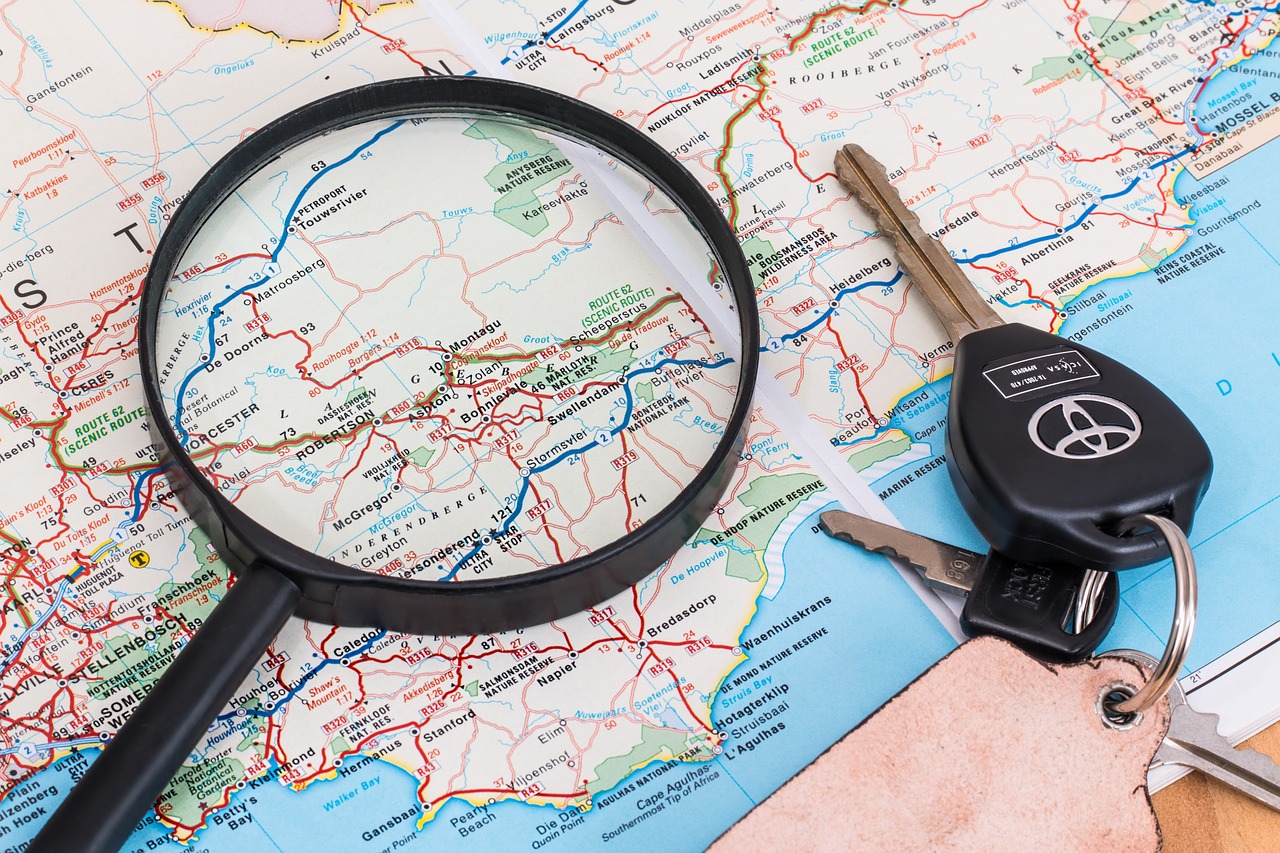
    Magnifying glass and set of keys on top of map

    What Can Geofencing Do for My Firm?

    When you’re setting up your Google and Facebook Display campaigns, you no longer just have to input the city you’re looking to target. The market is already saturated with other law firms, and you’ll be paying top dollar to get your ads to show up, much less be the top result. The first step is to examine your demographics and target audience. Then, find specific neighborhoods or landmarks and really zero in on your exact customer. You know that intersection where there are always a lot of car accidents and the auto repair shop that services those wrecks? That’s an area you should target. Know of any physical therapy clinics or chiropractors? Bingo. If you’re an attorney that specializes in estate planning, look for higher-income areas like fine dining venues or country clubs and golf courses. Go where your customers are.

    Why cast a wide net in a large pond when you cast a small one where the fish are biting?

    15 Quick Tips to Get You Started

    Applying eyeblack prior to getting started

    1. Get to know your audience and demographics. Without this, you’re toast.
    2. Plan and prioritize your KPIs and performance metrics, then build your campaign from there.
    3. Exclude locations where you know your target customer won’t be.
    4. Target specific events within the town or city. Morris Bart does a great job of this by sponsoring Lil’ WeezyAna Fest in New Orleans.
    5. Bigger “fences” don’t always mean better. Keep a 4-5 minute travel radius from your desired location.
    6. Make sure the CTA is location-specific so that your customer understands the relevance of your ad and isn’t utterly annoyed by your brand.
    7. Timing is key. Try to have your ads show at relevant times for your customer, though this is obviously different for everyone.
    8. Use the data you receive from these campaigns to constantly improve them. What’s that quote that mentions insanity and doing the same thing over and over again?
    9. The message in the ad should prompt immediate action and usher the user to take the next step.
    10. Consider population density in the areas you’re targeting.
    11. Targeting your competition is a very good idea 🙂
    12. Use location-specific landing pages. Once again, these ads must be relevant.
    13. Use location-specific keywords, and even use slang!
    14. Set location-based bid adjustments so you don’t break the bank.
    15. Enable extensions in your ads for easy calling and emailing. People love convenience.

    The Future Is HereSpinning and pointing

    Hyper-targeting potential customers based on niche locations is the next big thing, and utilizing these features in your campaigns is easier than ever. Billboards may still have some value, but it’s more effective to post virtual billboards inside of a customer’s smart-phone or computer at a much lower price than traditional advertising or even PPC campaigns. Geofencing is still relatively new, which means you can stay ahead of the curve.

    Which Steps Should You Take Next?

    Get the ball rolling! It’s time to optimize your ads to target your key demographic. Need some help? No worries. We have an expert team of online marketers to get your campaigns up and running to gain new clients. Are you unsure of who you should be targeting or do you need to figure out which metrics matter to your business? We’ve got you covered. Request a proposal with Search Influence today.

    Images

    Dashboard

    Magnify

    Eyeblack

    Spin and point

  • Do Businesses With Multiple Locations Need Multiple Facebook Pages?

    Facebook has become an integral part of marketing for any business. Those with multiple physical locations must decide how they would like to present themselves on this platform: in one corporate page representing all locations, or in separate pages that reflect each location. While the ease of managing one corporate page may sound appealing, it is important to have a social media presence for all locations. It is likely that each location has its nuances. Whether they differ in menu items, atmosphere, or specials, it is important that these differences are reflected accurately in all marketing so the local brand is well represented and customers have correct expectations.

    There are two ways to accomplish separate Facebook marketing for multi-location businesses: creating multiple business pages or using Facebook Locations.

    Young man using computer for Facebook

    Facebook Locations Vs. Multiple Business Pages

    When a business has multiple business pages, they have created a separate page for each location, meaning that each location is set up completely independent from the other. This is one way to account for all locations; however, it often makes more sense to utilize Facebook Locations to accomplish this.

    Facebook Locations is set up with one parent page that represents the main brand. Within this page, there are local pages that account for each individual location. All pages are managed through the central parent page. One way to think about Facebook Locations is the parent page as an umbrella and the local pages underneath it.

    Who Should Use Facebook Locations?

    While Facebook Locations is a great tool, it is not appropriate for every business to use. Multi-location businesses with a generally centralized brand identity are the best candidates for Facebook Locations. Additionally, this method is best for businesses that have an employee that can communicate and be involved with all locations, since all pages are through the parent page.

    The Advantages of Using Facebook Locations

    The main advantages of using Facebook Locations are that it can save time while allowing each location to share increasingly specific and relevant content.

    As mentioned before, all pages are managed through one central spot, the parent page, with one login. Through the central login, a business is able to post content to all pages by sharing from the parent page. This is a quick and easy way to share company-wide information. Additionally, content (such as location-specific events, specials, etc.) can be posted just to certain pages from this same login. These features increase efficiency by reducing the amount of time spent logging in and out of multiple business pages.

    Using Facebook Locations allows for highly targeted location-ads and content to be shared to each local community. This way, followers are more likely to pay attention to and engage with the ads and content they see because it is relevant and important to their location.

    The parent page will have a map that shows all individual locations, in addition to listing them out under a “Locations” tab. This feature makes it easier for potential customers to find the nearest location to them.

    One objective that is only available for businesses that use Facebook Locations is store visits. According to Facebook: “Store visits reporting shows you visits that happen within 1 day, 7 days, and 28 days after a person clicks an ad, and 1 day, 7 days, and 28 days after your ad is viewed.”

    This is extremely valuable information, as it is the most advanced way to correlate posts or ads with actual customer visits. Facebook uses a variety of measurement signals to calculate this metric, which they explain further in this post.

    Person using mobile device for Facebook pages

    Creating and Managing Facebook Location Pages

    The first step in creating a Facebook Location page is to set up a parent page. This should be a page for the main brand and is the same as setting up any Facebook Business page.

    After this, there are three ways to add specific locations:

    1. Manually add each address
    2. Upload using a CSV template
    3. Migrate existing pages into new location structures

    Once all pages are set up, someone must be in charge of managing them. This role includes ensuring all information is correct, publishing posts, managing reviews, and more. Some businesses assign these responsibilities to an in-house marketing employee. However, many find it more effective to hire an agency for social media management.

    Ready to set up your business’ Facebook Location pages? Search Influence has been helping brands succeed online since 2006. Our services include social media management, content creation, and online advertising. Request a proposal today to learn how we can help you make the most of your brand on social media.

    Images

    Computer User

    Mobile Device

  • Only 4 Percent of Businesses Are Voice Search Ready—Are You in That Number?

    At the beginning of 2019, over 66 million people in the United States were uttering the phrases “Ok Google,” “Hey Siri,” or “Alexa!” to find information on the internet. When you consider that the adult population of the United States is around 253 million, that means that around 25 percent of people are using voice search to get answers to their questions. As marketers, we need to start to pay attention to this, and make sure that we are present to help them answer their questions. According to a recent study conducted by Uberall, only 4 percent of businesses are “voice search ready,” which means that there is opportunity to show up in searches for businesses that are prepared.  

    25 Percent Is Not That Significant, So Why Should I Care?

    In 2016, the number of smart speaker users in the United States was estimated to be 16 million. So, between 2016 and 2018, the segment grew by four times. But in order to really understand the impact, we need to understand usage. Thanks to a recent study conducted by Bright Local, we know that 58 percent of consumers have used voice search to find local business information in the last 12 months and that 46 percent of voice search users seek out local business information on a daily basis. This behavior has big implications for local brick and mortar businesses. So, although 25 percent may not seem like a huge number, the growth in adoption and usage make voice search a channel worthy of the attention of local businesses.

    Person using mobile device for voice search

    Ok, So, It’s Here, How Do I Take Advantage?

    The good news is that right now, voice search optimization looks a lot like regular SEO. If you are answering questions and providing valuable information to the searcher, you will be fine. If you are a local business, there is a silver bullet that many of your competitors are not using. Remember, 46 percent of voice search users are using their device to search for information about local businesses on a daily basis. If you couple that with Uberall’s finding that less than 4 percent of businesses have the six key elements of voice search readiness complete and consistent across the important platforms, you can see that with a little work, your business could show up in intent-based voice searches like those that end in “near me” and “near me now,” which are on the rise, according to Google.

    What Does It Mean to Be “Voice Search Ready”?

    Voice search readiness has a lot of parallels with local search optimization, especially for local businesses. To put it another way, if you have done the right things to optimize for local searches, your local business should perform well in voice search, especially for bottom-of-the-funnel (more likely to lead to conversion and store visits) searches. Uberall’s study identifies 37 directories that feed directly into voice search platforms. The good news is that not all of them may be relevant to your audience. Uberall found that 90 percent of the impact on Voice Readiness Score comes from the directories that we are all familiar with: Google, Yelp, and Bing. I would add Apple Maps, as well. Uberall states that Siri’s search is powered by Google, but I was not able to replicate that on my iPhone, and according to a recent article by Eric Shanfelt, Siri gets its business data from Apple Maps Connect and reviews any other information from Yelp, or sometimes other sources.

    What to optimize is pretty simple. Think about what users need to know about your business when they search:

    1. Address: Potential customers need to know where they can find you, and Siri, Alexa, and Google Assistant need to know what local searches to serve your business up for.
    2. Opening hours: How frustrating is it to show up to a place whose map listing asserts that it is open, only to find that it’s closed. BONUS: Remember to update any special hours that you have around holidays or any other periods where your normal business hours do not apply.
    3. Phone number: This is an easy conversion point.
    4. Business Name
    5. Website URL
    6. Zip Code

    This may seem pretty basic, but these attributes need to be consistent across all directories that you have out there to get the maximum benefit.

    Mobile device and smart speaker used for voice search on a desk

    Putting It Into Action

    If you are a local business and want to put this into action, there are three approaches that you can employ:

    1. Do it yourself: If you have the time, you can go to the four major platforms directly, claim your business (we have created step-by step-directions for claiming your Google My Business Profile), and input the information listed above. If you choose this option, you will want to review these periodically, as sometimes listings get changed with community edits, and you will also want to update the platforms when anything changes with your business—think holiday hours.
    2. Use a listing distributor like Vendasta or Yext: There are other aggregators out there as well, but the idea is this—put your information into one platform, and let them handle getting it to the directories in a consistent manner. This approach can allow you to go beyond the four major platforms, but still requires some manual effort on your part. Regular monitoring is still suggested, although this can be done in the aggregator, and not all directories have “two-way feeds,” which could mean that you will need to log into the directory platform to make the updates.
    3. Hire a digital marketing agency to manage your online presence: If your time is better spent on other areas of your business, or the prospect of managing listings overwhelms you, hiring an agency can be a great option. When selecting an agency, ask if they are using a listings distributor, which will help them keep your listings accurate, and can provide you with a dashboard to monitor their progress. The main benefits here are that the agency should be familiar with the listing’s distributors and directories, and they will know who to contact when there are any problems with consistency.

    Voice search and its intersection with local search is still in its infancy and is constantly evolving. With the increased adoption of both the devices and behaviors, this tactic is ripe for exploitation by savvy local businesses. If you’d like help building a dynamic marketing strategy that encompasses these trends, reach out to Search Influence to request your free marketing analysis.

  • Why Branding Is Vital in Your Marketing Campaigns

    Branding and marketing are terms often associated with each other. Though they’re not synonymous, they should be harmonious. Your brand is what you market. The colors, logos, voice, tone, and so much more dictate how you should market your products or services and ultimately show the world (or a tiny segment of it) exactly who you are.

    But wait a moment…what does that even mean?

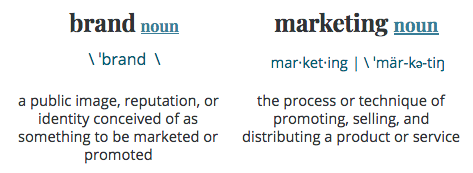
    Let’s break it down with Merriam-Webster:

    Brand vs. marketing graphic for Search Influence blog post

    As a New Orleans native, I like to think of a brand as the roux of a delicious marketing gumbo. Your branding, much like the roux, is the foundation and soul you put into your overall marketing campaigns. Without it, you’re simply not going to get the results you were hoping for.

    Your branding encompasses who you are as a company and what your customers see. Your culture, core principles, values, and ideas are the foundation of your brand, along with the way you present your company visually. An effective marketing plan will take who you are as a company and personify that as a character who is able to interact and relate to your customers. While your campaigns will have many objectives and goals, the overall structure, tone, and theme of these efforts should be consistent and more importantly, recognizable.

    So with that being said, what makes your company unique? What truly sets you apart, or how do you want to set yourself apart from the competition? Your brand is your company personified, so get creative! You may be incredibly focused on your commitment to quality, customer service, or your community. Customer loyalty may be an issue you need to improve, so build your brand around that key metric. While a marketing plan can exist separately from your values, the most successful campaigns will include your key strengths in the eyes of your current customers and broadcast them to your potential target base.

    Man screaming into megaphone about branding

    So We Got Branding Down…What Next?

    The connection between your brand and your marketing lies within the confines of what will have the biggest impact on the most important part of any campaign:

    Elvis dancing with conversions written in red

    Conversions!

    Getting potential customers to take action and engage with your business is critical. Marketing plans based on Google keywords and Facebook data alone won’t pack the punch needed to grab the attention of a market that is perpetually bombarded with the messaging of your competitors. Simply put, thoughtful and effective branding helps produce engaging content. In a world where the average consumer reads 11.4 pieces of content before making a decision, content reigns supreme in this crazy, competitive battle for attention.

    When your branding is developed and reinforced over time, you can use this foundation to create content that educates customers about your products or services, differentiates you from competitors, and influences your perceived value in the eyes of your customers. This brand-rich content should be utilized in every holistic approach of the digital marketing campaigns you create. (Or we create for you!)

    Gale Henry portrait photo for Search Influence blog

    Don’t Stop Now!

    You got the brand down, and people are converting, but you can’t stop there. This is an ongoing, endless ride, my friend. Between the continual upkeep of your search engine optimization, email marketing, content marketing, social media, and paid advertising, branding never stops! Your customers are hungry for more information from you, so it’s time to put on your thinking cap and start a blog. You can use blogs to demonstrate your industry expertise and meaningfully connect with your audience. It can also help establish your company’s authority in the eyes of search engines to increase your rankings in search results.

    The combined efforts of your marketing and branding can create a powerful message to the customers that you already have the ones you need to target to keep growing. A comprehensive marketing plan will bring in new business, while your branding and customer service will ensure their satisfaction and loyalty.

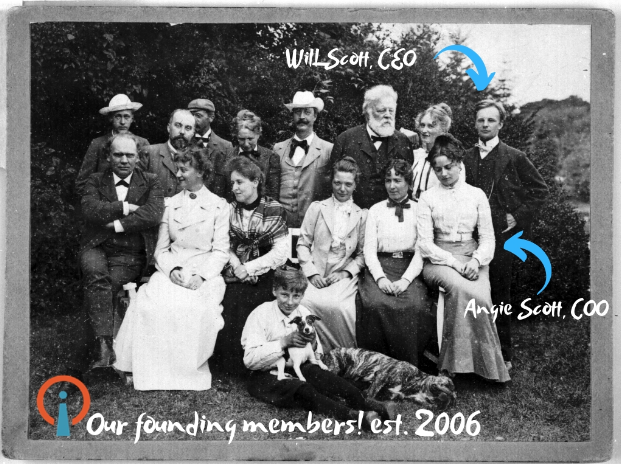
    Interested in learning more about how your brand is perceived online and how to build a successful campaign around it? Start a conversation with us today! As you can see, we’ve been doing this for a while…

    Old time-y photo of Search Influencer founders Will and Angie Scott

    Images

    Camera

    Megaphone

    Elvis

    Gale Henry

  • The Strategic Marketing Method to Building Your Brand on Youtube

    In true Search Influence fashion, I am going to start this blog post the same way we typically start our weekly company meetings, with a quote:

    “You cannot teach a man anything; you can only help him discover it in himself.” – Galileo

    Though Galileo provided us with this insightful quote, Frances Bacon formulated one of the most important tools to aid in this self-discovery, the scientific method.

    Now, Let’s Get Started…

    Neil DeGrasse Tyson science meme

    There is a method to the madness! What if I told you that to build your brand on YouTube, all you need to know is the scientific method that you learned in 5th grade? You may ask yourself, what exactly are the six steps of the scientific method and how the heck does this relate to digital marketing? For a little refresher, I have listed the steps to get us started:

    1. Ask a question
    2. Do background research
    3. Construct a hypothesis
    4. Test your hypothesis
    5. Analyze the data and draw a conclusion
    6. Share your results

    STEP 1: Ask a Question

    In the first step, you are going to want to think of multiple questions around the reasoning your experiment. I highly recommend taking the time to write this out, whether it’s with a pen and paper or on your computer. Like any great scientist, you should be documenting all of your brainstorming, research, strategies, and data.

    • What is your niche?
    • What is the problem you want to solve?
    • What is your area of expertise?
    • Who do you want to target?
    • Why are you choosing to focus on this niche?

    The last question is key because there is never going to be the same level of commitment if you aren’t choosing something you are truly passionate about.

    STEP 2: Do Background Research

    Now that we have sorted through all of those questions and have a clearer idea of the direction we want to take, it’s time to start our background research.

    We need to look at what our competitors are doing. Our competitors will be the brands or people that are doing something similar to what we have chosen as our niche. When analyzing them, we should ask the following questions:

    • How do they engage?
    • Which formats do they use?
    • What is their content strategy?
    • Is what they’re doing working?
    • What is your market missing?
    • What can you do differently from them?

    Once again, this last question is the key to your success! What can you do differently that will set you apart from your competitors?

    STEP 3: Construct a Hypothesis

    Now the fun part (and my personal favorite)! We need to construct a hypothesis, or, in marketing terms, create a strategy. We will want to use our research from Step 2 to construct keywords, content, and visual styles that will work with your target audience while utilizing the competitive advantage you identified in Step 2. In this step, you will also want to determine your overall strategy to remain consistent. This is going to include your posting schedule, engagement plan, and who (brands or people) you would like to collaborate with in the future.

    An important part of this step is determining the metrics that matter, what we like to call “SMART Goals.” What are the metrics you should measure to prove the success of your strategy?  This will include constructing a timeline of when you would like to check in on these SMART Goals of your strategy.

    Neil DeGrasse Tyson meme about bracing yourself for digital marketing knowledge

    STEP 4: Test Your Hypothesis

    Testing your hypothesis is when the party really gets started. It’s time to experiment. You are going to implement your strategy. You will take the creative strategies you planned out in Step 3 and put them into action.

    STEP 5: Analyze the Data and Draw a Conclusion

    Using the timeline determined in Step 3, analyze the data and draw a conclusion. Look at those metrics that matter. Ask yourself the following questions:

    • Is your strategy helping you achieve your goals?
    • Did you determine the right goals to track in Step 3?

    STEP 6: Share Your Results

    Now, unfortunately, I can’t say that this is the final step because “sharing your results” means you will now use your conclusions to decide on optimizations for your strategy. You’ll know if you’ve achieved your goals or if certain aspects need to be revisited when you analyze the data in the previous step.

    Scientists share their results to provide insightful information that can be used as research for future experiments. Experiments aren’t meant to be done once. This process should be repeated and repeated to study and improve your marketing strategy.

    Once you’ve got your results, ask yourself the following questions:

    • Should you restrategize your brand?
    • Did you choose the right market?
    • Should you restrategize your execution?
    • What parts of your plan are working?

    And the final question to ask yourself after reading this post is… are you smarter than a 5th grader?

    Luckily, the marketing experts at Search Influence got straight A’s in 5th grade. If you need help developing an effective marketing strategy for your business or building brand awareness on YouTube or any other social media platform, start a conversation with one of our strategists today.

     Images

    NDT 1

    NDT 2

  • Five Steps to Boost Your Law Firm’s Online Reputation

    Reputation is everything. If you’re a fan of the TV series “Suits,” you already know that hotshot attorney Louis Litt’s most important character trait is his obsession with his reputation, as well as his firm’s. He does whatever it takes to make sure it’s immaculate. Since Louis doesn’t talk much about his strategy, I took it upon myself to shine some light on the perks of having a strong online reputation and how to improve yours (if it could use some work).

    “Reputation is an outcome, but it is also a valuable, strategic asset,” says Andrew Griffin.

    By cornering your social media game and online presence, you’ll be able to aptly manage your law firm’s online reputation and mold its online “personality” to set the stage for a reliable and effective firm in the eyes of future clients. The next five steps are vital to shaping your brand and ushering new clients through your virtual door.

    Step 1: Ask for Reviews

    When consumers are beginning their search for a law firm, they turn to the internet to do some digging. 65 percent of consumers claim to be swayed by the reviews they find on your firm, and a single negative review can drive away 22 percent of potential clients. Ouch.

    So How Do We Combat the Bad Publicity?

    Set up a system and a strategy to make it as easy as possible for your clients to leave you reviews (see Step 2). By flooding your Google My Business listing with bright and positive client reviews, you push the negative commenters further from the line of sight and cement your standing as a reputable firm. Asking for reviews may seem a little tricky, but the key is to ask at the optimal time, like right after you’ve won a case for a client.

    You might be asking why I’m mentioning Google reviews? Google has been proven to be the most frequently used review platform when customers search for attorneys. It’s the most popular search engine, so it makes sense that it would beat out other platforms. You really can’t beat convenience.  After Google, the most popular review platforms are Facebook, Yelp, then Avvo. This doesn’t mean you should ignore these sites, but asking your clients to leave their praise on Google is more important.

    "You're a genius" gif from the television show Suits

    Step 2: Find a Place to Filter All of Your Reviews in One Place

    My biggest piece of advice is to stay organized. If your law firm has multiple locations, this is even more important when managing your online reputation. Between Google, Facebook, Yelp, and Avvo, you’ll have a hard time bouncing from platform to platform, putting out fires, and responding to client praise. BirdEye is a great way to consolidate your online reviews and respond to them in kind.

    Bonus Perk

    BirdEye keeps your law firm’s contact and business information accurate across all review channels, and it also makes it easy to ask your clients for reviews by putting all of the tools right in their lap. As mentioned before, you really can’t beat convenience.

    "I'll make it happen" gif from the television show Suits

    Step 3: Respond to EVERY Review Within 24 Hours

    This is where BirdEye really comes in handy with managing your law firm’s reviews. The internet has given the world many wonderful things, but it also introduced an element of chaos. And when I say chaos, I mean a scathing online review about your firm (that may or may not be valid) that’s posted in public where your potential clients can see it.

    Fear not—you’ll be OK. It’s time for you to find your zen and craft an empathetic and professional reply that acknowledges the trouble the reviewer faced, offers an avenue to make it right, and then thanks them for their feedback. At the end of the day, these reviews can actually be very helpful in letting you know how to improve your business and pinpoint some issues that may be happening more often than you’d like.  

    Bonus Perk

    You have now positioned yourself in the public eye as a firm that’s genuinely interested and concerned about all of your clients, not just the happy ones.

    "Mission accomplished" gif from the television show Suits

    Step 4: Start a Blog

    Content. Content. Content.

    Position your law firm as a thought leader in your areas of practice and write content that speaks directly to your potential clients and, just as importantly, to Google. Creating more content for your site that’s relevant to what your potential clients are searching for directly translates into where you rank for relevant search results. There are other factors that affect your rankings, but content is among the most important.

    Let’s say a potential client, we’ll call him Gary, was in a wreck last week. The driver who hit him was uninsured. Gary is at a loss about what legal action he should take and doesn’t know if he even has a case. To answer his questions, he turns to Google and asks for some advice. If you’re a personal injury attorney, you could craft a blog that explains Gary’s rights and a step-by-step guide to finding the help he needs to file a lawsuit to cover the damages. So when Gary searches for clarification, your blog could be the first one to pop up, which prompts him to click onto your website and potentially become a paying customer.

    Consider the types of cases that generate the most revenue for your firm, research how consumers search for information about those practice areas, and craft your content strategy around the information you find!

    "That's more like it" gif from the television show Suits

    Step 5: Hire a Marketing Firm

    As cliché as it may sound, you have better things to be working on than creating a marketing strategy, monitoring your social engagement, and writing blog posts in your spare time on the weekends. Save yourself some time and energy and talk to one of our strategists about building a bulletproof strategy on managing your online reputation and drawing up a game plan to solidify your online presence. With several teams dedicated to each aspect of digital marketing, Search Influence has all hands on deck to craft the perfect strategy to make your positive online reviews more visible and create relevant blog topics that will have potential clients knocking on your digital doorstep. Start a conversation with one of our experts today.

    Images
    Suits 1

    Suits 2

    Suits 3

    Suits 4

  • Answer These Questions Before Creating a Strategy With Your Marketing Agency

    Desk with crumpled up marketing strategy next to plants and marketing books

    In the world of digital marketing, both asking and answering the correct questions can be the difference between success in a digital marketing campaign and frustration. Often, as a salesperson (or consultant or relationship-builder guy… whatever I am), I find myself realizing how many different types of potential clients there are. I have divided them into three tiers. In tier 1, you have potential buyers that have little to no knowledge of what digital marketing is or how it works, and I find myself educating more than partnering for a specific campaign. In tier 2, there are the prospects who know that digital marketing exists, know that they need it because their competitors have it, but nonetheless still need to be educated. And finally there is tier 3, which consists of the people who know all about it, have it, and are just looking for ways to improve it. Though different potential prospects have different levels of knowledge, what remains consistent across my three tiers are the types of questions that need to be answered to successfully put together a campaign.

    What Are These Questions?

    There are many foundational level questions we tend to ask business owners to get an idea of how much they know about digital marketing and what marketing efforts have worked for them in the past. But, from a strategy standpoint, the most important questions entail information that is very specific to what objectives have been put in place by the business. Those questions are…

    I have a question about digital marketing

    What Are Your Goals for This Advertising Campaign?

    Quite simple, right? What are you looking to accomplish from this campaign? Goals vary from industry to industry, business to business. For example, some businesses have a bigger need for brand awareness if they recently opened a new location. Other businesses have more of a need to drive new business to supplement their current book of business. This is often the case with insurance agents and attorneys. In the case of businesses that do e-commerce, the goal would be to drive more online sales. If a particular company wants to increase their sales in a particular area of the business, it is important for that to be outlined in their goals, as well, which makes this question very important for keyword purposes. For instance, if an attorney wants to push for more personal injury cases, we want to make sure that someone looking for a divorce lawyer doesn’t get served ads or content for a personal injury lawyer. This will just lead to wasted clicks and no conversions. Also, when asking this question, make sure it is explicitly clear what you consider to be a conversion. Sometimes a conversion can be considered a potential buyer filling out an on-site form fill with their personal info, which, in turn, makes it easy for a business to reach out to the person who seems to have some interest in their product or services.

    31 questions to ask a marketing agency

    How Much Is a New Customer Worth to the Business?

    This metric is a key detail when running digital marketing campaigns. The reason why it is important is because it can be a great tool when tracking ROI. If we know that each new lead you bring amounts to a certain amount of revenue, then we can use that info to understand how much of your product needs to be sold in excess of how much budget is being used on our campaign to net your profit goal. For example, if a person has a business selling sofas, and each sofa costs $1,000, and this business spends $1,500 a month on digital marketing services, and our services lead to two sofas sold based on our tracking, then we know we netted a $500 profit. Simple math, right?

    What Is Your Target Demographic and Area?

    This is an all-important detail. We, as marketers, use this information to be able to reach the actual audience you are after and target them where you, as a business, would want your content to be found. For instance, if you are a women’s clothing boutique in New Orleans, we wouldn’t want your ads being served to men in New Orleans, as they are less likely to click or convert. The same holds true with targeting, say, a woman in Houston because she is less likely to travel to New Orleans to come to the boutique. Obviously, the targeting can change if the boutique has an online store.

    31 Questions Checklist square image

    These details are important for keyword purposes, as well. Searching for a particular service and adding the city into the end of the search can drastically change results. For example, searching “cheap hotels near me” versus “cheap hotels New York City” will yield much different results.

    There are many other fine details that can be leveraged to create success within a digital marketing campaign, but these are the three major questions that can make or break your success and either lead to money down the drain or money into the pocket of your business. If you find yourself struggling to get the answer to any of these questions or don’t know where to find your start in digital marketing, download our checklist of questions and fill out this form, or call Search Influence at (504) 881-1467 to speak to one of our experts today!

  • Best Apps for Mardi Gras in New Orleans

    Mardi Gras in New Orleans is one of the most exciting times of the year! But with all of that excitement comes a bit of preparation. Make sure you’ve got these top apps downloaded on your phone so that you optimize your Mardi Gras experience.

    Listen to our radio interview covering some of these tips on WWNO New Orleans Public Radio.

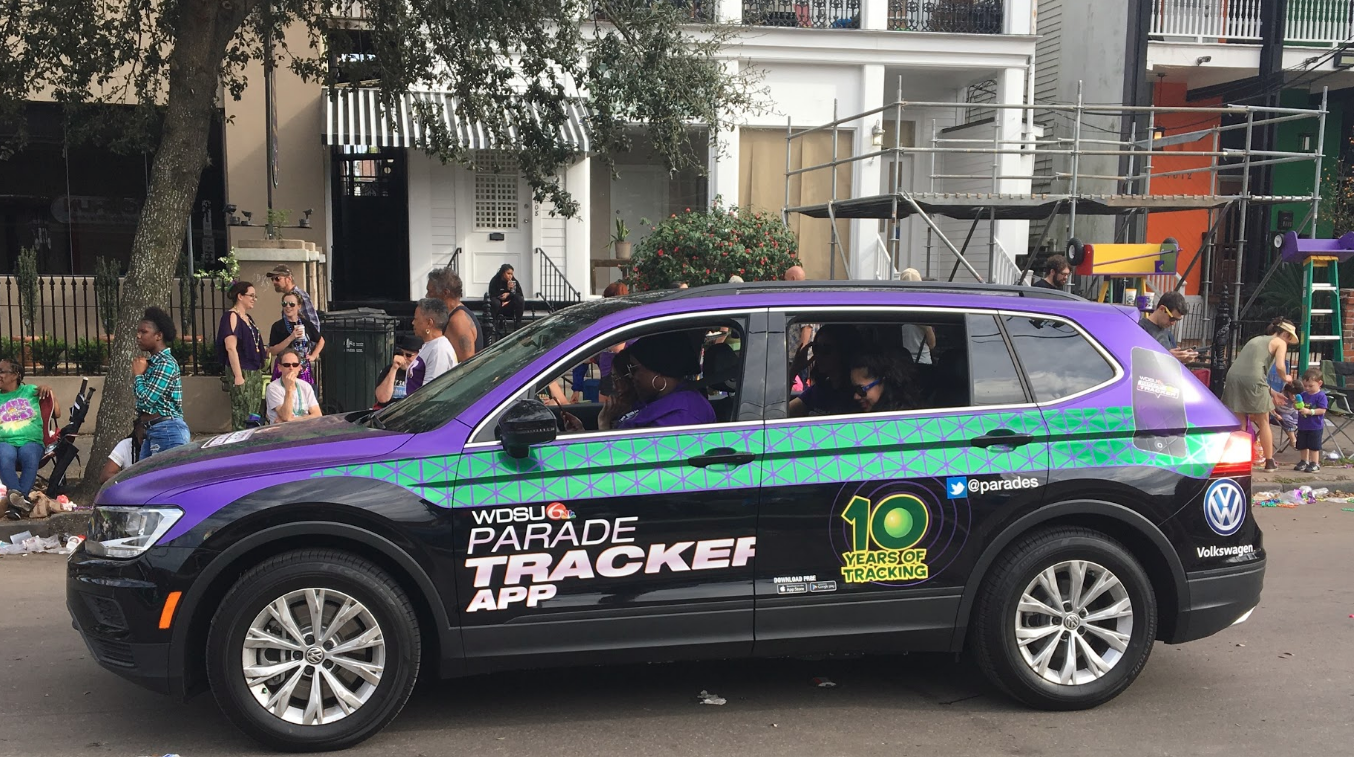
    WDSU Parade Tracker car riding in Mardi Gras Parade in New Orleans, LA

    Parade Tracking Apps

    WDSU Parade Tracker | WWL Eye on Carnival Mardi Gras Parade Tracker

    Parade tracking apps are ESSENTIAL for Mardi Gras in New Orleans! These local apps provide real-time tracking of the parades so you’ll know exactly where they are on the route.  So how does it work? There’s a GPS tracker located in a vehicle at the front of the parade, so you’re able to see exactly where the beginning of the parade is at any given time.  

    It’s especially helpful for finding out if there are any delays along the route. Also, if you’re out parading and don’t want to miss anything, you’ll want to know how much time you have between parades to use the restroom or grab some food. Other nifty features include:

    • Parade schedules: See how many parades roll each day and what time they start.
    • Parade route maps: Find your spot and see where you are on the route.
    • Parade float count: See how many floats are in each parade. This is an indicator of how long it’ll last.
    • Weather info: Plan out what you need to wear. Weather during Mardi Gras tends to be pretty volatile—it can go from hot during the day to freezing at night, to raining, so you gotta make sure you’ve got the right attire!
    • Notifications: Real-time notifications for weather, parade starts, and delays.

    WDSU iOS | Android  WWL iOS | Android

    Transportation Apps

    Uber | Lyft

    These are the most popular for helping you get to and from the parade route without the dreaded headache of parking. It’s especially good for ride-sharing with friends or others who are going to the parade. It makes it easy because you don’t have to worry about spending extra time driving out to the parade and searching for a place to park, or even paying to park; and if you’re planning on drinking, you definitely shouldn’t be driving!

    Uber  iOS | Android  Lyft iOS | Android

    Blue Bikes

    If you’re a local, biking is one of the easiest, and sometimes even the fastest way to get around the city during Mardi Gras. Even if you already have your own bike, Blue Bikes are especially helpful for when you’ve got friends or family visiting from out of town that don’t have their own bike.

    Getting set up for this bike-sharing program is quick and easy. Simply download the mobile app and register for an account through the app. There’s a $5 sign up fee and pricing is either pay-as-you-go (10 cents/minute), or pay a monthly fee ($15/month). Through the app, you can find Blue Bikes and Blue Bike stations across the city, reserve bikes, and even see your trip history and miles ridden.  Using the bikes are even easier! When you’re ready to ride, you’ll enter your six digit account number and four-digit PIN into the keypad on the back of the bike to unlock it. Then ride it to wherever you need to go and return it to the nearest Blue Bike station, or you can lock it at a public bike rack for an additional fee.

    Transit Tracker – New Orleans RTA

    One good way to get downtown during Mardi Gras is public transportation. The French Quarter is typically closed off to drivers from Friday evening until midnight Tuesday, so driving there is impossible. Even if you try, you likely won’t be able to find a place to park.

    With Transit Tracker, you put in your starting location and destination and it will show you which streetcar or bus to take and where you will need to walk. There’s also real-time GPS data on the streetcar/bus locations. It does rely on the RTA keeping the trackers in working conditions, so this could be hit-or-miss.

    iOS only

    Waze

    If you decide to drive out to the parade route, we highly recommend using Waze to help you navigate. This GPS app is typically the most reliable for getting driving directions because it uses user-submitted road and traffic data, such as accident reports, police traps, closed roads, and other hazards along the way. It’s especially helpful during Mardi Gras in order to know which routes to avoid due to traffic (within or coming into the city) or to indicate which roads are closed because of the parade routes.

    iOS | Android

    Mardi Gras parade float in New Orleans, LA

    Location Apps

    Google Maps

    Google Maps is one of the most used and trusted location apps. It comes in handy during Mardi Gras for travelers and locals alike! Cell service can be pretty spotty when you’ve got a concentrated crowd of people, so if you’re trying to get in touch with someone to meet up, you can easily share your location by dropping a pin. Also, if you decide to drive out to the parade route and park, there’s a good chance you’ll need help remembering where you parked. Simply drop a pin and save it.

    Depending on where you are, restaurants may have different hours during Carnival, so if you’re hungry and need a quick bite, it’s great for finding what restaurants are open in the area around you.

    iOS | Android

    Find My Friends

    It’s essential to stay in touch with your fellow parade buddies during Mardi Gras. This app allows you to easily locate friends and family using your iPhone. Just install the app and share your location with your friends by choosing from your contacts. When you share your location, your friends can start following your location immediately and easily share their locations back to you so that you’re both in the loop. It’s easy to get lost in a crowd during the festivities, so if you’ve got a large group of people that want to stay together or find one another, this app is key.  

    iOS | Android

    Food Delivery

    Instacart

    Make sure you’re stocked up on snacks and drinks for the parades! If you live near or on the parade route and you’re having people over, you definitely want to make sure you’ve got food for yourself and all those visitors. Shopping at grocery stores during Carnival time can get a little crazy, so you can save yourself the headache of fighting the crowds and use an online grocery shopping and delivery service.

    iOS | Android

    Uber Eats | Grubhub | Waitr

    If you forgot to pack food and want a meal delivered to you while you’re out on the parade route, all of these services can deliver food to you from your favorite restaurant. Additional fees vary. There’s usually a $4.99 flat fee + additional fees depending on the distance from the restaurant. Good news, there is a promo code for first-time users!

    Uber Eats iOS | Android GrubHub iOS | Android  Waitr iOS | Android

    Mardi Gras partiers hanging out on Frenchman Street in New Orleans, LA

    Mardi Gras Attire

    While we always encourage shopping local to find your unique Mardi Gras attire, the convenience of shopping online sometimes can’t be beat.

    Amazon

    Amazon is one of the top online shops for buying any and all of your Mardi Gras attire: wigs, makeup, costumes, glitter, fanny packs, YOU NAME IT! The best part? Quick two-day shipping with Amazon Prime for those of you who waited until the last minute.

    iOS | Android

    eBay

    It’s not just used items! It’s essentially a ton of virtual stores and sellers, and not everything is an auction. Many sellers offer the “Buy It Now” option, so you can easily filter that way if you’re in a time crunch to get your items. eBay is a great place for finding unique attire and pieces to build your costume.

    iOS | Android

    Etsy

    If you’re not the craftiest person, but you want something unique that you can’t just buy off the rack, this is the place to look. It’s a mecca for finding awesome, vintage, and handmade items like headpieces. There are also numerous thrift stores that have their shop online, so you can find some really unique and funky pieces for your costume. Not to mention, tons of vintage sequin tops! If you’re into personalized cups, koozies, t-shirts, etc., they’ve got tons of sellers that make these.

    iOS | Android

    Most importantly, don’t forget to bring a portable charger with you so that your battery doesn’t run out after using all these helpful apps during Mardi Gras. Our team at Search Influence is in full preparation mode for Mardi Gras! Learn more about our digital marketing experience throughout the Greater New Orleans area and around the country. Even if you’re not celebrating in the Big Easy this year, don’t let Mardi Gras be just any other Tuesday.

    Images:

    Blue Bikes

    Parade Float

    Frenchman

  • The Best and Worst of Super Bowl LIII Ads – Jordan Polhemus From Search Influence on WWL

    Jordan Polhemus, Account Supervisor at Search Influence, sat down with WWL to discuss this year’s best and worst Super Bowl ads from a marketing standpoint. Check out her insights on:

    • Which ads scored and which fell flat
    • Recent trends in brand messaging and inclusive marketing

    Super Bowl commercials never fail to showcase the latest marketing strategies and brand messaging tactics. At Search Influence, we strive to keep up with proven strategies and best practices to help our clients optimize their online presence. Our SEO services can help your business get found online and grow with a customized content marketing strategy. Let’s start a conversation today.

  • How to Optimize YouTube Videos for SEO

    Man watching optimized Youtube videos on his phone at Search Influence in New Orleans, LA

    What’s your first thought when you think of YouTube videos? Funny pet compilations or cooking tutorials? Well, if so, then it might surprise you that YouTube is more than just a resource for entertaining clips or personal vlogs (video blogs); it’s actually the second-most visited website in the world, behind Google. More than 1.5 billion users log into YouTube per month. It’s even crept into the television market, and the time that people spend watching YouTube on their TV has doubled in the past year.

    Still, only 9% of small businesses utilize YouTube. And, because YouTube is owned by Google, it pays to ensure that your videos are optimized for SEO just like your website. That might be the difference between a few views and a few thousand.

    Gif of Youtube logo

    A Beginner’s Checklist to YouTube SEO

    1. Title

    Just as your company’s web pages need metadata that contains clear and concise title tags with researched keywords, your video’s title needs to clearly list the topic while also using keywords. It’s one of the few places where you can put keywords, so it’s important to do some preliminary keyword research to see how people are searching for your product or service. A word of caution though—don’t put keywords in your video’s title just for the sake of inserting keywords. As with Google, this practice will not help your position in the YouTube search results page (YSRP). The key is to make it relevant while describing what the video is about.

    Example title of an optimized Youtube video from Search Influence in New Orleans, LA

    1. Description

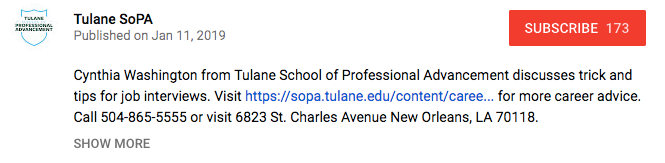
    A video’s description should be just that—a description of the video. You don’t need to transcribe the entire video or write a short story about it; you just need to give a relevant but brief description. In addition to your title, descriptions are a place where you can utilize keywords. Again, don’t go throwing keywords into your description hoping that it will make your video rank highly in the YSRP. YouTube is smarter than that. Use choice, relevant keywords.

    For length, it’s best to aim for under 250 characters, or roughly 30 words. After this character limit, YouTube uses the “show more” prompt to hide the rest of your description. It’s also important to fit your keywords, a valuable resource link, and a call to action before this threshold. What’s a valuable link? Your company’s homepage can work just fine. But, you’ll get even better value if you can use a page deep in your site—think service pages, product pages, testimonials, limited offer pages, etc. Also, make sure to use “http://” or “https://” before the URL, or it won’t hyperlink in the description!

    After the “show more” fold, you can add more useful links and information, including prompts to follow you on Twitter, subscribe to your YouTube channel, or like you on Facebook.

    Example Youtube video description from Search Influence in New Orleans, LA

    1. Tags

    You’ve got your title; you’ve optimized a concise description; now it’s time to add tags. This is where you don’t want to be stingy. Add any keywords you’ve already used as well as other related keywords, as long as they make sense and are relevant to the content of your video. Also, YouTube recently starting using hashtags as another way to improve searchability.  

    Stephen Colbert saying

    1. Transcript

    This is one that not everyone may know about. YouTube will automatically create subtitles for your video, but their automated transcription process can be unreliable. By uploading a transcript (captions) of your video, you’ll know that someone who watches silently on mobile (which, if Facebook video is a point of reference, a lot of people do) will see an accurate transcription of what’s being said.

    Anna Kendrick saying

    1. Interaction on your part!

    YouTube is similar to social media in that you shouldn’t use the tactic of “set it and forget it.” Just like if someone is interacting with your business’s Facebook page or Instagram post, you should respond in a timely, professional manner. YouTube is also susceptible to, how should I put it, lively discussions in the comment thread. If there are any negative comments or reviews, respond to the ones where you feel you can actually help remedy a situation, and ignore the ones that are simply trolling.

    1. Promotion

    So you’ve uploaded your video and interacted with users in the comments. Great job! But, you’re still seeing pretty low views. Paradoxically, one of the ways to get your video higher up in YSRP is through views, but it’s hard to get views if it’s not being found. Now is the time to promote it. Share it on your blog, social media channels, email marketing campaigns, and even tell your friends, family, or network associates. This can help bring in those valuable views. You can track viewer data through YouTube Analytics. To learn more about using YouTube Analytics, Hootsuite has a detailed guide here.

    It’s Never Been Easier to Create Quality Video Content

    Since the launch of YouTube in 2005, not only has traffic within the platform drastically increased, but the quality of the content being produced has jumped leaps and bounds when compared to the very first video, a 19-second clip of YouTube co-owner Jawed Karim at the zoo talking about elephants.

    But one of the limitations that used to exist, whether or not you had a nice camera or a crew to shoot your video, doesn’t exist anymore. With the capabilities of smartphones, it’s very easy to point and shoot a tutorial, video blog, company profile, or any other type of video content you want to share with the world. By utilizing these tips, you can be on your way to adding some bingeable video content to the YouTube community. At Search Influence, our digital marketing experts can help your business build and grow your brand online. Check out some of the many clients we’ve worked with. Want to chat? Fill out the form in the sidebar today.

    Images:

    Man With iPhone on Head

    Youtube Logo 

    Stephen Colbert

    Anna Kendrick