Category: Social Media

  • Get More Views on Your Company’s #Facebook Page

    The term “pound sign” has become obsolete and even deserving of ironic quotes these days. The “#,” now the almighty hashtag, is generally associated with where it originated: Twitter. The hashtag’s aim was to unify groups of individuals discussing similar topics across the social media platform. However, hashtag usage has now expanded to Facebook, and using them properly can guide more traffic to your business’s page.

    How Do Hashtags Work?

    The popularity of hashtags is still on the rise, and more and more Facebook users are typing in “#[insert topic]” to seek common ground with others online. Want to promote your nonprofit organization? When typed into a Facebook search bar, hashtags such as #nonprofit and #donate will lead to news articles, Instagram posts, and more that discuss these topics. Used appropriately, your hashtag can generate engagement among social media users who are browsing for a service that your company offers.

    Image Of Schmidt From New Girl Being Excited #Excitement - Search Influence

    #Don’t #Get #Carried #Away

    When deciding what hashtag seems the most appropriate, using a trending topic just for the sake of site traffic is a bad idea. If you’re looking to promote your law firm, adding #KanyeWest to a post would probably generate views, but ultimately would make your page look spammy —and desperate. Plus, doing so could result in ruining your online reputation. It’s also important to keep it short and sweet. Will Facebook users be typing in “#IneedatriallawyerinNewJersey”? Probably not. But #NewJersey and #TrialLawyer could certainly yield some positive engagement while sounding natural.

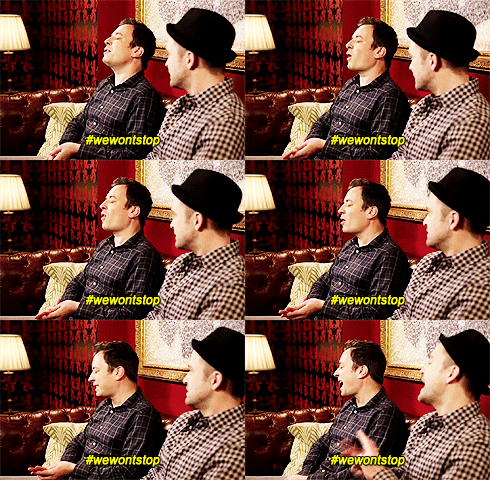
    Image Of Jimmy Fallon And Justin Timberlake Singing The Hashtag Song - Search Influence

    Facebook as a Search Engine?

    With Facebook generating around 1.5 billion searches per day, it’s easy to say that the platform is getting used as a search engine. With the proper use, hashtags can be excellent in online promotions and business news. However, too many hashtags can generate less traffic, so choose no more than two relevant tags per post. Once you’ve gotten a couple of trial runs with your hashtags, watch your analytics and see where the strengths lie. If a post’s views are going down as a result of your tags, try different ones!

    Photo Of Spongebob And Patrick - Search Influence

    Being clever with Facebook hashtags can enhance your business’s discoverability. Try inserting them into posts and let the results speak for themselves.

  • 4 Tips to Start Your Black Friday Social Media Strategy

    With the holiday season approaching quickly, many businesses are beginning to plan out how they will boost their sales during this peak season. For some, this all starts with a Black Friday marketing strategy.

    Black-Friday shopper

    Black Friday

    Black Friday is the day after Thanksgiving, and it is considered one of the most profitable shopping holidays in the United States, as well as my favorite shopping day of the year. According to Adobe, in 2015, Black Friday generated 2.72 billion dollars in sales. Businesses are turning to social media to generate brand awareness and boost sales. They are targeting related profiles and customers that often follow the same brands as their friends.

    Utilizing Social Media for Black Friday

    social-media-marketing-image
    Source: http://danielbussius.com/wp-content/uploads/2016/10/social-media-marketing-image.png

    The majority of businesses, whether they are looking to boost online or in-store sales, will leverage social media messaging in their marketing “master plan.” The following social media tips could help your business stand out amongst other retailers when you begin your Black Friday social media strategy.

    1: Start Your Messaging Early, But Not Too Early

    Buyers have a tendency to plan out their purchases before Black Friday. Businesses that wait until Black Friday to post their messaging are not taking full advantage of making their shoppers aware of their sales in advance. However, the exact timing and positioning of your messaging will be unique to your business and industry. It is a good idea to look back in your analytics from last year to see when user engagement started to increase and decrease.

    2: Know Your Demographic Per Social Platform

    Tailor your social media content per platform based on the audience and demographics you target on each. You can promote the same discounts or promotions, but you will have the ability to reach different audiences by your messaging on several channels. Posting shareable content that audiences are engaged in is a great way to also boost your social media followers. It’s a win-win.

    3: Learn From Your Competitors

    When creating a social media strategy, it is extremely helpful to compare your past social media campaigns’ successes and misses. However, it is just as important to also analyze your competitors’ past campaigns to see what was successful and not so successful to get a good baseline for your upcoming campaign. You can learn from their past mistakes and also identify best practices for your industry.

    4: Engage Consumers That Promote Your Brand

    Many businesses can host contests or post engaging graphics on their channels that make current fans more inclined to “share.” When current fans share a post, their friends can see it. This can then boost the business’s social following and potentially engage new viewers to visit the page for more information. For example, running a Black Friday contest or promotion encouraging fans to share certain posts can boost your chance of gaining new fans during your sale. There are other great ways businesses can engage current fans to help promote Black Friday sales.

    Social media isn’t the only tool businesses can use to promote offers and discounts this Black Friday, but these are platforms consumers look to in my opinion. Businesses that take advantage of preplanning and preparing social media strategies will most likely boost sales during the shopping weekend.

    What social media strategies are you using to promote your Black Friday sales?

  • #Everything You Need To Know About #Hashtags

    What-is-a-hashtag image

    A Way of Life Now

    When you plan a bachelorette party, wedding, or big birthday bash, you typically ask yourself, “What’s my hashtag going to be?” Choosing the right emoji is just about as important as choosing a killer hashtag for your social media post. Emojis are a form of hashtag, too, called hashflag. The invention of the hashflag is something that I cannot wait to use in addition to awesome hashtags, but creating personal ones isn’t available yet. I absolutely love a good hashtag and creating them is sometimes just as fun as the event itself!

    Hashtags best practice gif

    There are some ground rules when creating a hashtag that should be adhered to for maximum success. We have laid out a road map for you of best practices when creating your hashtags.

    #Hashtag: Quick Notes Before You Start Creating

    The general purpose of a hashtag is to combine like categories on a social media platform. They are typically clickable links that will show you what others have posted with the same tag. It is an instant way to see what’s going on in reference to the topic of the hashtag.

    Since hashtags have migrated from their origin on Twitter to almost all social platforms, it’s not a surprise that they can help out your business’s social presence in a big way. Hashtags can promote campaigns that you are running at your office, get people excited about an upcoming sale that your retail store may be having, or even create buzz around a new procedure you are offering at your clinic.

    Creating the Perfect Hashtag

    Think of your focus for the hashtag along with some keywords you’d like to include. The keywords should be relevant to what you want to promote as well as the purpose of the hashtag. You want to make sure that you are using a phrase that doesn’t require punctuation or spaces to make sense to the reader as neither of those is allowed. Placing a space or any punctuation after your (#) will result in the hashtag ending whenever those are placed. For instance – #SI’sTBC2016 will stop at the apostrophe and the hashtag will only be ‘SI’.

    Make them short and sweet! After you have focused in on the relevant keywords you want to promote, go ahead and choose as few words as possible. The user experience gets lost on a long hashtag like #livelifelikealbuspercivalwulfricbriandumbledore.

    Avoid long hashtags gif

    Using the Perfect Hashtag

    Boosting your social presence by using a hashtag is beneficial for your business’s marketing strategy. Once you have crafted your #totallyawesome hashtag, you will want to make sure to promote it! Come up with a few phrases that are all appropriate length for your social platforms (the character and word count differ between platforms), and get it out there. Make sure that you are not using more than two hashtags in a post. The user experience is muddled when more than two are used in one post.

    Use-up-two-hashtags-gif

    Let’s Celebrate the Perfect Hashtag

    Now that your hashtag is out there and everyone is using it for their photos and online posts, let’s track it! There are plenty of affordable applications online that you can use to track the progress of your hashtag. This is going to give you vital information into when your hashtag was used most, platforms that it was used on, and other key marketing metrics so you can adjust accordingly for your next big hashtag!

    hashtag-best-practice-gif

  • Here’s an Idea to Increase Your Facebook Following This October

    With 58% of Americans now on Facebook, it’s now more important than ever to make sure your customers — and those potential ones — LIKE your business’s Facebook page. But let’s face it, sometimes it is hard to convince your targeted audience to press that little LIKE button. But, we have a plan.

    Likes for Lives

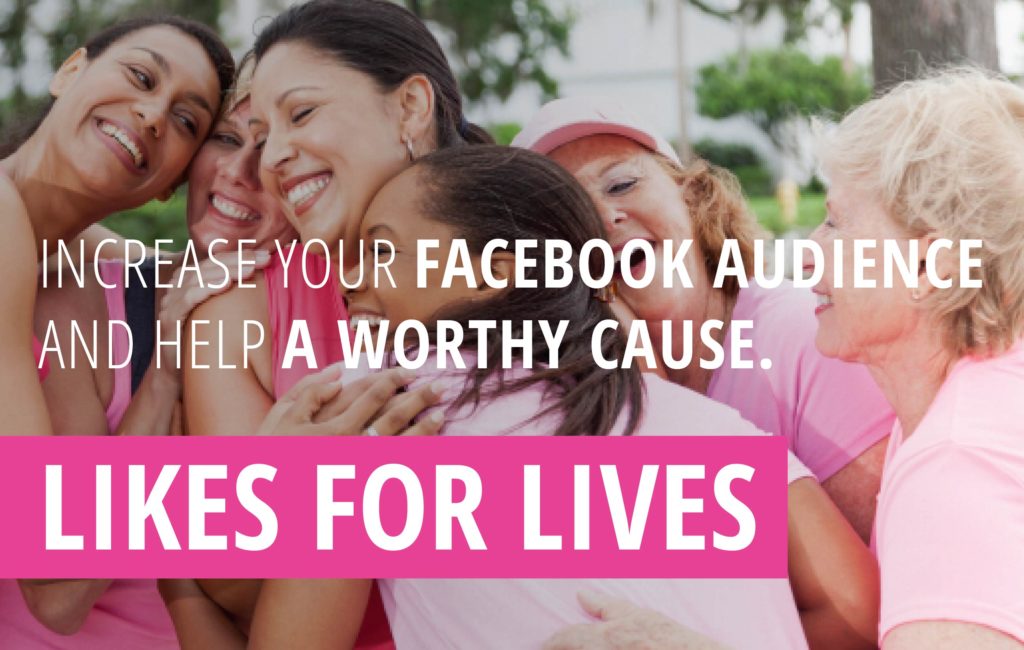
    Introducing LIKES FOR LIVES.

    Likes for Lives Gif

    What Is Likes for Lives?

    Just in time for October’s Breast Cancer Awareness Month, Likes for Lives is a Facebook fan-building initiative that encourages your targeted audiences to “like” your Facebook page. They simply like your page, and in exchange, your business makes a $1 donation to your choice of breast cancer awareness/research non-profit organizations.

    Likes for Lives Works. Here’s 3088 Reasons.

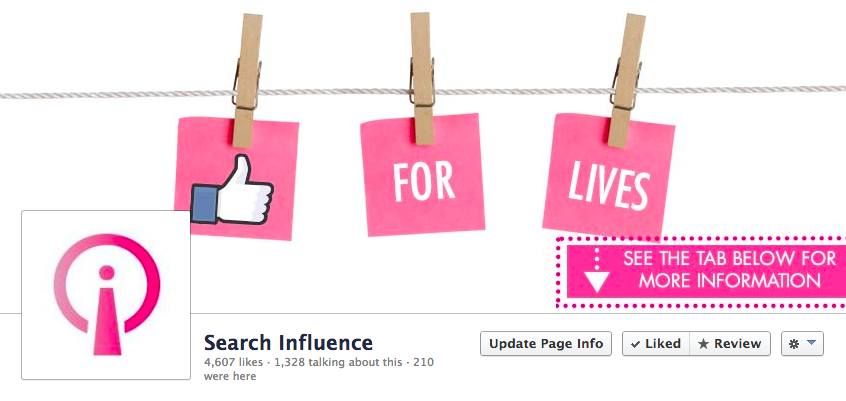
    In October 2013, Search Influence launched our own Likes for Lives campaign. We wanted to increase the number of people who liked our Facebook page and pledged $1 for each new like. We designed a special cover photo for our Facebook page that told people what we were doing:Likes for Lives Facebook Cover Image

    We also launched a paid ad campaign on Facebook, targeting business owners who didn’t already like our page, who lived in the United States, with interests specific to industries we have done work. Here is an example of the ad we did (the arrow pointed directly to the LIKE button on our page):

    Likes for Lives Ad

    The results? In just one month, we earned 3,088 new followers, and we decided to donate $5,000 to The Breastoration Fund. Now that’s a true win/win.

    Since 2013, many of our clients have also incorporated Likes for Lives into their October marketing plans, many with similar results. They increased their Facebook following and were happy to donate to their own local breast cancer research/treatment non-profits.

    Are you interested in learning more about this program? Contact us today to get started.

  • Don’t Feed the Trolls: A Crash Course in Dealing With Twitter Trolls

    Beware of Twitter Trolls

    Beware of Trolls

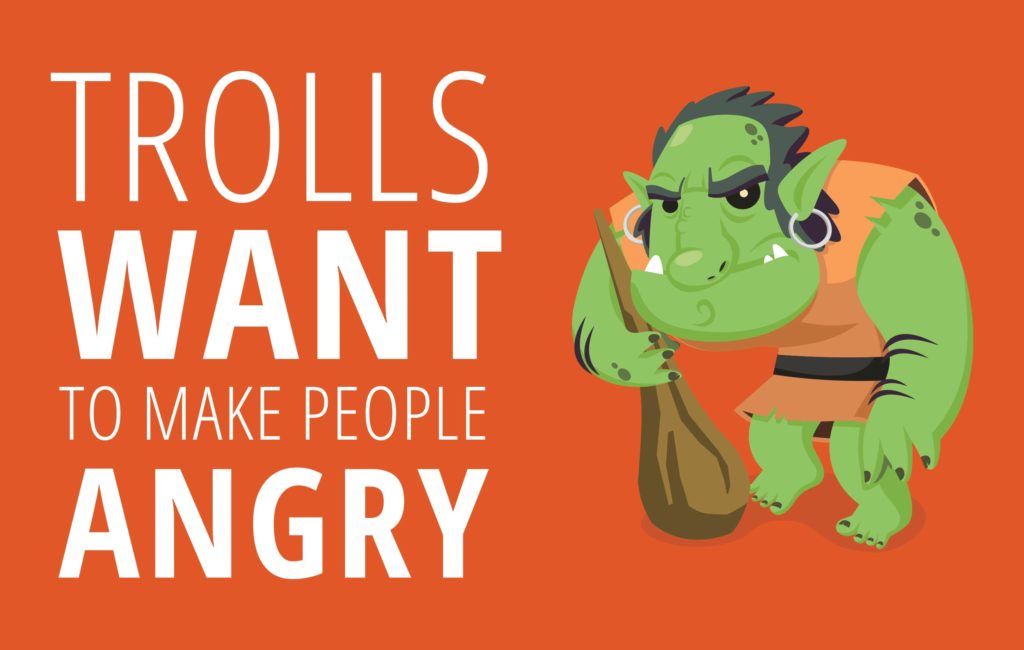
    Bridges, the mountains of Skyrim, and Twitter. What do these places all have in common? You have a chance of running across a troll that can ruin more than just your day. Bridge trolls aren’t much of an issue since human society has pushed them into barren lands where we’ll never see them again. If you happen to visit Skyrim, you’re sure to have learned how to cast at least one fire spell that can dispatch a troll with haste. If you’re on Twitter, you must adapt to conquer these trolls. They’re smart, resourceful, crude, arrogant, and once they lock in on a target, they won’t stop until it’s gone. It takes one to know one, so I will take it upon myself, a self-admitted troll, to help you identify and eradicate trolls that are attacking you.
    Don't Feed the Trolls: A Crash Course in Dealing With Twitter Trolls Image 2

    What’s a Twitter Troll?

    A Twitter Troll, or an Internet Troll in general, is someone who uses the magic of the internet to sew seeds of hatred wherever and whenever they can. No one really knows how it starts, but once it does, it can be very difficult to stop. Unfortunately, Twitter is infamous for being very lax when it comes to individuals spewing hatred, so oftentimes, you will be left alone and cold to deal with them.

    How to Combat a Twitter Troll

    In my opinion, Twitter doesn’t offer up enough support to deal with toxic entities that troll your business online. Luckily, they don’t have to. Trolls are very predictable, which means dealing with them can be a cinch if you know what you’re doing. Here are some guidelines to follow when engaging in combat:

    1: DON’T FEED THE TROLLS!

    I swear on everything I hold dear, feeding the trolls will tarnish your image and make you appear just as immature as they are. This, of course, will end negatively for you and your business. Feeding trolls refers to responding to them in a negative fashion. This only fuels their ego and will make them continue to troll you. It may be tempting to be rash since they will likely come at you in a very aggressive, abrasive, crude, and rude manner, but I assure you that will only lead to them setting up shop in your mentions for the Twittersphere to see.

    2: Develop an Action Plan

    As I mentioned earlier, trolls are very predictable in their attacks. Though they are difficult to deal with, the predictability of their actions and responses makes a premade action plan with some flexibility your best friend. Having some example responses for your social media manager to use is a good way to defeat trolls before they have a chance to really get rolling.

    3: Limit the Number of Responses

    A hard limit on the number of responses given to trolls is a necessity. A constant back and forth will only fuel their strength and eventually drive you away from the realm of logic and reason. Continuing to engage in their toxic conversation will only succeed in eroding your own mental constitution to the point where your responses look as trivial and childish as the troll’s responses.

    4: Don’t Give Them a Platform

    In May of this year, a three-year-old boy fell into the gorilla enclosure of the Cincinnati Zoo. He was confronted by a 17-year-old lowland gorilla named Harambe. Zookeepers were forced to kill the gorilla in an attempt to prevent him from injuring the boy. People were upset; Twitter was furious. Of course, heavy-hearted memes were shared, but eventually the pro-Harambe side devolved into an expletive-laced hashtag that was used in response to almost every tweet they sent out. All memes eventually die, but during an interview with the Associate Press, the Cincinnati Zoo director stated that, “We are not amused by the memes, petitions, and signs about Harambe.” This reignited the trolls with such a fierce intensity that they were forced to temporarily shut down their Twitter account. It takes more finesse than just saying, “stop” to truly shut down a troll.

    5: Don’t Ignore Them

    Possibly worse than telling a troll to “stop” is to not say anything at all. This will more than likely make them extremely volatile and cause them to find a new home inside of your mentions. Also, ignoring a troll allows them to spam you however they seem fit and provides no deterrent since they aren’t being addressed. Confronting them in a professional manner shows them that you don’t tolerate those actions and helps to deter other trolls from setting their sights on your business.

    6: Know the Difference Between a Troll and a Customer

    Sometimes, a troll isn’t a troll at all. The anonymity of the internet is known for adding otherwise absent machismo to some people. Knowing that tracking them down can sometimes prove an unfruitful waste of time can make people act quite recklessly. Your business needs to be able to determine the difference between a legitimate troll and an angry customer. This takes time, but one telltale sign is if the alleged troll is attacking your product versus attacking you. If they have an issue with your product and not with you, offer a direct message (DM) exchange to try to make things right in a more private manner. Being able to admit a mistake shows a level of authority and passion for your business and can keep customers that may otherwise leave.

    7: Speaking of Mistakes…

    Admit when you’re wrong. If you own a small local pizza restaurant, people obviously prefer to give you their money over a giant corporation like Domino’s, and don’t mind more than likely paying a premium price for your product. If you deliver an incorrect order, mess up a pizza en route, arrive later than promised, there’s no need to even try to argue. If you’re wrong, admit it, ask for their information via DM, and make an attempt to correct the mistake. The difference here is that your apology is public due to the nature of the complaint.

    Don't Feed the Trolls: A Crash Course in Dealing With Twitter Trolls Image 1

    8: Utilize Available Tools

    Twitter is admittedly terrible when it comes to dealing with trolls, but in light of recent events, they have gotten better. In addition to the standard block and mentions settings list, you can customize your settings further to ensure that users aren’t able to mention under certain circumstances. The quality filter will use a newly formed algorithm to help “ignore” low quality tweets and some toxic tweets as well. Tailoring your discovery and mention settings can create an environment that can stave off trolls to a large extent.

    Twitter Is a Scary Place

    The Twittersphere is not the easiest place to navigate and can be made even more difficult when trolls descend upon you. Top that off with actually running your business instead of being on Social Media all the time and your plate will end up fuller than mine when I go to the buffet. Here at Search Influence, we offer a full suite of social media services so that you can rest a bit easier and focus on running your business instead of running from trolls.

    Image 1 Credit | Image 2 Credit

  • Facebook Live: How Small Businesses Can Drive Traffic to Their Website

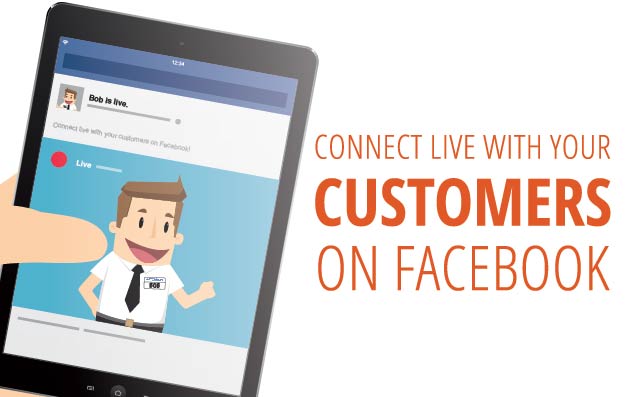
    Connect Live With Customers on Facebook Live

    Ahh, the age-old question. Similar to Periscope on rival social media company Twitter, Facebook Live is a free service that Facebook recently rolled out for their users, pages, and public figures to stream live video to their friends, followers, and fans. The feature first launched on Facebook’s Facebook Mentions app, which is used by celebrities such as actors, musicians, and athletes to engage with their fans. A year later, it was made public for all users who used the Facebook mobile app on their iPhone or Android device.

    Using Facebook Live for Your Business

    Facebook Live is a great tool that can be easily utilized by small, medium, and even large businesses. Live streaming is becoming larger and even more popular every day. This marketing technique is breaking down traditional marketing methods. There is nothing more authentic than live streaming, allowing companies to connect and interact with their audience in real time. No edits, cuts, or reshoots—just you and your fans. Opening a new location for your business? Go ahead and live stream the grand opening and show off the new pad. Own a restaurant? Give a behind-the-scenes look at the kitchen and how your chefs create a popular dish. Own a boutique? Show off new trends and looks. The possibilities are endless.

    How Can I Start Using It?

    First: If you are using your business page, go ahead and download the Facebook Pages Manager on your iPhone or Android device. If you are using your personal Facebook page, disregard this step.

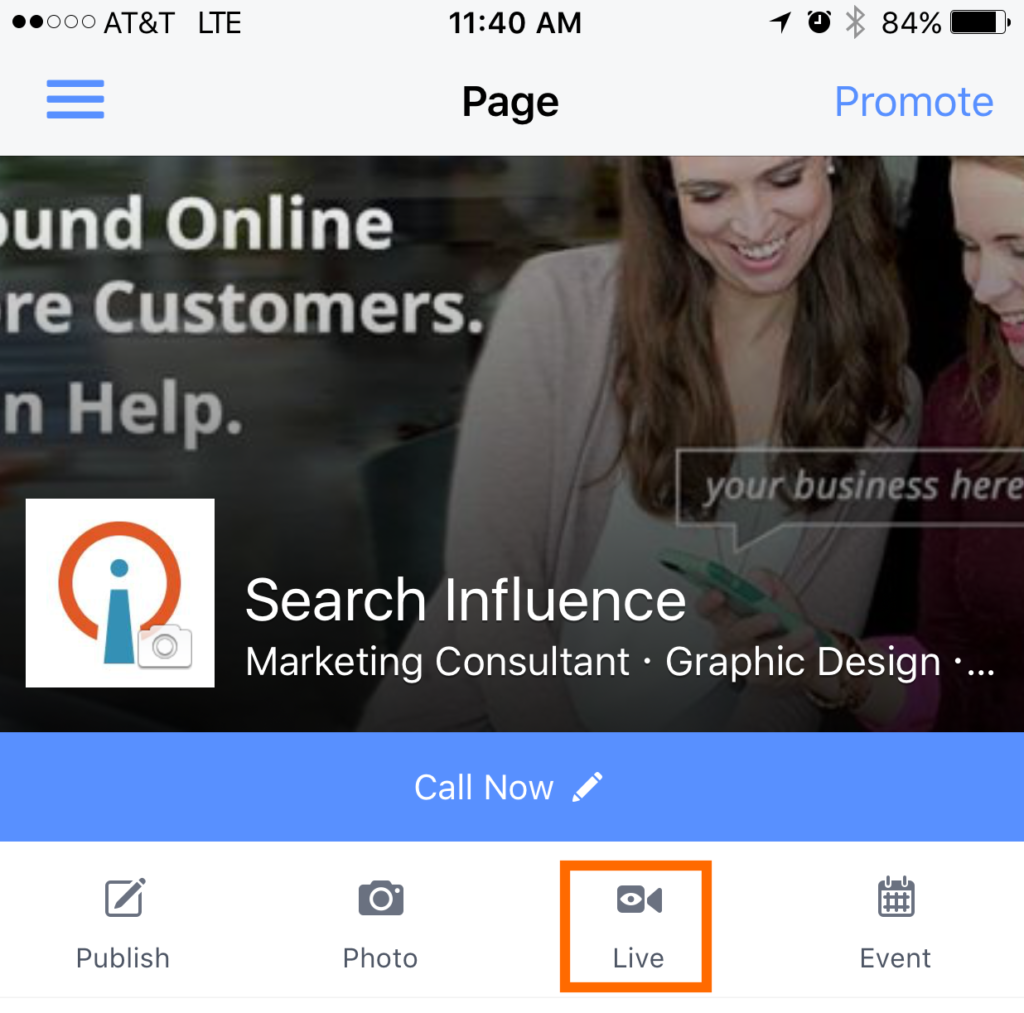
    Second: Tap on “Live” from the menu. The icon should look like this:

    Fourth: Add a description of what your live video will be about. Choose your audience before hitting “Go Live.”

    Fifth: Be sure to smile! You’ll see a three-second countdown before your broadcast begins.

    Happy live streaming!

  • Still Not on Twitter? Here are 10 Reasons You Should Be.


    24045211476_2f3cd414ea_z

    Still not sure about Twitter, eh? Maybe because it’s because conversation occurs way too rapidly on Twitter for you to keep up, or maybe it’s because you still don’t know the difference between a tweet and a hashtag. Regardless of what your reason is, it is time to rethink your business’s presence on this opportune social platform. Today, Twitter has transformed into a vital component of any integrated social media marketing strategy and you don’t want to miss out.

    Here are 10 reasons why your Facebook needs a Twitter account.

    44797790

    1: It’s Free

    There is no better bang for your buck than using free social platforms. With over 1.4 billion users, Twitter offers your business a tremendous opportunity to post live updates that can be found by any of its over 1.4 billion registered users. Can you imagine how much it would cost your business to pay for a tool like Twitter? For a business operating on a smaller marketing budget, utilizing a free yet valuable opportunity like Twitter is worth the investment.

    2: Go Where the People Are

    When it comes to online marketing (or any form of marketing), you need to invest your time in platforms where your marketing messages are being seen and heard. After all, if your marketing messages are not being seen and heard, then what’s the point? According to DMR, there are 100 million active Twitter users on a daily basis with 34% of these users logging into their account multiple times a day. If you’re trying to get the word out about a business update, sale, or promotion, it would be unwise to utilize a platform solely because of the platform’s expansive reach.

    3: Build Relationships

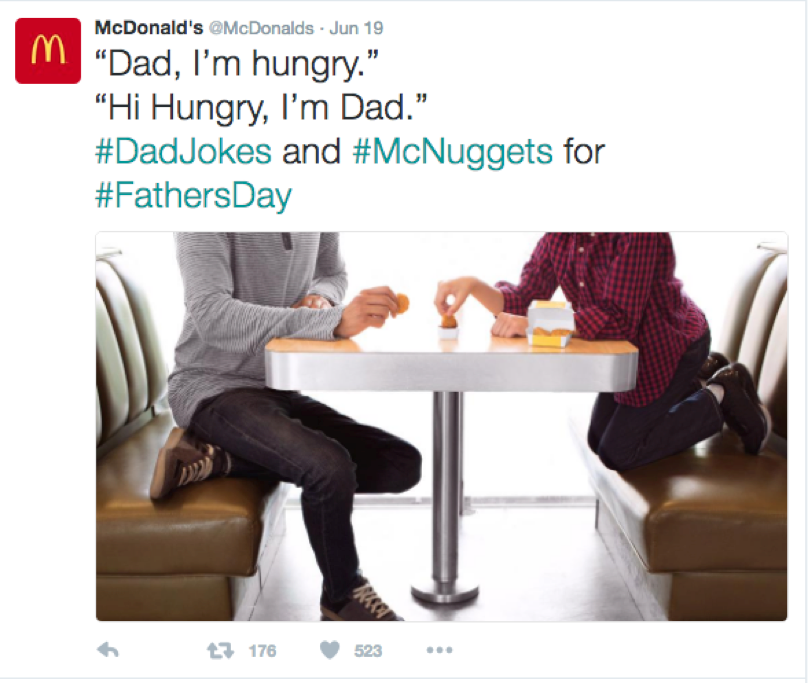
    Twitter has more active forms of communication than any other social media platform. The platform is meant to be conversational in a way that Facebook isn’t. On Twitter, you follow profiles instead of friends or making connections like on Facebook or LinkedIn, which makes profiles on Twitter more available to the public. This provides your business the opportunity to strengthen relationships with existing customers and reach out to potential customers (We’ll get to potential customers next!). Pro Tip: When building relationships on Twitter, be genuine. Ask your followers questions. Share some humor. Retweet any posts that your followers send to you. Taco Bell and McDonald’s are two excellent examples of leveraging Twitter to build relationships.

    43416622

    4: The Gift That Keeps on Giving

    Twitter allows users to retweet. If you post shareable and valuable Twitter information, your followers can engage with your post not only by liking and replying to it, but also by retweeting (aka sharing) it on his or her own profile. Retweeting will make the tweet visible on the Twitter feed of other followers. When consumers retweet, it expands the reach of your brand to potential customers. You can think of retweeting as an opportunity for your brand to gain exposure from potential customers via peer consumers. In this line of thinking, it can be seen as an authentic way for users to endorse your business.

    5: User Generated Content

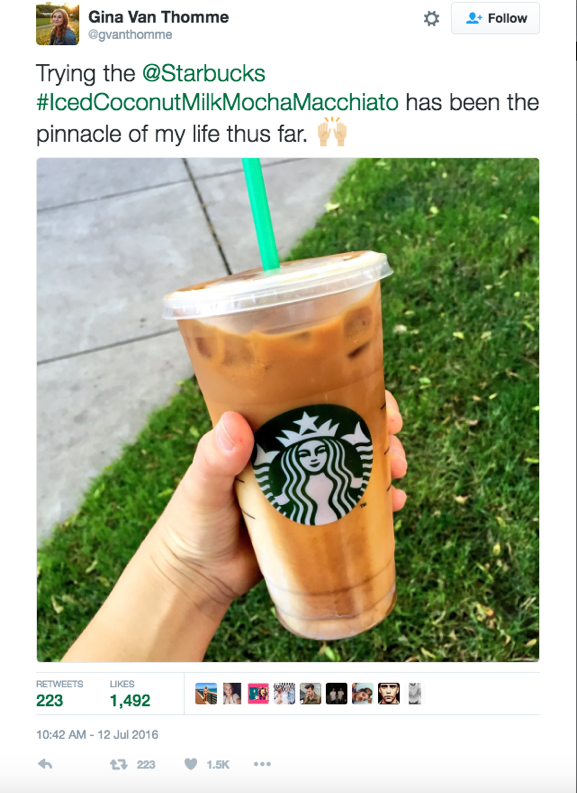
    There’s no better way to express how great your business is than to let customers do this for you. Just as followers can retweet your tweets, as a business on Twitter you have the opportunity to retweet user generated content pertaining to your brand. User generated content on Twitter promotes your brand in a way that content curation cannot. It’s also a way of showing your consumers that you appreciate the positive content and that you value them. Starbucks does a great job retweeting user generated content.

    57356898

    6: Hash Tagging Helps Your SEO

    A hashtag is a simple feature that allows Twitter to organize and categorize posts based on a topic or theme. When you click on a hashtag, you will be taken to every post that also has the same hashtag. Google has also started incorporating hashtags in search results. In other words, hashtagging a search term on Google will not only provide you with organic search results but Google now also provides you with the results from Twitter and Instagram. Learn more hashtag tips here.

    7: Online Reputation Management

    People will talk about your business whether you’re active on social media or not. Having a Twitter account for your business provides another avenue to put the ball in your court. Through Twitter, you can reply to disgruntled consumers. In addition, Twitter is also a great tool for public relations. In fact, businesses with an aggressive public relations strategy should use Twitter. Because of the nature of the live feeds, Twitter allows your business to be the first to share important news before a consumer, news agency, and the like.

    8: Industry Related Conversations

    It’s important for your business to stay attuned to industry conversations because businesses must evolve with the changes in its industry and market. Through hash tags, Twitter can connect your business to meaningful industry-related conversations. Twitter chats are a public Twitter conversation that focuses on a specific topic via the use of a common hashtag. Furthermore, not only can you gain insight on industry happenings, but you can also spy on what people have to say about your competition.

    9: Make Your Business Stand Out

    If you’re a business on Twitter, I can’t emphasize enough how important it is to create a custom hashtag for your business. Using a custom hashtag allows your business to become a trendsetter and extends the reach of your creative branding. It also facilitates a greater engagement with your Twitter followers. Additionally, using a custom hashtag can signal to your Twitter followers that the post containing the custom hashtag is extra special.

    77983706


    10: If You Don’t, Somebody Else Will

    Last but not least, if you’re not engaging your audience on Twitter, your competitors will be more than happy to do it for you. Consumers today have plenty of options in purchasing power. Marketing has stepped out of just a one-stop shop and has transformed into maintaining customer relationships before, during, and after a purchase. If your business is currently opting out of a Twitter profile, you are providing your competitors with the opportunity to engage your audience and potentially tap into your current consumer base.

    When you finally decide to set up your business’s twitter profile, check out these five businesses that are using Twitter the right way. And while you’re at it, don’t forget to follow @SearchInfluence on Twitter for valuable tips and tricks for enhancing your business’s online presence! Happy tweeting!

  • How Can Facebook’s New Profile Layout Affect Your Business?

    1608-SI-TheInfluencer-KL-A-03Large

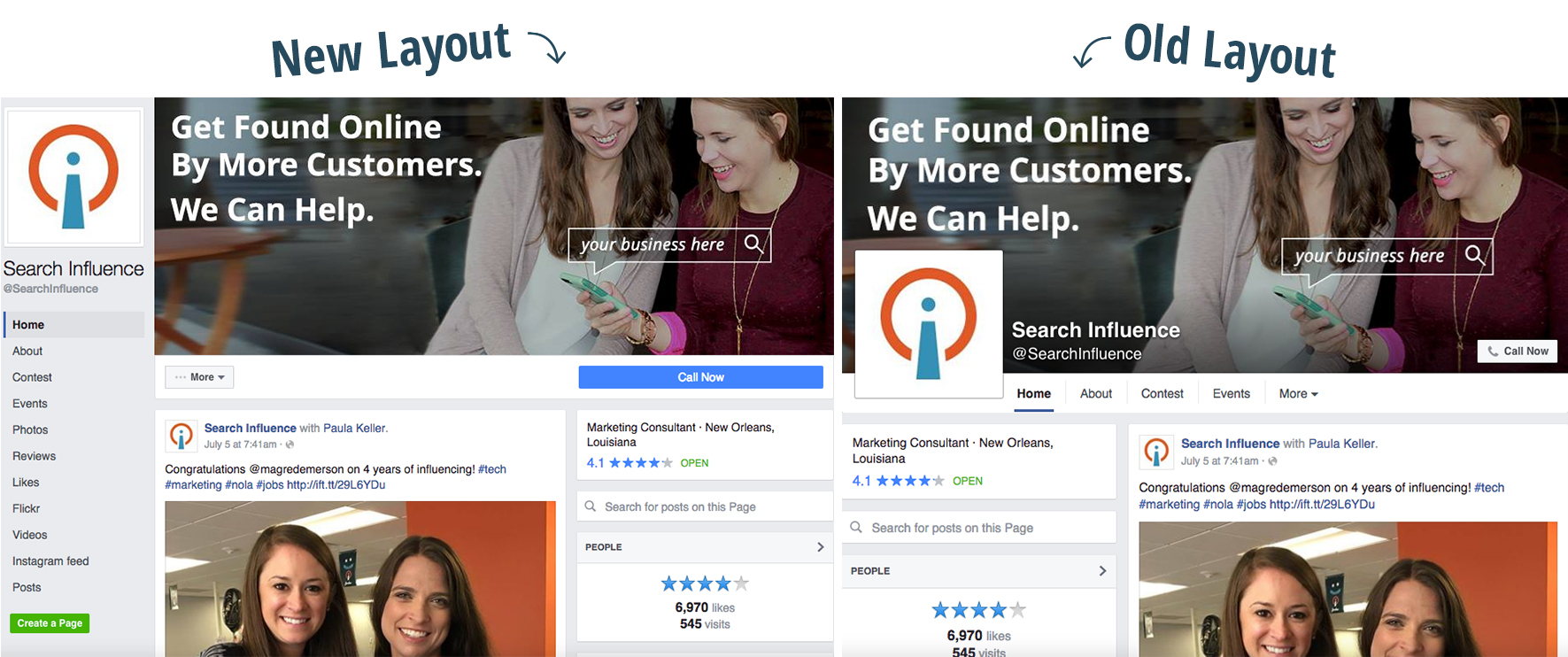
    Facebook recently rolled out a new layout for business pages and the marketing implications could be more than initially meet the eye.

    Profile Picture Positioning

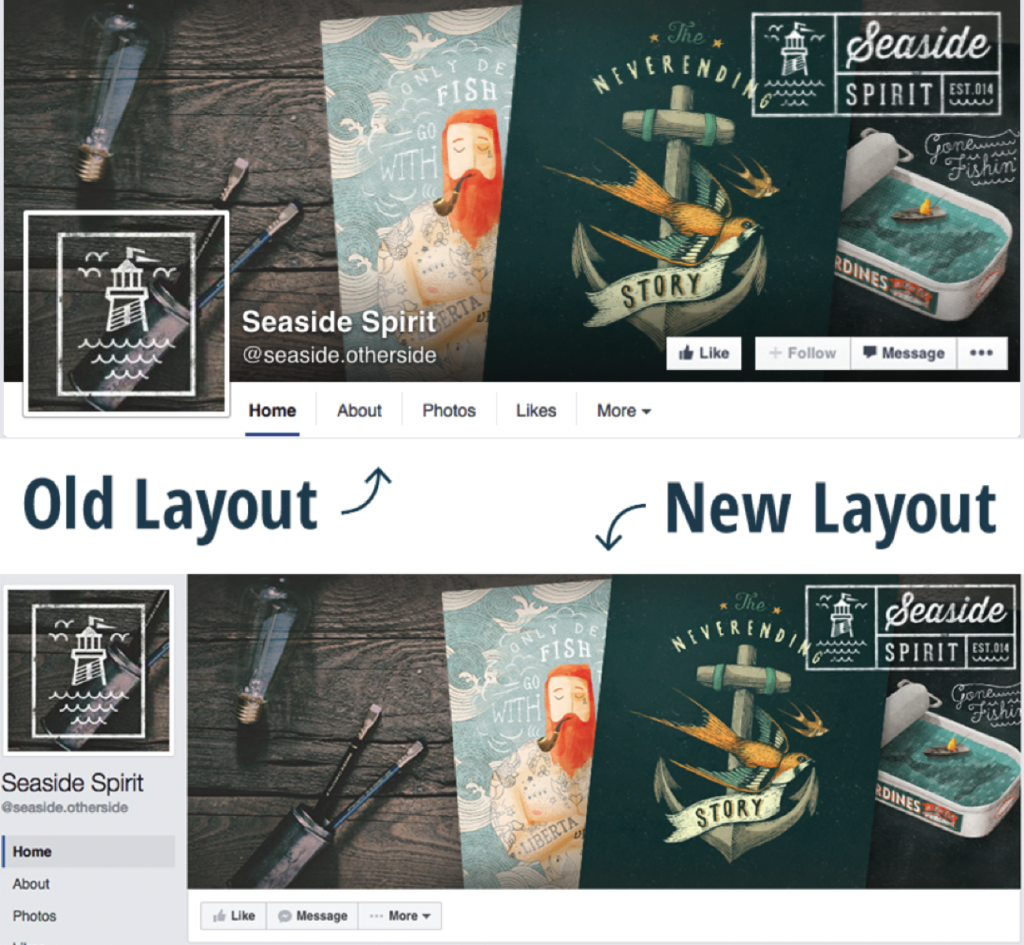
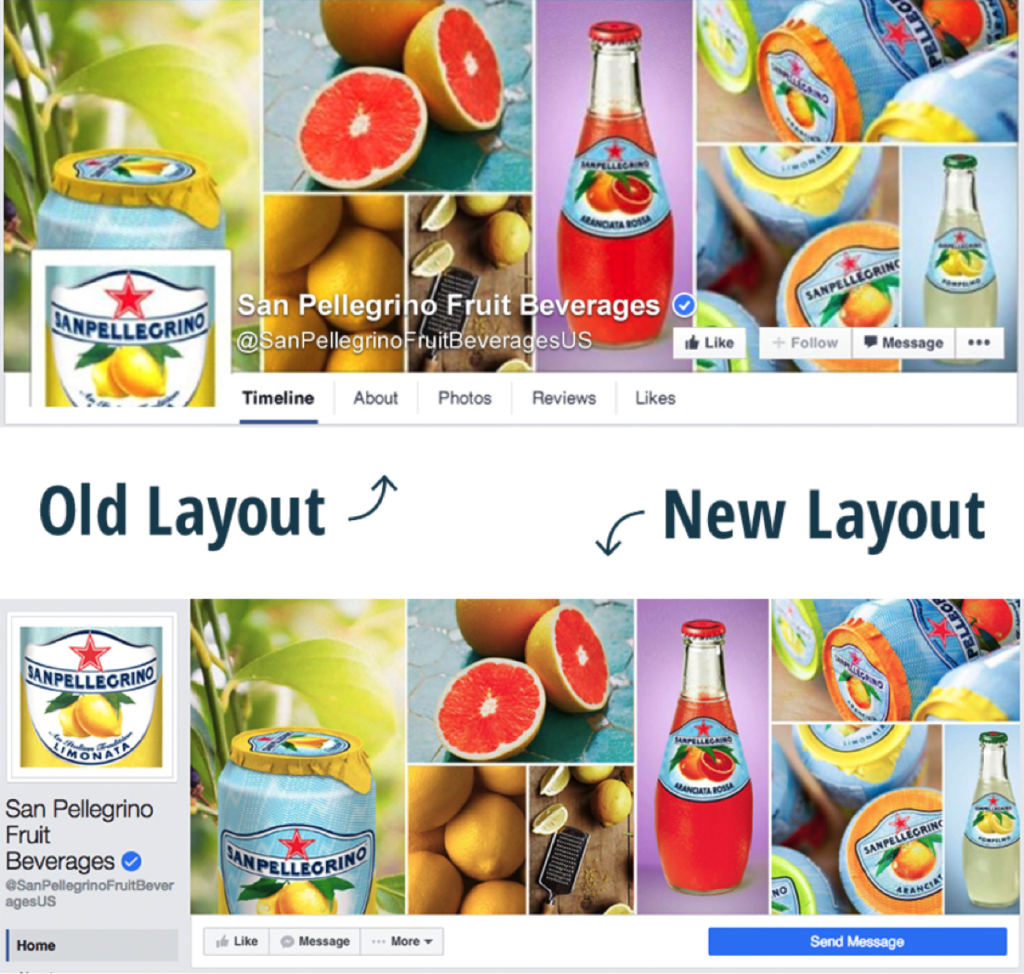
    We’ve all seen clever interactive cover photos with the overlapping square profile image on the standard desktop site. A drink from the cover photo is poured into a glass in the profile picture. A man in the profile picture passes a ball to a woman in the cover photo. A giant cat in the cover photo peers down on a tiny human in the profile picture. The square profile image also acts as quick and effective brand recognition when seen standalone in a newsfeed as well as when viewed on the mobile version of Facebook. But with the profile picture now located in the sidebar to the left of the cover photo, the playful effect of the overlapping images is null and void.

    Example 1:

    Facebook Profile 1

    Example 2:

    Facebook Profile 2

    How Does the Relocation Affect Your Business?

    Although businesses won’t be able to get creative with the overlapping interactive profile images, the relocation of the square profile picture actually frees up a lot of valuable visual real estate on the cover photo that was once covered up by the image, company name, and CTA buttons. Even if you didn’t have interactive profile images on your business page, there’s a lot of space—over 20% of the area of the cover photo to be exact—that was considered off limits for content and is now fair game. Even on the new mobile version of business profiles, the cover photo isn’t covered up by the profile picture or text.

    Additional Sidebar Elements

    Beneath the profile picture, you’ll also see tabs that were once accessible under the cover photo on desktop sites. In the old layout, only a few tabs were visible, with the additional tabs located in the dropdown “More” option. With the new sidebar, however, all of the tabs are now visible. The buttons that were located on the cover photo itself are also positioned right below it, with the main CTA button located on a more eye-catching blue background. This left-aligned navigation also stays in place while the user scrolls down the page.

  • Learn How to Create a Snapchat On-Demand Geofilter to Boost Your Next Event

    Who doesn’t love a good Snapchat? Whether you are the one trying to get the best shot or viewing your friend’s stories, Snapchat has become one of the most-used social media platforms by all ages and demographics today.

    Back in February, Snapchat announced that users could create On-Demand Geofilters for any event for a fee as low as $5. This could include creating a filter for a birthday party, wedding, business event, or just for fun! Before this update, Snapchat only allowed Community Geofilters, which were used for cities, landmarks, schools, etc. The Community filters were free to submit and dependent on Snapchat’s approval to push the filter live.

    Choose Your Filter Type

    Submitting On-Demand Geofilters is broken down between two categories. You can either mark the Geofilter as a personal or business filter. The difference between the two is that the business On-Demand Geofilters is a filter a user submits on behalf of a business. This is also used if the filter includes any branding, logos, or business marks/names. Basically, if it is promoting a business or a brand, it is safe to say you are submitting a business filter. Any other filters submitted would be considered a personal On-Demand Geofilter.

    The GeoFilter Process

    After noticing a few of my Snapchat friends’ custom filters used for graduation parties they attended, I began wondering how easy it was to create a custom filter. After doing some digging online, I discovered that the process looked relatively easy. There were only 3 steps to submit an On-Demand Geofilter.

    1. Design – Snapchat does not create the graphics for Geofilters submitted for approval. They do provide a few templates that work with some image editing programs, but the submitter is free to be as creative as they want. There are a few guidelines to follow when designing the filter, but, overall, nothing too crazy in my opinion.
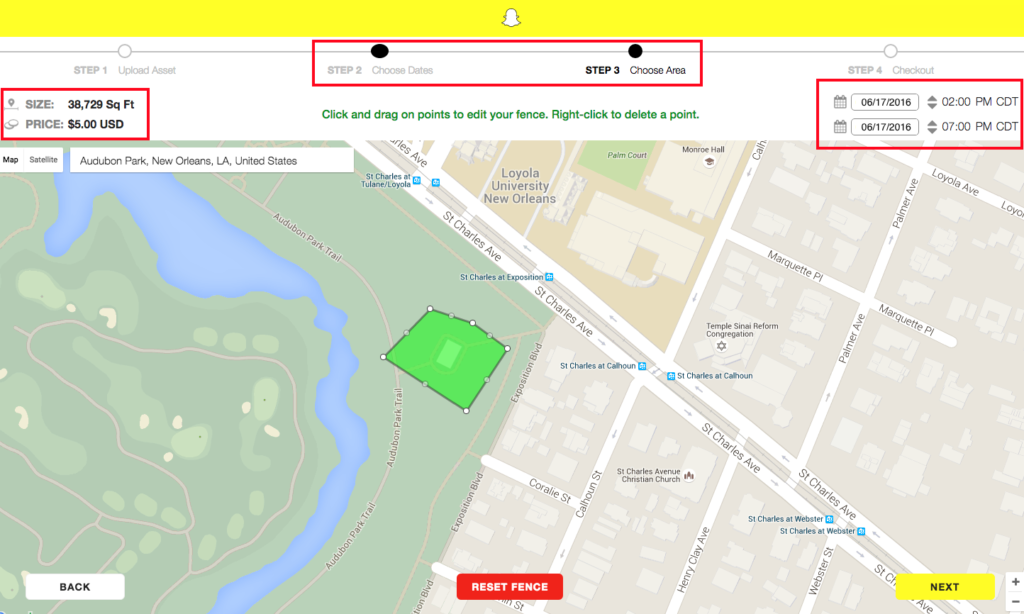
    2. Dates and area covered – Snapchat provides a map for you to mark off the area you would like your On-Demand Geofilter to cover. The larger the area and length of time the filter will run impacts the amount of money the filter will cost.
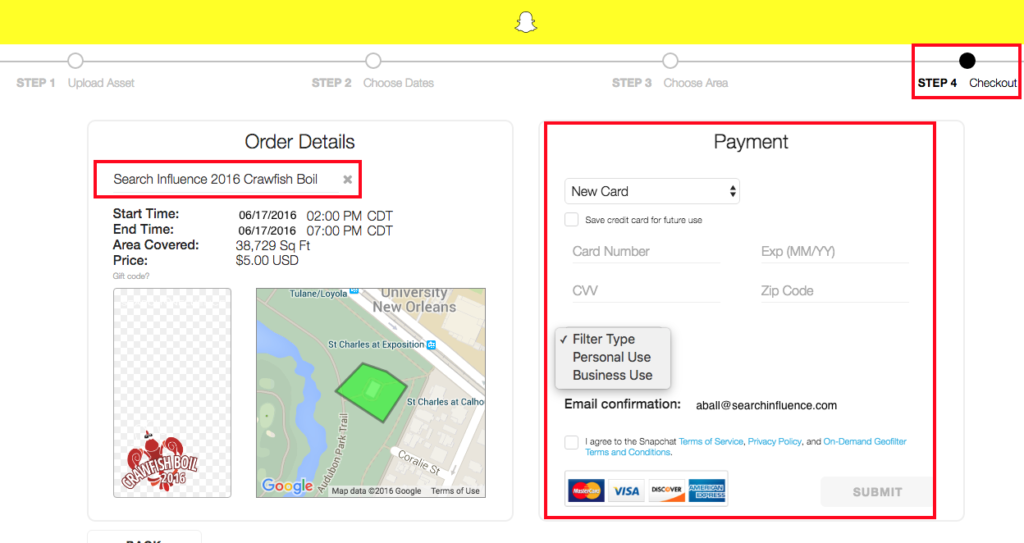
    3. Buy – Snapchat confirms with you the date(s) and area you would like the filter to run, along with the price and design you submitted. Enter in your payment information and agree to a few terms and conditions.

    Testing the Process

    I was recently part of a team that helped in planning Search Influence’s annual crawfish boil and thought a team building event in Audubon Park would be perfect to test the Snapchat On-Demand Geofilter submission process.

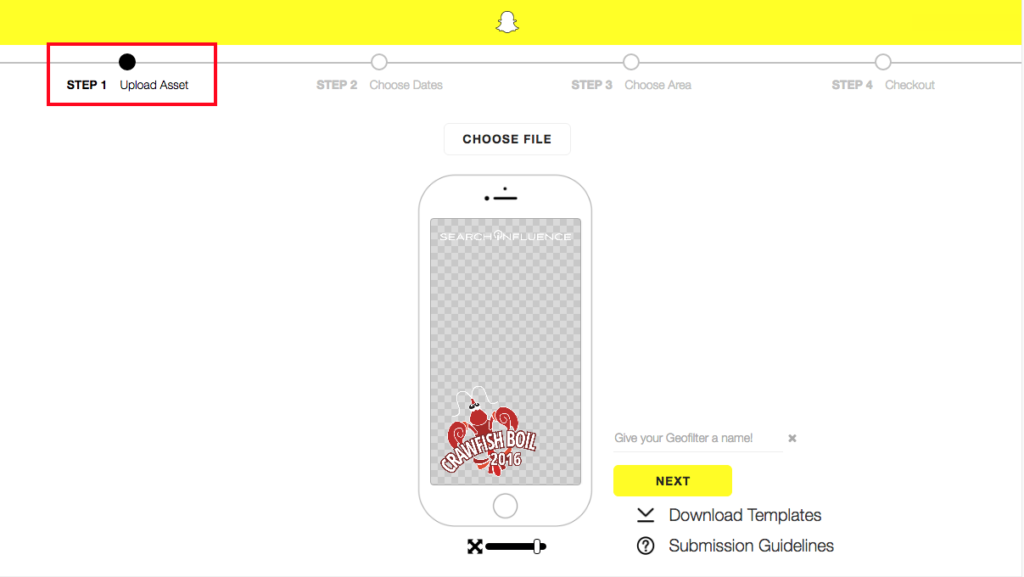
    I began with reaching out to our graphics team to create the On-Demand Geofilter that we all thought would look best for the event. Once the graphic was completed, I uploaded the file to the upload assets and followed the steps outlined below.

    Snapchat On-Demand Geofilter 1

    Once the image upload was completed, I moved on to selecting the date and duration of the event along with the area of Audubon Park the crawfish boil would be held. I added a few extra hours just in case the party lasted past 5 p.m. Once the area and duration was added, the price was given immediately.

    Snapchat On-Demand Geofilter 2

    Lastly, I was guided to the checkout screen. I was prompted to name the filter, add in payment information, select the filter type, and agree to all of the term and conditions.

    Snapchat On-Demand Geofilter 3

    Once submitted, I was emailed a confirmation that the Geofilter was waiting for approval, which can normally take up to 48 hours. I received approval within the next few days and patiently waited to see if it would generate the day of the event.

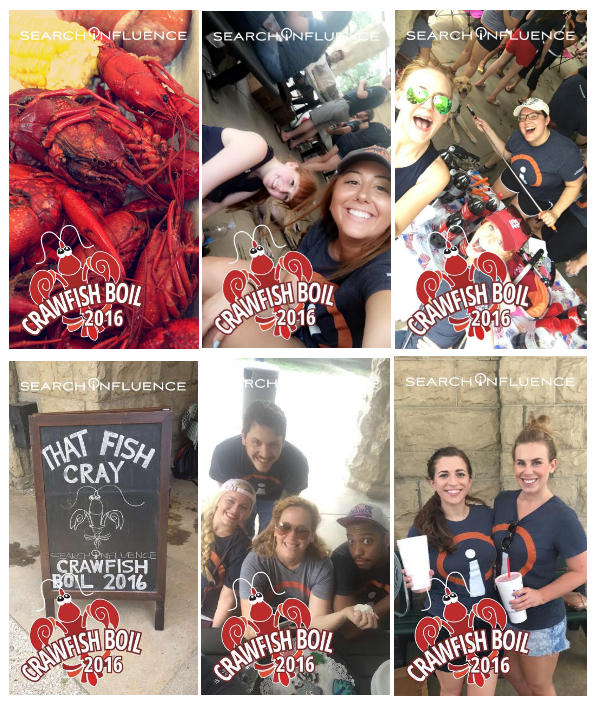
    The day of the team-building event, I received an email that the Snapchat On-Demand Geofilter had started running at the noted time I requested. From there, the team used the filter throughout the event.

    Snapchat On-Demand Geofilter 4

    Measuring Your Geofilter’s Popularity

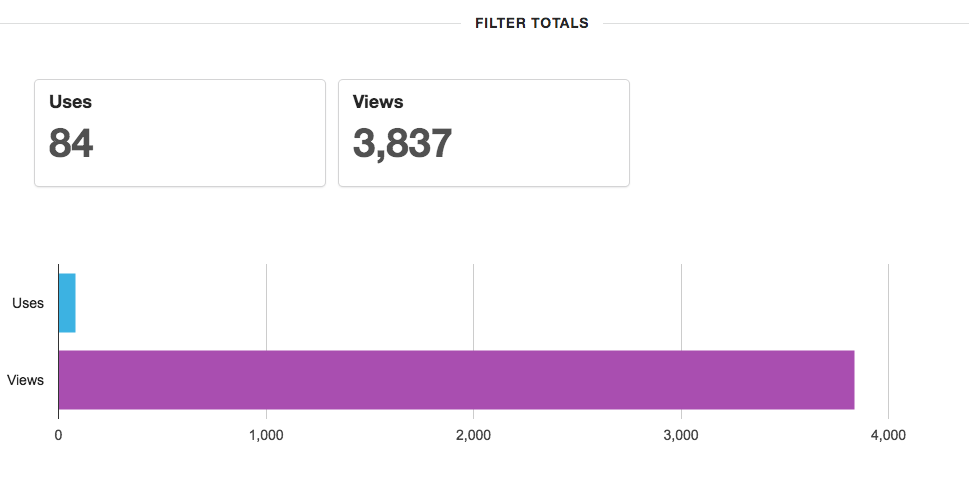
    Once the On-Demand Geofilter is finished running, you can log into your Snapchat account to see uses and views for the filter during its duration. For the few hours the filter ran, 84 Snapchat users used the filter and 3,837 Snapchat users saw the filter in their view. This includes a post in a user’s story and direct Snapchats.

    Snapchat On-Demand Geofilter 5Overall, the process was easy and seamless. I will definitely be creating another On-Demand Geofilter for the next event or party I throw or help plan.


    What event do you think you would like to create an On-Demand Geofilter for this year?

  • Make Your Social Media Strategy Sizzle with Summer-Focused Content

    Summer Promotions

    How Is Summer Different than the Rest of the Year?

    Warmer temperatures make people more active in the summertime. With kids out of school now, many families will take at least one vacation over the next few months. And since 81% of Americans save money specifically for the summer season, there is more opportunity for your business to gain customers and grow.

    What Can a Small Business Do to Stand Out?

    Larger, national brands don’t have to work as hard to benefit from the seasonal surge, but small businesses can also succeed through social media campaigns. Using location-specific social media, optimized pages, and summer-focused content, you can take your business to the next level this summer.

    What’s the First Step?

    The first thing on your summer to-do list: claim and optimize your social media pages. Yelp, Facebook, Twitter, Google+, and Instagram will be the heavy hitters this summer. Google+ and Yelp both require verification, so you should start this process immediately. Facebook, Twitter, and Instagram don’t have lengthy verification procedures, but they should be optimized with branded images to familiarize users with your business. All of these sites also need to link to your main website and other social media profiles if applicable. Alternatively, you’ll also want your website to link to your social media profiles for quick and easy connections. Now that the website and social media interlinking of your business is setup, the real work starts.

    My Profiles Are Optimized, Now What?

    Now it’s time to get to work. The theme is summer, so your posts should reflect the season. Here are a few content creation tips:

    • High energy and fun
      • Summer is all about having a great time, so your posts should reflect the sweet summertime mood. There is no set formula for social media posts. You need to experiment a bit to find out what attracts the most engagement from your audience. Mix it up and show your employees having fun on top of working hard.
    • Holidays and events
      • Independence Day and Labor Day are two major federal holidays during the summertime. If your business is open on these days, make sure to post about your hours of operation. Social media is also a great, free way to notify your customers about holiday promotions.
      • Keep a close eye on your city’s calendar of events, and try to coordinate promotions and posts accordingly. Here in New Orleans, we have this handy calendar provided by New Orleans Online. A fashion boutique, for example, could take advantage of the upcoming outdoor festivals and offer a sale on tank tops, shorts, sunglasses, and other festival gear. Food vendors at the same festival can get a lot of social media interaction if they post pictures of their fan’s favorite dishes.
    • Deliberate engagement
      • In between selfies and status updates, social media users are constantly scrolling through their timelines. Make yourself not only appear but also encourage interaction by asking fans to like, share, or tag a friend. Users love to engage with their favorite brands, but make sure you have someone on deck to respond.
    • Encourage locals and tourists
      • Large brands or franchises may have the backings of national companies, but small businesses have the strength of the ever-growing “Go Local” trend that swept the nation this past decade. You should highlight your locality in your posts. Some locals prefer to patronize businesses that will stimulate the local economy, and many tourists are searching for the more “authentic” local experience.

    These tips will help make your social media outlets stand out instead of getting lost in the ever-growing sea of likes.

    Sounds Like a Lot of Work

    Nothing ventured, nothing gained. Take it from the pros: Social media optimization is a complicated and time-consuming undertaking. Research provides insights into your industry’s most successful social media approaches, and then the posts are written, edited, and published on a timeline that encourages engagement from your target audience. Search Influence offers a full range of social media optimization services including content creation, brand management, and graphics creation. Now is prime time to prepare your business for the upcoming season, and we’d be more than happy to help out.