Category: Social Media

  • Only One Direction for New Twitter Hashflags: Up

    Anyone who has been on Twitter recently has seen the popular custom Twitter emojis known as Hashflags. Hashflag images appear after a #hashtag and are activated on Twitter for specific occasions or events. Artists and events use these to generate trending hashtags, and having the specific Hashflag gives an incentive to tweet it.

    Even though they have been around for some time, the first sighting for me was during the album release of One Direction’s new album, Made in the A.M. Clearly, this sparked my interest.

    One Direction Hashflags

    One Direction used these to promote their new album and pretty much took over Twitter feeds. Every fan girl (including myself) used one of the Hashflags to display their favorite member. I’m sure Harry Styles had the most #1DHarry tweets, but I may be biased.

    1511-SI-Newsletter-KG-C-02

    After a few days of the Hashflags being available, One Direction collaborated with Twitter to set up a worldwide competition to find the biggest fans in the top 10 countries. More than 140 countries battled it out in a Twitter vote to show how devoted they were by using assigned One Direction country hashtags. Sadly, the USA didn’t make the top 10, but we know our loyalty stands strong.

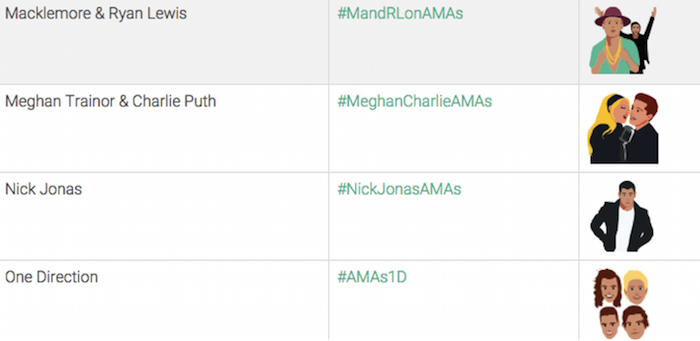
    Because Twitter has released this for events as well, the most recent American Music Awards took part in the new trend. Twenty unique Hashflags were released during the airing of the #AMAs on November 21, 2015.  Each time a performance graced our television screens, a hashtag displayed at the bottom for us to use when live tweeting. Macklemore, Meghan Trainor, Nick Jonas, and One Direction are a few of the artists that had a custom Hashflag.

    Screenshot Image Of Twitter Hashflags

    If you are curious to know what Hashflags and artists generated the most talk on Twitter during the AMAs, you can take one guess. One Direction made a clean sweep of the awards won, and they were also the most discussed artist on Twitter during the show. I’d say they are doing just fine without Zayn…SLAY!

    How to Use Hashflags

    As the rise of Hashflags continues, here is a list of things to keep in mind:

    • They are not permanent. The lifespan of a Hashflag lasts as long as the event/occasion it is associated with.
    • They don’t count as characters. YAY! 🙂
    • Hashflags’ view is currently limited to desktops and the Twitter app.
    • All active Hashflags are visible on hashfla.gs. Check it out to see a list of all the current/available Hashflags you can use in your tweets.

    What has been your favorite Hashflag on Twitter… besides #1DHarry?

  • 4 Tips to Make Your Social Media Rock as Hard as Your Band Does

    Social media is vitally important to any musician group wishing to increase their recognition online. Facebook and Twitter both give way to expansive audiences and have become necessary in establishing an online presence. Band profiles have become a must-have for any local band wishing to increase its online presence. Amateur bands have been granted some great opportunities online, while the already-competitive industry has gained a new dynamic.

    Being in a band takes much more than talent and charisma. You also have to put in the time to gain recognition. There is no better way to do that than through social media. Here are some best practices for any band just starting out on Facebook and Twitter:

    1. Keep Connected

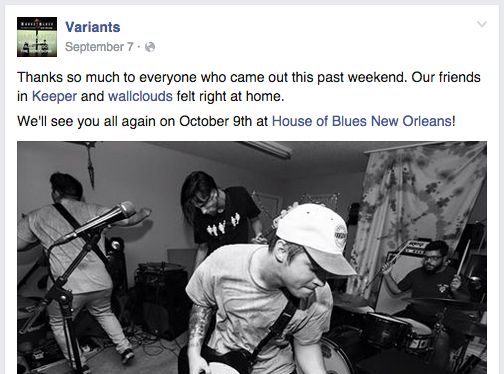
    Having a band profile on a social media channel isn’t just about promoting yourself. Of course you’re going to want to put your name out there to gain some attention, but no one wants to hear about your band every single time you post. One of the best ways to promote and actually develop solid relationships in the process is to connect with other local bands. If you’re familiar with a local band, you don’t have to be shy about it. Give them a shout out, tell your followers to check them out or even link to one of their videos. At the end of the day, they are trying to make it just like you, and they will no doubt appreciate the gesture. They might even return the favor.

    10:9 Anthony Armstrong

    2. Keep a Consistent Presence

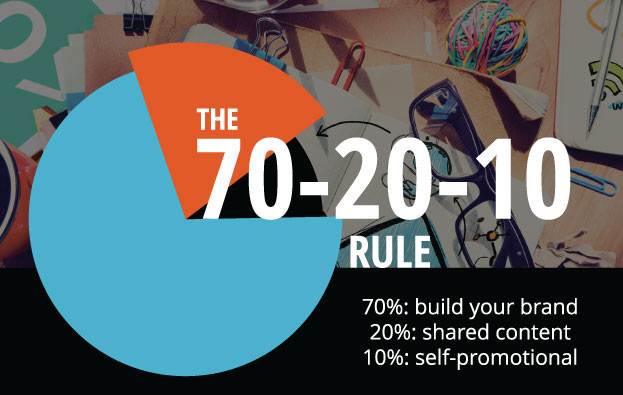
    Even if it’s just a simple post to engage your followers, posting consistently reminds people that the band is still around and still active. No, you shouldn’t post three times a day about your upcoming shows or that one single you just released, but giving your followers and friends a bi-weekly update on what the band has been up to is a great way to seem active. You will also want to devote some attention to updates in your specific music scene. Post some of the latest video releases from popular bands, or link to related articles. This shows that you are keeping up with the most recent developments and trends, giving your band a sense of professionalism. It also helps to follow the 70-20-10 rule.

    Social Media 70-20-10 Rule Image

    3. Keep It Lean

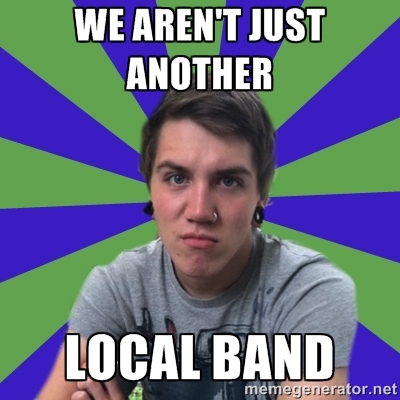
    Many times, local bands will approach their social media channels with a bit of overkill. This comes from the common belief that any social media activity is good activity. The simple fact is that no one wants to scroll through 800 pictures of your band’s last few shows, the reason being that those shows probably don’t seem very different, and a few good pictures of one show are a lot more digestible than a mass upload from your SD card. Another mistake bands often make is attaching an excessively long biography. Your followers are not going to commit to reading a lengthy bio about your rise from nothing in the mean streets of your hometown. This makes you sound delusional and self-absorbed. Let’s try for a little more humble!

    10:9 Anthony Armstrong 2

    4. Keep On Keeping On!

    Over-promoting your band isn’t the best way to develop an online presence, but that doesn’t mean you shouldn’t still promote. Consistently releasing material is crucial to the process. One of the hardest struggles of being in a local band is how quickly your band can fall under the radar. Your followers are only interested if you are interested. Releasing a song every few months and adding it to your band profile is a great way to show that your band is still prominent. If your band has developed merchandise (shirts, accessories, etc.), then post about this with visual representations. Your followers are more likely to pay attention to these types of posts, and it will continue to increase your credibility.

    10:9 Anthony Armstrong 3

    Social media offers some of the best outlets for local bands who want to become more than that. Properly utilizing these features can bring significant change to a band’s presence and overall recognition. So be consistent, be original, and have fun with it!

  • One Brand to Rule Them All: Unite Your Franchise Fellowship on Social Media

    Web

    So you want to be successful in online marketing? Well…your franchise needs to get social.

    More than 70 percent of franchise CEOs and marketing executives voted Facebook as the most effective social media channel for franchises, according to the 2015 Franchise Local Marketing Trends survey conducted by franchise software company FranConnect. In fact, franchises are giving their customers close attention and spending more time on social media compared to other small businesses overall. That’s according to this year’s report on franchises from market research firm BIA/Kelsey.

    But who is managing that social media voice? In 2013, 23 percent of franchisees said their franchisors were “somewhat involved” with their social media presence, BIA/Kelsey reports.

    “We encourage franchisees to take a role in community through clubs or sponsoring baseball teams, but we supplement that through posting activity on Facebook to communities near the restaurant. We localized that but from the central base,” Mark Hardison, vice president of marketing at El Pollo Loco told BIA/Kelsey at its national conference in March.

    One Search Influence client manages the overall brand voice on social media for its 10 locations while also allowing each location to supplement with additional localized social media posts. This not only ensures a consistent social media brand voice, but it also ensures that all locations have frequent social media posts with no gap in activity.

    So how can franchisors and multi-location businesses manage social media posts from a central base? What’s the best way to manage a consistent social media message across multiple business locations? Follow these four steps to take the headache out of managing a consistent social media message, no matter the number of business locations.

    Blog-Blog Graphic-KG-B-01

    Step 1 – Schedule Your Posts in Advance

    It can be hard to keep track of one social media account, much less a whole slew of franchised business accounts. Fortunately, there are a number of web tools available to help you out. Specifically, websites like HootSuite and Sprout Social allow for users to schedule posts across a number of profiles and platforms in advance. That way, you can easily craft and lay out the meat of your social media campaign in a single, unified stream without scrambling to make sure you post to every page.

    Step 2 – Track Your Brand Mentions

    First, let’s talk about what a brand mention is. Basically, whenever someone (with a public account) mentions either your company name or another one of your “brand keywords” (more on those later) on a social media platform, that’s a brand mention, and you should probably know about it. By keeping an ear to the wind, you can know what your fans do and don’t like about your business, which in turn gives you the opportunity to better cater to the needs of your customers.

    So how do you pick your brand keywords? We recommend selecting your brand keywords based on variations of your business name or specialized, branded products and services you offer. Some online services allow you to target these branded keywords to specific locations so that you can see what people are saying about you in certain areas. So, for example, if Search Influence were a franchise throughout Louisiana, we would want to include branded keywords for “Search Influence” that are targeted in New Orleans, Baton Rouge, Lafayette, etc. It’s worth noting that if the user has not updated their settings to allow for location services to locate them, this feature will not apply.

    Some online services, like Sprout Social, even allow you to monitor for the tone you’re interested in hearing. So if we only wanted to know the positive things people were saying about our company (which is not necessarily recommended), you could change your settings accordingly with the simple addition of a “:)” at the end of your brand keyword.

    Step 3 – Respond to Your Fans and Followers

    Your customers are bound to have questions, complaints, and praise for you. At times, this may feel like a lot to respond to, but the best way to garner a strong following is to build a relationship with your customers.

    In fact, a recent study found that customers who engage with companies via social media spend 20–40 percent more money with those companies, and that nearly one-third of customers turn to branded social media pages on Facebook to ask product questions. Further, 71% of people who have a positive customer service experience through social media recommend the brand to their peers.

    So what’s a franchise to do? Tracking mentions helps, but having all of your direct messages, wall posts, and Tweets in one unified stream can take the stress out of being a responsive company. Perhaps one of the best features of Sprout Social is their convenient Smart Inbox, which is found under the “Messages” tab of the website. Here, you can view all “messages” from your connected profiles on a single screen. Messages, in this case, can consist of Twitter mentions, Twitter direct messages, retweets, new Twitter followers, Facebook wall posts, Facebook comments, and Facebook private messages on any and all of your profiles. Their filtering options allow for you to adjust which profiles, brand keywords, and types of messages you want to see.

    Step 4 – Learn from Reports

    As with all aspects of business, it’s important to know your clientele. A number of online services offer ways for you to keep track of how your franchise’s social media pages are doing through monthly reports. Reports allow you to dig into profile and post-level insights, and they also let you see trends across messages and responsiveness to better understand your brand’s performance.

    There are a number of different reports out there, so you can choose to focus on the exact parts of your social media campaign that you’re most interested in. For instance, certain profile reports allow you to dive into some specific statistics on your specific platforms and pages. They can also provide information on your total likes/retweets, amount of new fans/followers, the breakdown of your impressions, fan demographics, how people are sharing your content, and a breakdown of each piece of content you post.

    Other reports focus more on the trends related to your Twitter accounts and offer insight into what’s being said to your brand on Twitter—and who’s saying it. See the topics and hashtags that are frequently mentioned with your brand, chart relationships between them, and keep an eye on the people and brands that frequently mention you—as well as those that are mentioned with you.

    Get Social

    Managing your brand’s voice on social media can seem overwhelming at first, but it only takes a few steps to ensure a more consistent voice—and the best part is that these steps can be taken right from your central base. If working through the complex process of multi-location and franchise marketing still seems overwhelming, contact Search Influence to streamline your marketing strategy.

  • Insta-Update: Direct Messages Just Got Easier on Instagram

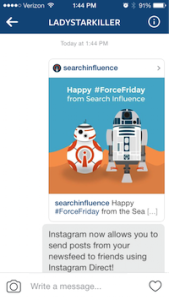
    Back in 2013, Instagram launched Instagram Direct, which gave users a way to share with one person or a smaller group of people. Last week, they announced the rollout of a couple of exciting improvements, including sending posts in your newsfeed as direct messages and threaded messages.

    Direct Messages Improved

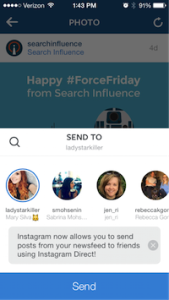
    When you come across that perfect picture in your newsfeed that you want to share with a friend, your first thought is to tag that friend in a comment, right? Now, you’ll see an arrow next to the like and comment icons. Just tap that arrow and send the post to a friend or small group using Instagram Direct! You can also tap the image in your conversation to view the original post. If you have the account set to private, then only the people who follow that account will be able to see the post in the direct message.

    Image1 Image2 Image3

    What Are Threaded Messages?

    Threaded messages let you view your full conversation you’ve had with people you talk to the most. Instead of viewing individual conversations from each photo or video you’ve sent, your thread will include the respective people in the conversation and the posts in their natural order.

    Instagram also added the ability to name groups, a camera icon so you can take new photos while you’re in a conversation, and of course, emojis!

    And What Does This Mean For My Business?

    While this new update is exciting for users, as a business owner, you will not currently be able to track the number of times your post gets shared using Instagram Direct. For now, the only real sense of engagement that you can measure is via the comments on your post. I expect that this will be something Instagram considers in their next round of updates.

  • Small Business, Big Difference: Social Media Use on the Rise

    Small Business Social Media Use Image Search Influence

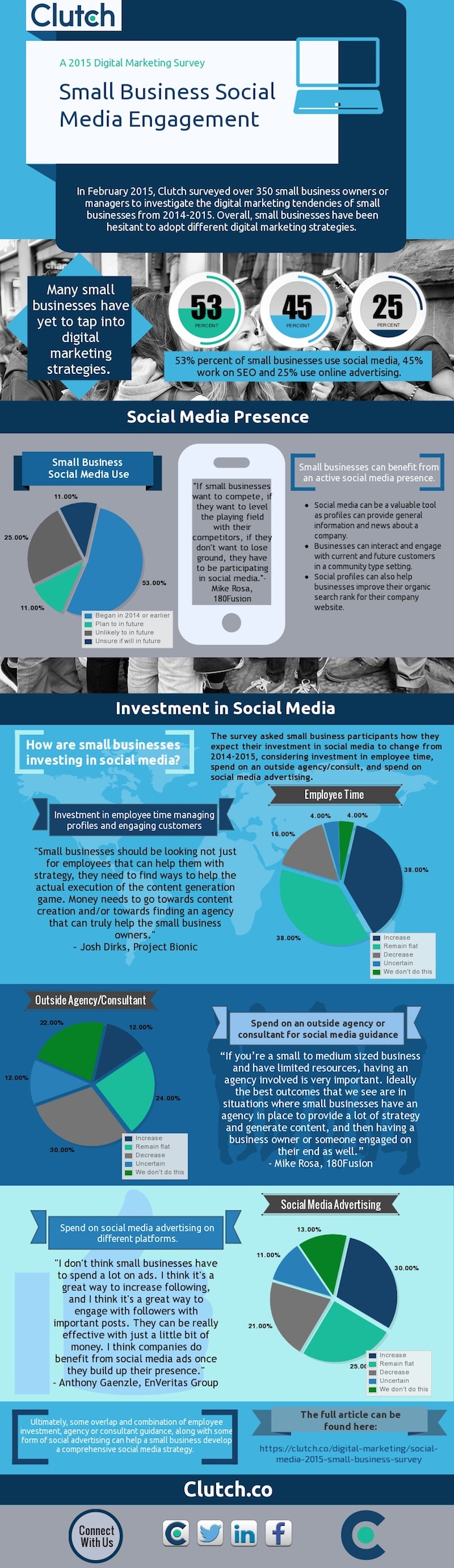
    Clutch, a B2B research firm, has released the results of its 2015 survey on small business practices in social media. The survey, which received more than 350 submissions, asked small business owners or managers to give insight into their social media and Internet marketing practices.

    The Findings

    Here are some highlights of the small businesses surveyed:

    Small business digital marketing strategies

    • 53% of small businesses use social media
    • 45% of small businesses work on SEO
    • 25% of small businesses use online advertising

    Company size

    • 60% of responding businesses have fewer than 10 employees
    • 14% have between 11 to 50 employees
    • 18% have between 51 and 250 employees
    • 8% have over 251 employees

    Investment (employee time, agency spend, ad spend)

    • 38% expect to increase their investment
    • 38% plan on keeping the same investment
    • 16% plan to decrease investment

    Clutch Infographic Small Business Survey Image Search Influence

    What Does This Mean?

    It’s weird to think back to 2006, when Facebook was essentially just for high school and college students to interact with each other through basic status updates. Nine years later, Facebook has around 1.44 billion monthly active users, yet only 53% of businesses surveyed indicated they use social media. In today’s social media age, having an active social presence is one of the easiest and most inexpensive options available to small businesses. It’s free to create a business page on Facebook, Twitter, and the other myriad of social media pages. Additionally, with the abundance of users on these sites, your customer base and target audience is already available to you; you just need to bring them to your page.

    Benefits of Social Media for Small Businesses

    When customers shop at small businesses, they tend to value the qualities of these stores versus their big-box competitors. Having a question answered on a local bike shop’s Facebook page is usually easier than reaching out to a large retailer’s customer service team. Allowing customers to post to your business’ page also gives other viewers the ability to see reviews, photos, and that the business cares about its customers by maintaining an active social presence. Maintaining a strong social presence can work as a way to “warm up” your potential customers and introduce them to your brand for a relatively low initial cost.

    Small Business Investment

    Besides simple statistics, the survey discusses the necessary investment of small businesses to ensure that their social media strategy has the best chance to be successful. While it may seem that just having a profile is enough to effectively market your business, there is additional effort that should be taken if you want to see your desired results. Employees should have a hand in the content strategy and the day-to-day operations. Various opinions can help diversify your strategy and give additional insight into your broader customer base. By spreading the responsibilities of managing the page across a few employees, each individual’s workload should not be greatly affected, while the overall product will be of high quality. Wondering how you can make time for social media and continue to run your small business? Check out these social media tips for time-starved entrepreneurs.

    Content Strategy

    In addition to diversifying where your content is coming from, it helps to vary the content you’re sharing with your followers. If you’re only talking to your current customers about products or direct business promotions, people new to your page may dismiss your content, as it doesn’t apply to them. Try to think outside of the box and delve into your potential customers’ other interests. By using this practice, your pages and posts can be beneficial in more ways than reminding customers of your weekly promotions. Writing about the best local bike trails may bring more people to your page through liking, sharing, and commenting, and it can help to organically get your store’s name into your community.

    Takeaway

    Seventy-six percent of the companies surveyed responded that they would either keep the same investment moving forward or increase it. Facebook and Twitter have shown over the past five to 10 years that the sites are not simply the most visited social media pages, but two of the most visited websites of any kind. When establishing your small business, it is important that your business could be found on Google. But in 2015, it is becoming important that your business be available on social media sites as well. Moving forward, each company should take the necessary time to see what resources can be used to begin a social media campaign. Start off by managing a page yourself, working your way up to reach an ideal social media campaign, and involving an overlap of employee involvement, agency guidance, and some use of social media advertising such as Facebook fan-building campaigns, for example, which have shown to have the best results for success with these small businesses.

    To view the complete report, visit Clutch.

    Image source:

    Clutch infographic

  • Have Hashtags Become the New Slogans?

    Hashtag Art Image Search Influence

    In the world of marketing, businesses seem more focused on creating a captivating hashtag to correspond with the newest campaign rather than a fresh slogan. Is it possible for the two to coexist, or are slogans as we know them well on their way to becoming a thing of the past?

    Slogans 101

    Slogans are defined as brief, catchy phrases used in marketing campaigns with the intent to direct a customer’s attention toward a particular product or company. Often referred to as taglines, especially in advertising, these short strings of words often stick with the company for a long time or forever if they are successful.

    McDonalds Slogan Image Search Influence

    However, that success may have been transferred over to the power of the hashtag, as there has been a steady decline in the use of advertising slogans in both the United States as well as the UK over the past 20 years. Perhaps they were on their way out before hashtags were more than just a pound sign smashed into a string of words.

    The Hashtag Takeover

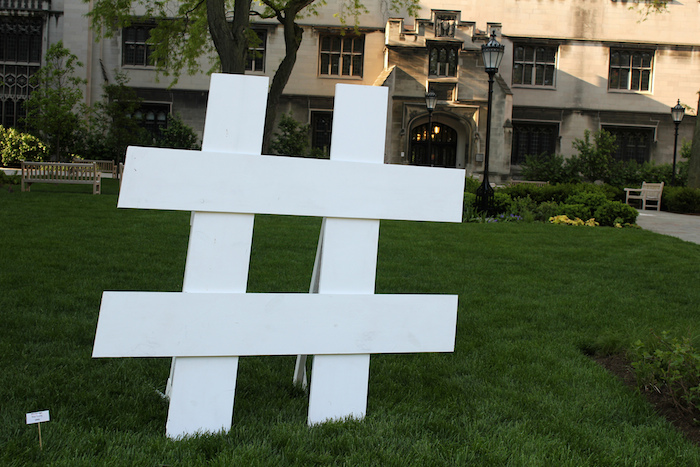
    Hashtag is defined as a word or phrase that is preceded by a hash or pound sign and used to identify messages on a specific topic, generally on social media sites such as Twitter.

    The newly invented hashtag first appeared as a practice of writing for Twitter posts during the 2009-2010 Iranian election protests by both English- and Persian-speaking users.

    However, the term was presented in a blog post by Stowe Boyd, where “Hash Tags = Twitter Groupings” was written Aug. 26, 2007. Twitter jumped on board and began to hyperlink hashtags in tweets July 2, 2009 as a way to link all corresponding tweets to a particular hashtag to be incorporated in search results for Twitter users.

    A Look at #TodayAsWeKnowIt

    Fast forward to 2015, and hashtags are used for numerous reasons, including event promotion, campaigns, human rights, awareness and absolutely for marketing, making the hashtag far more versatile than the slogan. For example, the recent trending hashtag #mondaymotivation received more than 76,000 tweets as of July 28, according to Twitter. The #betterforit Nike Women brand campaign hashtag, for example, has received more than 800 tweets just this month. That’s according to Hashtracking.com, a website that tracks hashtag mentions. And so we circle back to the question at hand: Is the traditional slogan to be replaced by the ever-present hashtag?

    Image sources:

    Hashtag image

    McDonald’s cart image


  • Your Fortunes Are Written in the Stars (Your Facebook Star Reviews, That Is)

    In a time when smartphones can do everything from tracking down our car keys to acting as a 3D mobile scanner, the modern American consumer is more connected than ever. The Internet lets us share photos with people across the world or down the street, but in addition to sending Snapchats and Facebook messages, people are increasingly looking for opinions and suggestions from their community of savvy fellow consumers, who are often ready and willing to share their thoughts on everything from the best place to eat on date night to the new laptop they just bought on sale.

    Wading through this sea of advice and opinions can be intimidating for a small business—but it’s also necessary. If you’ve ever diligently scoured sites like Yelp or Amazon for information before making a major purchasing decision, you already know that reviews can be powerful. Not only do they give you great feedback about how well your business is doing, but they also share valuable information about the quality of your products and services. And today—now that we’re far from flipping through hard copies of Consumer Reports when researching a purchase—modern Internet users tend to rely on the insights and second opinions provided by their existing online network.

    While online reviews tend to hold more sway among younger generations, a June 2015 study found that 70% of Americans look to review sites before making a major purchase, and another 57% of respondents say that they also seek out recommendations on social media.

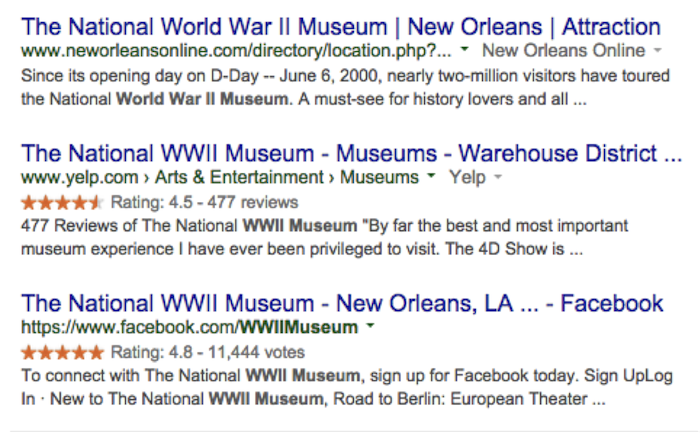
    To that end, it’s more important than ever for businesses to elicit positive reviews across the board. Google has always made it patently simple for Internet users to see the verdict of public opinion on any given product or service at a glance, thanks to a display of five-star reviews that act as a visual guide in the search engine results pages. Without even clicking on a link, searchers have the opportunity to learn how well a product or service has been received by the online community.

    In the past, major review sites like Google+, TripAdvisor, and Yelp have all been prominent sources for this type of information, and the most recent site to join their ranks is Facebook.

    Facebook Star Reviews Image Search Influence

    These five-star reviews show up near the top of the search engine results for brand-name searches, but they also occasionally turn up in broader searches as well.

    This is good news for businesses. Internet users tend to prefer leaving reviews on Facebook over other review sites, showing a preference for giving feedback on Google+, Facebook, and Yelp—in that order. Facebook has the added benefit of a strong user base, since most of your customers are likely to already have Facebook logins and reviews are quick and easy to post. In addition, Facebook reviews don’t get filtered like Yelp reviews do.

    In the past, we’ve recommended building up your business’s credibility by getting reviews in multiple places, and it’s worth restating: Google+, Yelp, Yahoo, Facebook, Twitter, and similar sites are all essential when it comes to showing off the quality of your products and services to as many potential customers as possible. And Google’s new update means that if you haven’t yet gotten a toehold in the Facebook review arena, it’s probably a good idea to work it into your long-term reviews strategy for a dose of extra visibility on search engine results pages.

    If your review game is not strong or you’re worried about your online reputation, don’t fret. Check out our tips for handling reviews, and let us know how we can help!

  • How to Win Followers and Influence People: Build Your G+ Following in 3 Steps

    We’ve cracked the code to successfully increasing the Google+ following for a small business (or at least we know we’re on to something). Our little experiment shows that if you follow three simple steps, you can gain more followers on Google+.

    Now, before you equate the importance of Google+ (colloquially referred to as “The Plus”—it’s a thing, I promise) to that of utensils at a pizza shop or a certain search engine that rhymes with “wing,” it is important to note that although Google has consistently denied any causal relationship between what shows up in a Google search and activity on “The Plus,” evidence shows there may be reason to listen up. Besides, even if you don’t drink the Kool-Aid and immediately become a Google+ fanatic, I think we can all agree that vying to be in Google’s good graces is always a smart idea. I mean, come on, you wouldn’t skip your boss in line at the movie theatre or punch Ryan Seacrest in the face after winning a trip to Hollywood (OK, I can’t make any promises on that one), but you get the point. Don’t bite the hand that feeds.

    Follow and Compliment

    Now that we have established that Google+ matters, let me clue you in on a little G+ secret. People on social networks are like that hyper-masculine guy on your road trip: all they want is to be followed and complimented. Following, and subsequently +1’ing a person on Google+, is like referencing your buddy’s cheese blog in the bar you are currently patronizing with a group of friends. Not only have you discovered him on an incredibly remote platform, but you’ve even followed up with a compliment! Go you, Stanley, you’re relevant, and people appreciate your knowledge of cheese.

    In all seriousness, though, over the past few months our experimentation shows that you will receive at best a 40 percent return rate in followers. For every 100 people followed and +1’ed, we received approximately 40 follows in return. It is important to note that the client happened to be a particularly interesting and popular business. That’s not to say the inherent love of HVAC nuances isn’t bountiful across the land, but it’s just something to keep in mind.

    Given the fairly low rate of return, you can see how this may prove to be quite taxing if your goal of followers is in the hundreds, especially considering Google+’s limit of 50 follows per day. So what shall we do as small businesses owners armed with this knowledge? Luckily, as your in-house guinea pig, I am here to break it down into three simple, effective steps.

    3 Steps to Building Your G+ Following

    1) Start by following larger, established pages in your geographic area. Think The Wizarding World of Harry Potter if you are located in Orlando. If you need help getting to the Google+ page for The Wizarding World of Harry Potter, I can’t help you. If you have to ask, you’ll never know. If you know, you need only ask.

    2) Once you have lost yourself in a voracious “following” spree, now it is time for flattery. The people who occupy the comment threads of your newly acquired network are relevant to you in a few ways. Not only do they most likely engage with local businesses, but they are also active on “The Plus” ← there it is again! See, I told you it’s a thing. Start following and +1’ing posts in your stream you deem relevant to your business’s interests.

    3) Be sure to watch out for exceeding Google’s “follow” limitation on a larger scale. After you exceed 1,000 people/pages followed on Google+, we’ve noticed that the social network gets a little buggy. If you begin “maxing out” of follows well before your promised allotment of 50, simply take a break for a week, binge on some Netflix, and live to fight another day.

    That’s all for now, folks! If my team discovers any new, innovative ways to garner your Google+ following, we will be sure to let you know. If you hear nothing, that means Skynet, ahem, I mean Google has discontinued “The Plus.”

    Image sources:

    Kool-Aid GIF

    Guinea pig GIF


  • Facebook Enters The Game of GIFs: A Feast For People, Not Pages

    Search Influence Game of Gifs Blog

    tyrion dancing

    On May 29, Facebook confirmed that it would begin supporting animated GIFs! Up until this point, only Giphy GIFs could be used on Facebook, but they appeared like videos where you’d have to click a play button for the animation to start. For now, however, this new, universal GIF support only extends to personal profiles and not Pages.

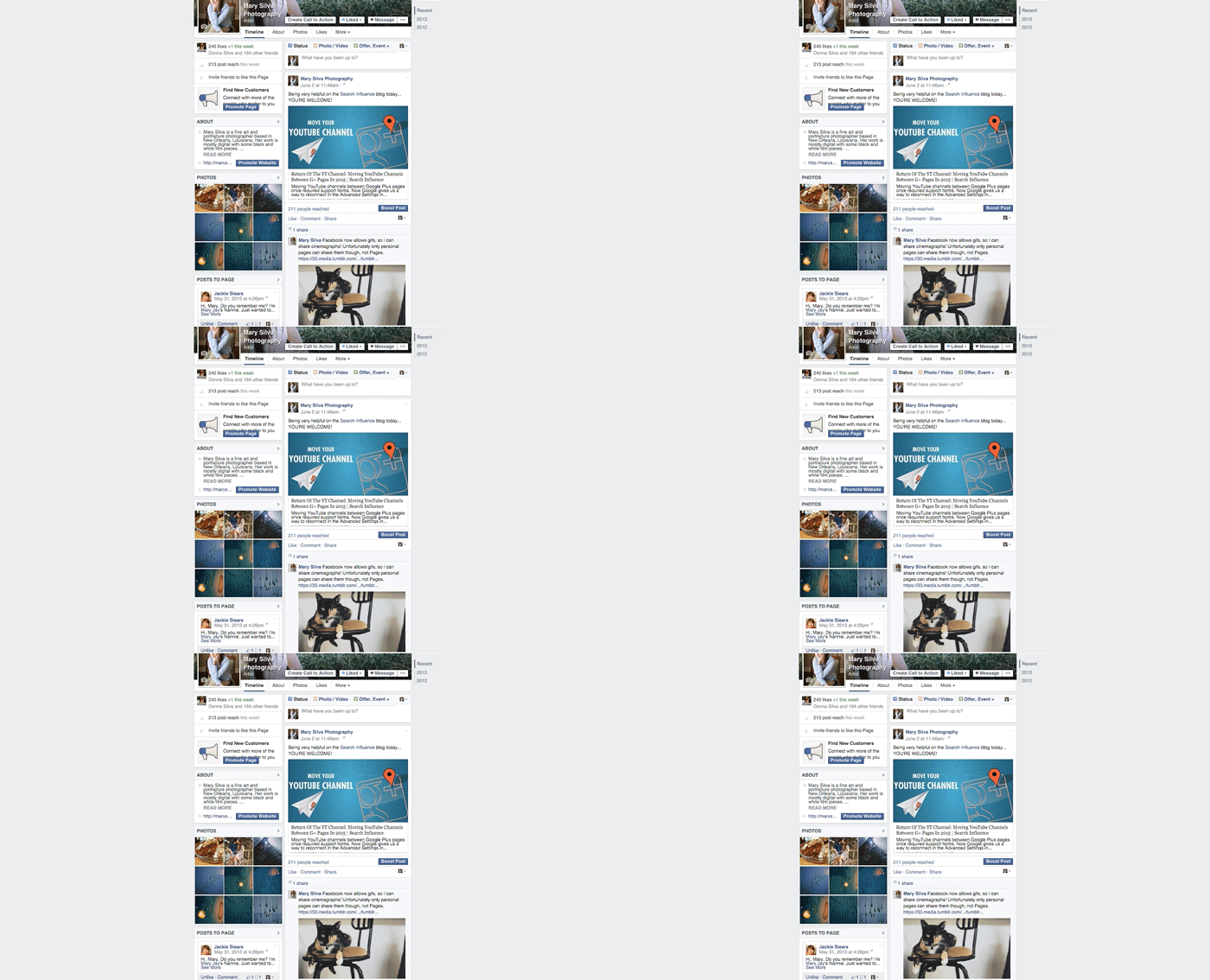
    In the past, I’ve jokingly (sort of) said that Google Plus would always be better than Facebook because it supported GIFs. As a freelance photographer and creator/curator of cinemagraphs (animations that consist of seemingly still photographs with subtle repeated movement in them—example below), I’ve always been annoyed that I could only share my art on Tumblr and G+. So I was really excited when I learned about the addition of GIF support to Facebook late last week. Sadly, I realized very soon after this announcement that Facebook had not extended this support to Pages.

    Cat Tail Animation Cinemagraph Gif

    So What GIFs CAN Pages Use And See?

    People can share GIFs in the comments of posts by Pages but not on the walls of Pages. Also, Pages cannot share, reshare or comment using GIFs. So Pages can see when people post GIFs, but if they try to reshare a person’s GIF status or post their own, it will have to be opened in a new window for the GIF to play. A statement from a Facebook spokesperson on Business Insider said “Like many features that we release on Facebook, we want to ensure that this drives a great experience for people first before rolling it out more widely. While Pages cannot currently post GIFs, we are exploring ways to enable this in the future.” This also means that GIFs cannot currently be used in ads. Here’s to hoping they mean to roll this out for Pages in the very near future.

    Here’s a GIF of the previously shown cat GIF moving in the comments of a post on a Page:

    Search Influence Gif on Facebook Page

    There are also other stipulations to using this new feature even on your personal Page. You cannot upload a GIF; it must be hosted elsewhere. So I suspect we’ll see a lot of sharing from sites like Tumblr (who just rolled out a GIF search—perfect timing) and Imgur.

    For now, I’ll just be happy that I can at least share my cinemagraphs that are already on my blog on my personal Facebook Page now.

    Thanks to HuffpostTV for the dancing Tyrion GIF!

  • Give Your Facebook a Facelift: Social Media for Dermatologists and Plastic Surgeons

    Facebook Facelift Image - Search Influence

    Time Magazine recently posed the question, “Can Plastic Surgery Make You More Likeable?” Certainly, there are many benefits to cosmetic procedures for the patients, but it is also time for plastic surgeons and other physicians to think about how to make their practices more “likeable.” Facebook and social media can be used to attract new patients and shape the local perception of a business. For example, Search Influence helped one plastic surgery practice attract nearly 70,000 new fans on Facebook. Search Influence can help create and manage the online presence of your business through social media, but if you want to get started on your own, follow these five steps:

    1. Make a Facebook Page

    Most Internet users visit social media sites daily, and social media can be a cost-effective place to advertise. Facebook accounts are free to create and maintain, and AdWeek reported last year that advertising on Facebook is 70 percent cheaper than the industry average. While using it effectively will take a significant amount of work, creating a Facebook page for your practice takes only a few minutes. With pictures and information about the procedures you offer, a Facebook page allows potential clients to learn about your practice without following an external link. This can be a great place for a list of services and a few testimonials from past patients. It’s a streamlined version of the most relevant information, and you can direct people to call your office or visit your website to learn more.

    2. Get More “Likes”

    It’s easier said than done, but awareness about your practice will grow as users “like” your page. To draw their attention, it helps to have compelling pictures and interesting information. Showing a little personality can encourage people to identify with your practice, which helps set you apart from the competition. As more people interact with your page, Facebook will give you demographic information about their ages, where they live and other details that can help you better know the local market.

    Struggling to get potential patients and customers to follow you on Facebook? One way to get more likes on Facebook is through Facebook fan-building campaigns, which have been effective for Search Influence plastic surgery clients.

    3. Get People Involved

    Ask questions, and post updates that encourage people to interact with your page. When fans “like” an image you’ve posted, it makes it more likely that their friends will also see your page. If you post about local events and holidays, it will help connect you with your community.

    4. Update Your Page Regularly

    While it’s inadvisable to offer medical advice over social media, your page or a separate blog can be a great place to explain procedures or post updates about your practice. If you explain medical terminology and correct common misunderstandings, then potential patients will see you as more qualified and trustworthy.

    5. Pay to Play

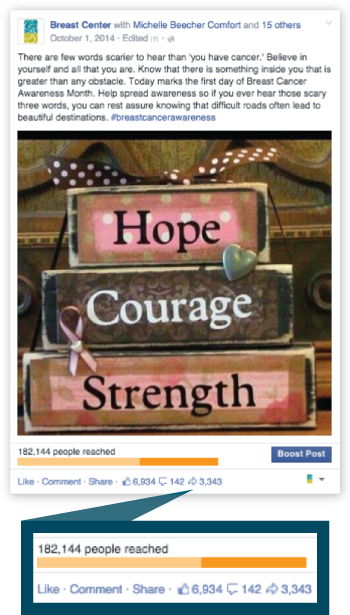
    Advertising your page on Facebook involves a lot of choices. Do you want help accumulating “likes,” or is it more important that people visit your website from your Facebook posts? While pay-per-click (PPC) advertising assures that people are viewing your page, your name will show up on more news feeds if you pay for exposure. For example, a promoted Facebook post for a Search Influence plastic surgery client reached more than 182,000 people.

    First Promoted Facebook Post - Success Study - Search Influence

    Because of the variety of choices involved, streamline your social media strategy and achieve successful results with the team at Search Influence managing your advertising plan. Search Influence can advertise on several sites and measure results in the ways that matter most to your practice, including new patients and calls to your office.

    If you want to give your whole business image a facelift, then injecting social media into your marketing plan is the most cost-effective option. Our team at Search Influence can help you create and manage your online image, and we can advertise on a variety of platforms including Facebook, Google+, Youtube, Pinterest and Twitter. Continuously providing updates can be a lot of extra work for your busy staff, and some employees may already spend too many work hours on their social media accounts. Let Search Influence manage your online image to make sure everything is handled professionally. Find out more about our services by browsing our website.