Category: SEO

  • Has Your Site Been Hacked? Here’s How to Handle It

    April is National Stress Awareness Month. And I can tell you, working at an online marketing firm, nothing can be more stressful than when a website gets hacked. Your day will start normally, and then comes the discovery. It can happen in a variety of ways. Some of the more common instances include no longer being able to access your site, finding that your site has been redirected to a, shall we say, “not so wholesome” website, or discovering that the content on your site has been compromised. Other ways you may be alerted of a site hack include a notification from your web browser or a message in Google Search Console/Bing Webmaster Tools.

    Step 1 – Take a deep breath

    Site hacks are more common than you think. You will get through this.

    Step 2- Change your passwords

    In order to prevent further harm to your site, you will want to change your passwords right away.

    Step 3 – Call in the troops

    This step involves a two-fold approach.

    First, you will want to call your hosting company. It is not likely that this company will be able to clean up the site for you. However, they deal with these things all the time and can provide valuable insight into the situation.

    Next, after speaking with your hosting team, contact your web developer. One of the first things you will want to let them know is whether or not you have a backup of your site. If you do, great news! This means they can restore your website from an earlier pre-hacked version. If you do not have a backup of your site, all hope is not lost. This just means that they will need to go the more labor-intensive route by manually removing the hack.

    Step 4 – Plugins, plugins, plugins

    If you are using WordPress as your CMS, make sure to update all of the WordPress plugins on your site to latest versions after your website is restored. You will also want to delete any inactive plugins. Hackers can sometimes hide their “back door” within these plugins. This allows them to circumvent the standard login procedure and gain access to the server remotely.

    In addition to updating your plugins, you will also want to install Sucuri WordPress Auditing, a free plugin that scans your site for malware issues.

    Having your site hacked is a stressful and frustrating process, but it is something you can recover from with some hard work and help from your support team.

    Image Credits:
    You Have Been Hacked Image
    Send in the Troops Image

  • Does My Business Really Need a Google My Business Page?

    4-14-2016-BlogImage2

    In today’s interconnected world, businesses are putting a lot of effort toward getting their name out there on social media. The two biggest social media platforms, Facebook and Twitter, are used by businesses in all industries to connect with potential customers. The social exposure achieved through Facebook and Twitter is very important for businesses to market to and connect with customers and clients. Another social media platform, Google My Business, is very important to a business’s online success for a number of different reasons. Around here, one question we usually hear from our clients is “Why Google My Business?” Below are some ways that having a presence on Google My Business can help a business succeed online through more SEO-focused means!

    1. The Maps Pack: Establishing a Local Presence

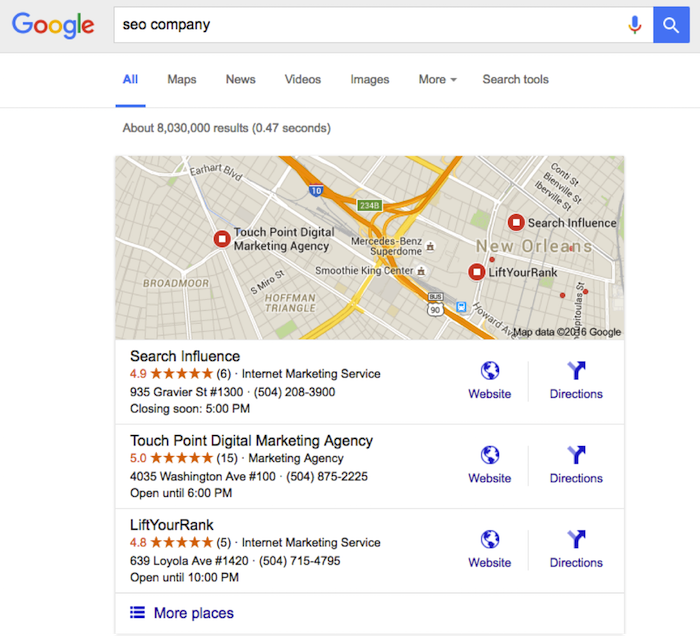
    One important reason for having an established presence on Google My Business is what we like to call the “maps pack.” Without having a Google My Business page, a business will not show up in the local results at the top of the search engine results page. These results are presented as a map with pins representing each business, with information (website, phone number, address) below that is pulled from Google My Business. These more visual results allow the user to gauge the geography of businesses they potentially want to visit.

    This maps pack feature creates fierce competition for local businesses. Ever since a recent update to the maps pack, which reduced the number of businesses listed in the local search results from seven to three, having a presence on Google My Business has become even more important. Optimizing the Google My Business page allows a business to make sure that their information in the maps pack will be correct when they are included.

    Not showing up in the maps pack means less traffic through the search engine results, and due to the prominence of the maps pack in the mobile search results, say goodbye to a large amount of mobile clicks. As we all know, the further down a business is in the Google search results, the less likely users are to click into its information. As you can see below, showing up in the maps pack is very attractive to potential customers. Now isn’t that an SEO company you would want to hire?

    Maps Pack Image

    2. Reviews!

    Another benefit of having an active Google My Business page is the importance of online reviews. Remember the “maps pack” we just discussed? A study by Digital Marketing Works shows a strong correlation between Google My Business reviews and showing up in the maps pack in the local search results. Search engines strive to give searchers a great user experience, so they lean toward sending users to a business that other people have rated highly online.

    Also, having these Google My Business reviews displayed prominently on the maps pack and Google search results will help convince customers to click through. In fact, ratings and reviews are some of the most influential SEO factors in getting users to convert into customers and to purchase your goods or services. Due to this high conversion rate, having these trusted Google My Business ratings and reviews in the search results and maps pack is very important for businesses trying to market themselves online!

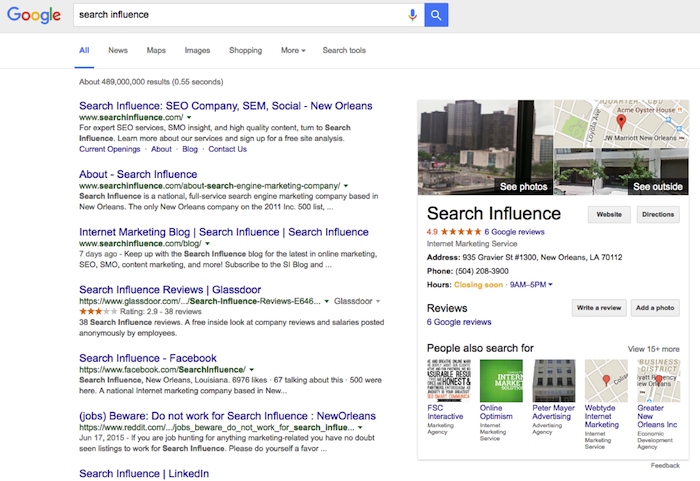
    3. Google Publisher

    Another reason Google My Business is important is the effect it can have on Google Publisher. Adding Google Publisher to your site allows your Google My Business information to show up in the “Knowledge Graph.” Triggered by a branded search, the Knowledge Graph is the window of information that shows up on the side of the search results page. This information (reviews, photos, hours, and address) comes straight from Google My Business and serves as a great first look at a website. Having an optimized and active Google My Business page allows the correct business information and more ratings/reviews to show in this knowledge graph. This can gain users’ trust and make them more likely to click into your business’s site! Below, you can see how a branded search for a company allows this Knowledge Graph to load and show more information about the business.

    Knowledge Graph Image

    Making sure you are active on Google My Business can definitely help with social interactions and getting your brand established in social media, but the benefits of this platform go far beyond that. Activity and having correct information on your Google My Business page go a long way toward improving your business’s SEO and your ability to convert clicks into customers.

  • These 5 Easy Ideas Can Help Your Site Reach 80% of Your Patients

    4-14-2016-BlogImage5

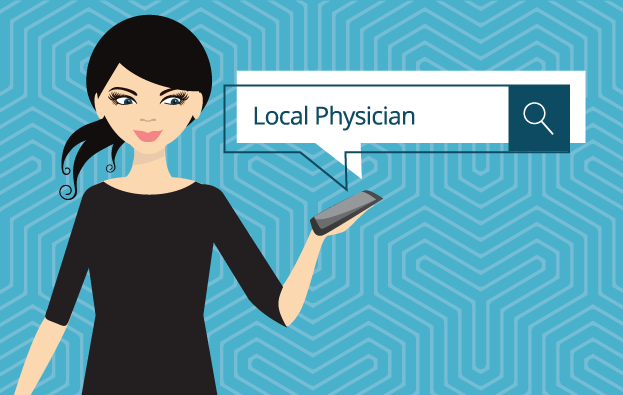
    Your patients might not be able to read your handwriting, but there should be no confusion with your website. According to a Pew Research Center survey, 80 percent of respondents look for health information online, and 44 percent actually search for physicians and healthcare professionals. As more and more people turn to the Internet to search for medical service providers, these tips will help you launch a website that connects new patients to your practice or clinic.

    1. Patient Forms

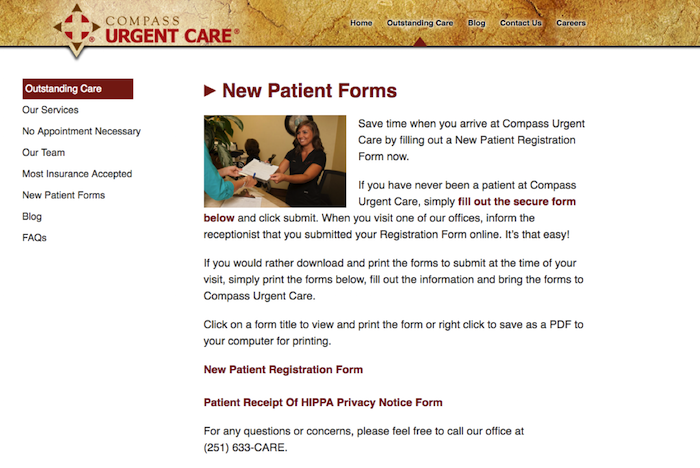
    Your website should make it easy for new or returning patients to access patient intake forms, schedule appointments, and update records. Registration forms can even be placed under their own tab, which will make it easier for website visitors to become registered patients. In general, always make things easy to find.

    New Patient Forms

    2. Mobile Responsiveness

    In the United States, there are more mobile searchers than desktop searchers, and this trend is expected to increase. There are two reasons your medical website needs mobile-responsive capabilities. Patients searching on a tablet or smartphone are likely to spend more time on your website if it is easy to navigate. A non-mobile-friendly website can be confusing, creating incentive for the searcher to move on to a different website, possibly that of your competitor.

    Furthermore, next month Google will start the roll out of a mobile-specific algorithm. Google is continually striving to improve the user experience, and if your website does not make the cut, it could be completely excluded from mobile search results.

    3. Patient-Centric and Informative Content

    Going to the doctor’s office can make some people feel anxious, but your website can provide comfort and instill confidence even before a patient walks through your door. All content should be patient-centric and make website visitors feel like they will be in safe hands. You can even give your website some personality by including bios for yourself and your staff. In an “About Us” or “Our Staff” section, you can not only show off impressive credentials but also demonstrate that you can engage with patients.

    A strong medical website also includes news, information, and updates. This platform should be a marketing tool and resource for patients. Refreshing your site with blog posts, medical news, and alerts will show patients that you follow current issues and are an attentive professional. A website with a regularly updated blog will also rank higher in the search engine results.

    4. Services and Insurance

    Again, all information should be easy to read and find, especially services and insurance information. Give detailed explanations of your services, and note if there are any special considerations. There should never be any confusion about payment, so clearly state whether you accept cash or if other arrangements are acceptable. Discussing insurance plans and payment methods creates an opportunity to include a call to action. Ask website visitors to contact your office with any further questions about services or insurance.

    5. SEO

    “If you build it, they will come”—this adage does not apply to websites. It can take a little time for your new website to get noticed by search engines. An SEO campaign can improve your website’s search engine rankings and drive more traffic to your website. On- and off-page optimization, social media management, title tags, meta data, image optimizations, NAP consistency, professional listings, and many other factors play a role in boosting your Google ranking. Search Influence can create a SEO campaign that will promote your website, connecting you with patients who are more digital than ever before.

    Image Credits:

    Doctor Meme Image

  • YUUUGE Link-building Opportunities for 2016 and Beyond

    In the SEO world, we say, “a link is like a vote.” The idea being the more links you have, the better. There was a magical time when it didn’t matter where the links came from or how many links came from one source. In a sense, all votes were created equal, and they were all beneficial.

    In recent years since the rollout of Google Penguin, that theory doesn’t really stand up anymore. Today, links are still like votes, but they’re similar to votes in a presidential election. Think of the electoral college, celebrity endorsements, and loyal campaign supporters.

    1603-SI-Newsletter-0331-KG-C-02

    Your Website Is a Presidential Candidate

    Every day, you and your competitors are trying to win the race for #1 on Google. A great way to do this is to build a diverse backlink profile. Every time another website links to you from their site, it’s basically an endorsement from them that tells Google, “Hey, I know this guy—he’s my friend. You like me! You should like him too!”

    Win the Electoral College, Not the Majority

    While it’s great to get links from as many sites as possible, it is important to know that links from some sites are better than links from others. For example, it’s better to get all the votes from Ohio and California than from Puerto Rico and Alaska. The same is true for the links you get from other sites. The more authority, trust, and clout a site has, the better links from that site will help transfer that authority to your site.

    A diverse link profile is important as well. This means in order to boost your site authority, you can’t only get links from sites like California and Ohio. It is important to put in the work and get links from sites like Texas, Florida, and New York, too.

    24643522420_30e914a00f_k

    How Do I Do This?

    First, you need to be able to identify what sites are and are not authoritative. For example, websites that end in .org or .edu are golden. These are your Ohio! You want links back to your site from sites like these.

    Second, you need to find ways to obtain links from these sites. Does your business sponsor or support any local community groups? If so, ask them to add your business as a sponsor on their website and include a link back to your site. You can do the same for any local charities your business supports too! Think of these links like an endorsement from a well-liked, non-controversial celebrity. Has your business been featured in the news recently? If so, reach out to them and ask for a link back! These are great links, and these endorsements will help you win that first-place spot in the search engine results.

    Third, don’t forget about basic guaranteed links. These links are like loyal supporters on the campaign trails and will help you get the top spot in the search engine results. This includes links from directory sites like yellowpages.com or niche directory sites specific to your industry like locateadoc.com. The more links from different sites, the better. One link from one site might not earn you the victory like a celebrity endorsement, but a lot of these from a lot of different sites really add up.

    Lastly, avoid links from sites that can harm your site. Just like a bad endorsement from a hate group or controversial celebrity can harm your chances of winning the top spot, so can links from spammy, irrelevant sites. Ask yourself these questions: “Is this relevant to my business? Does it make sense to have my business listed on this website?” If the answer is no, don’t do it. For example, if you don’t sell designer purses or male enhancement pills, don’t let them link to your site.

    24120120029_54ebe1d8ba_k

    You Can’t Buy Votes, and You Can’t Buy Links!

    If you’re offered a too-good-to-be-true offer like 10,000 links for $1,000, or whatever bogus links are going for these days, don’t do it! I repeat, don’t do it! Just like true votes can be hard to win in an election, so can natural backlinks to your site. It takes time to build a diverse backlink profile, but the reward is much greater than getting caught link farming by Google. Just like a shady politician, once your dirty dealing is found out, you’ll get slammed with a manual action, you may never be able to fully regain trust, and you’ll officially lose out on the #1 position.

    When in doubt, trust the reputable experts to guide your business. Just as an experienced campaign manager can take a presidential candidate to win, an experienced SEO company can guide your business to the #1 position in the search engine results. It will be YUUUUGGEE!

    Image Credits:
    Google Logo Image
    Hillary Clinton Image
    Donald Trump Image

  • Manage Tags Like a Sys Admin: 5 Ways Google Tag Manager Will Change Your Life

    1603-SI-Newsletter-0331-KG-D-02

    Where would we be without Google? It seems like for every issue that comes up in the field of online marketing, Google is ready with a solution. Google Tag Manager is one such solution. But before we examine the benefits of using this savvy tool, let’s first clarify what a tag is.

    What Is a Tag?

    Simply put, a tag is a snippet of website code that tracks visitors on a website. It allows companies to collect data for affiliate marketing, retargeting, conversion tracking, personalization, and a plethora of other cool marketing techniques.

    What Is Google Tag Manager?

    Back in 2012, Google saw online marketing tools growing more and more sophisticated. But as their sophistication evolved, the need for tags increased to make these tools effective. Though tags provide online marketers with beneficial information, tags can also overburden your website and become too confusing to manage.

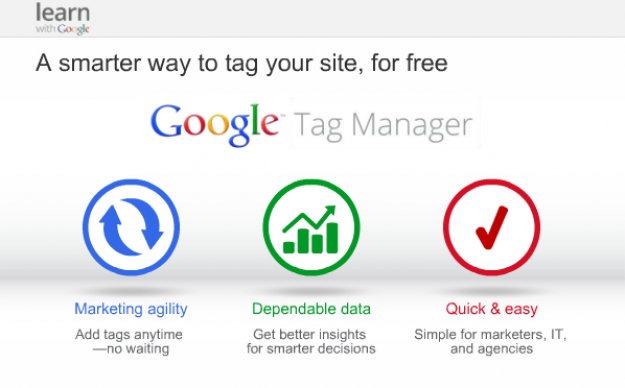
    So Google developed Google Tag Manager, a tool that allows online marketers to consolidate all their tags into a single strand of code and gives them the ability to manage their tags through a user-friendly web interface.

    Now that we know what a tag and Google Tag Manager are, why should you use Google’s tool?

    14741920698_c97a07563f_o

    1. Faster Website Load Times

    Too many tags on your website can slow it to a halt. This has a negative impact on your Google ranking because load times are one of the parameters Google takes into account. With Google Tag Manager, you are allowed to specify when you want a tag to be triggered, which means not all your tags will load at the same time. This increases your website’s performance speed, which makes both your users and Google happy.

    2. Easy-to-Use Tag Template

    With Google Tag Manager, it’s no longer necessary to call up the IT guy every time you need to add a tag to your web interface. Tag Manager eliminates the need to add the code snippet to your website’s source code by introducing an easy-to-use template. This template allows users to quickly add tags for AdWords conversion tracking, Google analytics, GDN remarketing, and more. Tag Manager also supports custom tags.

    3. Error Prevention

    In the world of online marketing, there’s nothing worse than trying to add a feature to your website and causing the website to crash instead. Google Tag Manager prevents this by giving users a preview mode, a debug tool, and access to the version history. These tools show users how proposed changes will affect their sites before the changes go live.

    4. Customizable Permissions

    Another way Google Tag Manager adds to efficiency is by allowing the account admin to delegate access to the tool amongst a variety of users. This means that more than one person can add tags to your website. This feature is essential for projects that involve a lot of collaboration, since you no longer have to worry about giving a third party complete access to your website so they can update your source code. You can give or limit access to the main account as much as you want.

    5. Reduced Costs

    Of course, the best part about being able to manage your tags and increasing your efficiency is the amount of money you save by doing so. Google Tag Manager is a free tool, and by using the wealth of resources at your disposal to learn how it works, you’ll be able to add and customize your tags like a system administrator in no time. Instead of messing around with your source code and picking up the shambles when it all falls apart, you’ll be able to work on what draws people best to your website: creating fantastic and informative content.

    Do you currently use Google Tag Manager? Let us know how it’s working for your website.

  • Search Influence University Explains: Why Is NAP Consistency Important in SEO?

    1602-SI-TheInfluencer-KL-A-02-lg

    If you’ve been exploring the world of search engine optimization, “NAP consistency” is probably a phrase that keeps coming up again and again. So what is NAP consistency? Watch this short video to find out.

  • Google Grants: What Every Nonprofit Should Know

    1608-SI-TheInfluencer-KL-A-01LargeIf you work for a nonprofit, you probably already take advantage of many of the free tools and services available to you. From software and applications to professional services, a huge number of corporations offer donations to show their commitment to the causes nonprofits represent—but few offer tools as powerful as Google AdWords. If your nonprofit isn’t reaping the benefits of a free AdWords campaign, it’s way past time for you to jump on board!


    What Are Google Grants?

    Essentially, Google Grants offer free in-kind AdWords advertising services—$10,000 USD worth per month, to be exact—to 501(c)(3) nonprofits. This is a huge deal because the AdWords platform offers a streamlined way to get your organization’s story and message in front of any target audience you want, meaning more visibility, supporters, and donations.

    1602-SI-TheInfluencer-KL-A-03-lg

    It’s important to note that unlike with the paid version of AdWords, Google does have some restrictions on the types of ads created with Google Grants:

    • Ads must be text-based (meaning no videos or images)
    • Ads appear only on Google’s search engine results pages
    • All campaigns are keyword-targeted
    • Your max cost-per-click (CPC) is $2.00 USD

    But the most exciting part? Your Google Grant is valid forever! All you have to do is maintain eligibility.

    What’s AdWords and Why Do I Need It?

    Let’s backtrack for a minute. If you haven’t heard of Google’s AdWords platform, it’s a powerful tool that allows you to distribute ads for your organization across the web. As a supplement to SEO, paid advertising can increase traffic to your site, often much more quickly than SEO alone, while building your brand in the eyes of your target audience.

    And when it comes to advertising, there’s no question that Google knows what it’s doing. The tech giant’s ad network is the largest in the world and reaches <80% of global Internet users, which means high visibility for any ad you create. With AdWords, you can share your message with more people—and with Google's customizable tools, you can be sure your story is shared with the people most likely to engage and donate, whether they're across the street or across the world. Not an AdWords expert? No problem. AdWords' customized functionality gives you as much control as you want. Beginners can launch an effective campaign with AdWords Express, the quick and easy version of AdWords that offers automated management services, until they’re ready to optimize their ad campaigns to the fullest. More experienced users can take advantage of AdWords’ spectrum of insights to monitor keyword strength, ad performance, and other areas.

    Charity:Water Image
    Image from Charity: Water, a member of Google for Nonprofits

    How Can I Tell if I’m Eligible?

    1. Do you meet Google’s location requirements? Your headquarters must be located in one of the 50+ eligible countries. If you’re in the US, you must have current 501(c)(3) status, and if you’re headquartered somewhere else, you must meet the defined charity status of that country.
    2. Have you checked the list of prohibited organization types? Governmental health entities, hospital or health care organizations, and academic institutions cannot receive assistance through Google Grants.
    3. Do you have a live website? You need somewhere for ads to link to! Google demands “substantial content”—meaning more than just a page or two.

    Where Do I Sign Up?

    If you’ve answered “yes” to all three questions in the last section, you’re ready to get started!

    1. Sign up with a Google for Nonprofits account. If you haven’t done so already, become a member here for access to free tools and services like Google Apps and Google Analytics.
    2. Enroll in Google Ad Grants and complete the application. Sign up for either AdWords or AdWords Express, depending on how you plan to maintain your ad campaign. Google’s account creation guide makes it easy to create an account that fits your needs, though it’s important to note that the process may take between 4–6 hours to complete. You’ll be expected to provide basic information about your organization, but you should also have a basic idea of how you intend to start your ad campaign. Google will ask for things like sample keywords and ad copy as well as your goals for your ad campaign (recruiting additional volunteers, getting more donations, promoting fundraisers, etc.).
    3. Submit your account for review. The Google for Nonprofits team will take it from there by verifying your eligibility and going over your application. Be prepared to wait: the process is run by volunteers and takes between 4–6 months.
    WaterAid Image
    Image from WaterAid, a member of Google for Nonprofits.

    Should I Manage My AdWords Campaign on My Own?

    While it’s definitely possible for nonprofits to run their own ad campaigns, some beginners have found it frustratingly difficult to gain traction—even with $10,000 worth of services waiting in the wings. Getting only a handful of visitors each month can make it seem as though all of your grant money is going to waste, and it can take time to build strategies that make the most of the AdWords platform. Search Influence has run successful Google Grant campaigns for a number of nonprofits, and we’ve even helped organizations take the next step up toward Google Grantspro, which offers $40,000 worth of in-kind AdWords services per month.

    Consider letting us do the work to create high-performing ads—all you have to do is wait for the performance reports!

    Image Credits:
    Charity: Water Image
    WaterAid Image

  • How the Google Penguin Update Will Affect Your Site in 2016

    Happy Penguin Awareness Day! (You remembered, right?) Today, we celebrate everyone’s favorite quirky, aquatic natives of the Southern Hemisphere. Maybe you’ll want to spend the day in a tuxedo, visit your local zoo, or adopt a penguin to celebrate?

    Of course, if you’re in the world of SEO, you might find that instead of adorable fluff balls, Google’s massive algorithm springs to mind. While it’s not quite as cute and cuddly as its animal cousin, this Google algorithm continues to be a crucial part of SEO in 2016—and this January, it’s more important than ever to be aware of how it affects your site.

    Google’s Big, Fluffy Penguin

    First launched in April 2012, Google’s Penguin update made massive waves in the SEO world. That era was a dark time in the online world—back when questionable content and black-hat SEO could earn you high rankings in the SERPs. The Penguin update’s primary aim was to make these manipulative strategies ineffectual, decreasing the SERP rankings of any website found to be in violation of Google’s Webmaster Guidelines, especially those sites that tried to increase their rankings through various link schemes.

    The penalty for sites with too many low-quality, “spammy” links is steep: you may lose your high rankings in the SERPs, or Penguin may even remove your URLs from the SERPs altogether, which is the last thing you want. Fortunately, penalties can be removed in a number of ways, from manually removing questionable links to using Google’s Disavow Tool. In a January 2015 video hangout, John Mueller also stated that these penalties can be removed by simply building high-quality links—which can help Penguin overlook some of your more questionable links.

    What’s New?

    Up until recently, Penguin was pretty old news: the last confirmed Penguin update was over a year ago in October 2014. But Google has been working on a revamped version of its favorite fluffy algorithm for some time, and Penguin 4.0 is expected to be released within the next few weeks. With anticipation hanging in the air, influencers throughout the industry have been on the edge of their seats awaiting the update—but in spite of a lot of unusual ranking changes, Google has confirmed that the latest Penguin update has not yet been released as of January 12.

    The Penguin update, according to Webmaster Trends Analyst Gary Illyes, promises to be the “real time version,” which means that the revamped Penguin algorithm will update continuously, discovering and analyzing your site’s links in real time. This, in turn, means that any changes to your site (whether good or bad) should have a much faster impact on your rankings.

    In the long run, this is great news: fast and frequent “real time” analysis should mean that Penguin penalties are less lasting, so removing unnatural links from your site should allow you to see a speedy recovery.

    How to Prepare for the Coming of Penguin

    While massive Google algorithm updates tend to shake up the SERPs for a while, the good news is that the same SEO best practices we preach so frequently on this blog should be a good defense against the worst of the changes.

    Now is the time to perform a comprehensive link audit, especially if it’s been a while, just to be sure your site is prepared. Take the time to eliminate any bad, exact match, low-quality, or irrelevant links in favor of clean linking strategies. If you’ve made every attempt to remove an unnatural link, use the Disavow Tool as a last resort: this tool tells Google that despite your attempts to remove the link, you were unable to do so.

    Aside from this careful audit of your site’s links, the best thing you can do is continue creating content that is high-quality, helpful, and informative—or tweaking your existing content to be this way. Organic backlinks are grown from this kind of information, as people naturally share content that they find interesting or informative.

    If the impending Penguin update has you worried, don’t forget that Search Influence offers a wealth of SEO services to ensure that this penguin doesn’t come back to bite you!


    Image Credits:

    Jumping Penguins
    You Didn’t See Anything
    Penguin Attack

  • A Spoonful of SEO to Nurse Your Rankings Back to Health

    1601-SI-Newsletter-0112-Big-KG-A-01

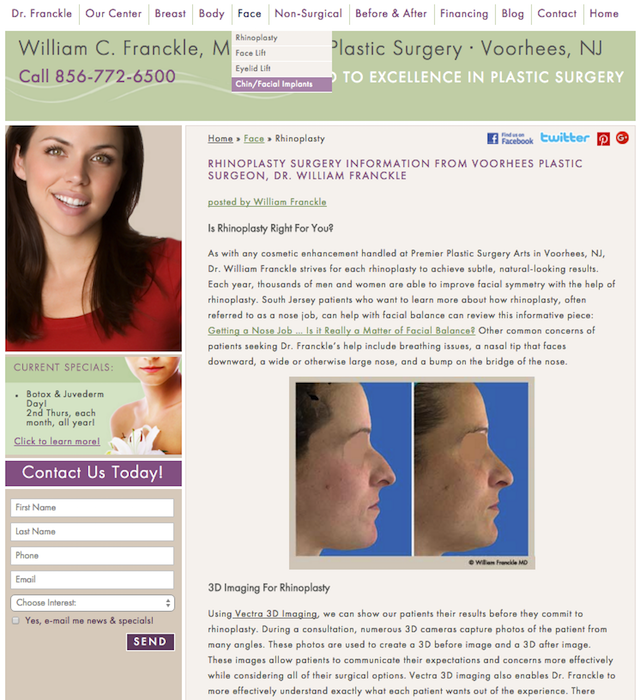
    The Internet isn’t just where people go to find out whether they can self-diagnose a brain tumor. Increasingly, the Internet is where potential patients shop around for the best local clinics and medical services. Fortunately, there are a few SEO principles that can help make your website easier to find. Before you work on drawing traffic to your site, however, it’s important to make sure that your website provides high-quality, unique information. At the most basic level, you need original content, or text that hasn’t been copied from somewhere else.

    Original Content

    It may seem like your list of services should be self-explanatory, but a website is an opportunity to demonstrate your knowledge by explaining different medical procedures and conditions. Having a page dedicated to a certain condition can help draw patients looking for treatment. What’s more, the search engines will recognize you as more of an authority if you have more content about the subject being searched.

    SI Blog Jan 4 Procedures

    It’s important that each page of your website have original content, which means text that hasn’t been copied from other websites or duplicated across several pages. If your website already offers original content about your key products and services, then you may consider starting a blog. A regularly updated blog keeps your business relevant and allows you to target more search terms.

    On-Site Optimizations

    While the quality of your original content will be visible to anyone who reads your page, it’s only one factor in the on-site optimizations that affect your rankings.

    SI Blog Jan 4 Tag Search

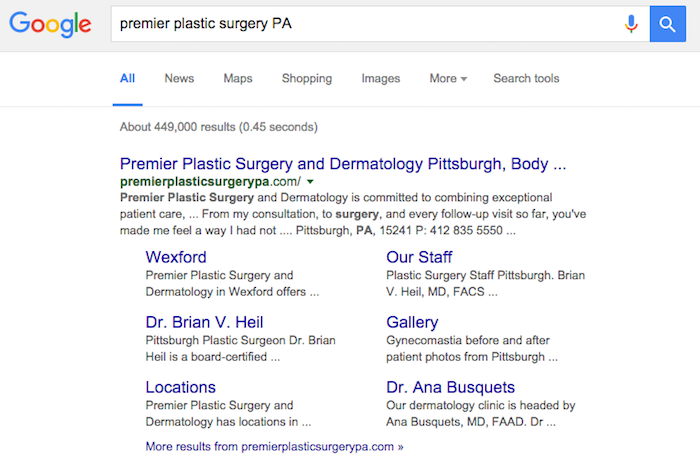
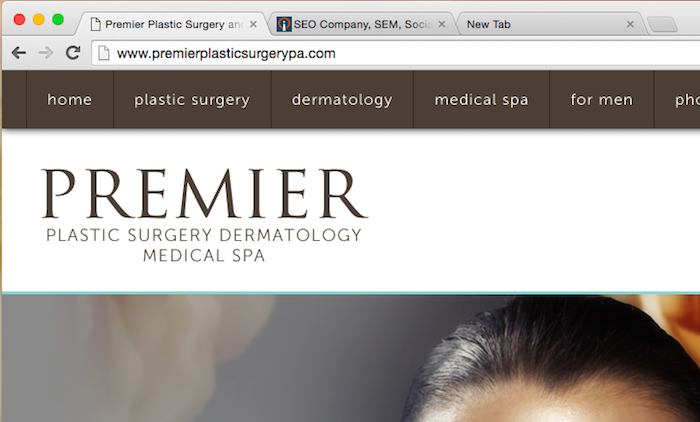
    After content, title tags are the second most important thing to optimize on a given page. Title tags are visible as headers among search results and act as the label for the browser tab. Title tags are easy to overlook when first making a website, not unlike image optimizations.

    SI Blog Jan 4 Tag Tabs

    The URL should also indicate the content of the page and its place within the website. Rather than just using a string of letters and numbers, a clear URL indicates the content of the page and often gives an idea of where the page fits into the organization of the overall website.

    www.oakridgeplasticsurgeons.com/tt09874425
    www.oakridgeplasticsurgeons.com/procedures/liposuction

    As you can see, the second URL makes it clear what kind of content to expect on a page. A clear URL also makes the page more linkable across your website and for external links. The pages on your website should link to each other, but you also want links from outside websites.

    Off-Site Link Building

    Your website looks more important when it is referenced on other sites. Of course, not all references carry the same weight: a reference in a medical journal or newspaper carries a lot more weight than a link buried in an anonymous blog. To boost your website’s visibility, it’s good to have a lot of links, but the quality of those links also matter.

    While distinct from link-building, you’ll also want to establish an active presence on social media. Regularly posting to Facebook and Twitter will give you opportunities to generate more leads and draw traffic. Your Facebook business page can be optimized for Graph Search, and Google+ Local will also help you show up as a local resource.

    Local Search Optimization

    Depending on the nature of your business, targeting the area you serve can make a big difference. Instead of competing with offices across the state, focus on becoming the leader in your city or county. Web analytics and Google AdWords can help you determine which search terms are most powerful in your area. Make sure your name, address, and phone number are consistent throughout your website, and get your business listed on local directories. If you have multiple locations, make landing pages for each one without duplicating content.

    Encouraging patients to write online reviews can also improve your visibility. Since you already provide great service, the challenge is just getting satisfied customers to share their experience. Ultimately, most of the changes that impact SEO should also provide a better service to your potential patients, whether they make your website easier to navigate or more informative. Find out whether Search Influence may be able to help your business with our SEO services, or sign up to attend an upcoming free webinar to learn how you can enhance your search engine rankings.

  • Master SEO on Your Lunch Break with Free Search Influence University Webinars

    Online Training

    Beginning this February, Search Influence is launching a free online webinar series called Search Influence University to provide business owners the opportunity to learn the ins and outs of online marketing. Designed with small business owners and operators, entrepreneurs, and nonprofit entities in mind, classes will be held during lunchtime (noon CST), be about 40 minutes in length, and provide practical tips and tricks for SEO, local search, and Internet marketing success. The best part is that all of the workshops are free to attend.

    Here are details and registration links for the first three classes:

    February – Understanding SEO: Onsite, Offsite, and Everything in Between

    Taking place on Thursday, February 25 at 12 p.m. CST, this webinar will provide you with a basic understanding of what search engine optimization is and how it works. Topics will include the following:

    • What is a Search Engine Ranking Page (SERP), and what does it mean for your business?
    • How do search engines determine how websites should rank for certain keywords?
    • What is onsite and offsite optimization, and how do they affect SEO?
    • During the last 10 minutes, we’ll look at how it all works together for local businesses, talk about recent Google updates, and touch back on the importance of page one, organic traffic, and user behavior.

    Register now.

    March – Local Presence Optimization

    Taking place on Thursday, March 24 at 12 p.m. CST, this webinar will cover how to optimize a slew of factors to boost your local search rankings. Topics will include the following:

    • Why Google matters most
    • Understanding Google My Business
    • Overview of local results
    • How to create a Google account
    • How to create and claim your listing
    • Google+ Local profile basics
    • How to gain more local reviews
    • Website optimization tactics for local

    Register now.

    April – Local SEO for Businesses Without a Physical Location

    NAP citations, local reviews, and local citations are key to increasing your local search presence. But if you don’t have a physical brick-and-mortar storefront, how can you increase your online visibility? On Thursday, April 28 at 12 p.m. CST, we will look at on- and off-site opportunities that can support and help increase local presence for businesses without a physical location.

    Register now.