Tag: Facebook

  • #HowTo: An Overview of Using Vine for Brands and Businesses

    Facebook, Twitter, Google+, YouTube, the list goes on…

    Everyone knows keeping up with the current trends is important when it comes to marketing your business, especially on social media. It seems like each year there is a new social media craze that everyone is using, and it sometimes gets difficult deciding which platforms are the best for your business.

    Most social networks perform in a way where businesses can share written or visual content with their followers. Think of how Facebook and Twitter perform – brands share interesting text or pictures in hopes that followers will “like” “comment” or “retweet” the posts.

    However, there is nothing quite like watching an interesting, funny, or moving video. That is where Vine comes in. Created by its parent company Twitter in 2013, Vine brought a whole new way to market your business through videos.

    Well, Isn’t That What YouTube Does?
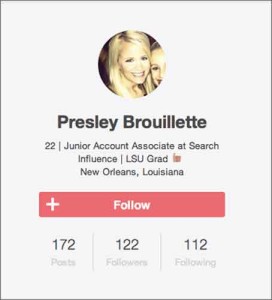
    Vine Profile
    Vine Profile

    Vine is similar to YouTube in that they are both platforms where users and brands can share video content with their followers. However, there are many differences that make Vine unique.

    • In the same way that Twitter limits users to 140 characters per tweet, Vine limits videos to a mere 6 seconds. This causes users to be really creative in getting the message across to viewers because there is such a limited time.
    • “Vines” are looping videos, meaning they will continue to play continuously as long as you are watching them.
    • Vine also has stop-motion capability, allowing users to record a portion of the video, stop recording, then start again at a different time.
    • Also similar to Twitter’s retweet, Vine has “revine” capability that allows users to share videos that they think are interesting to their followers.

    Interestingly enough, because of the creative nature of the app, many ordinary people have become “Vine Famous,” acquiring millions of fans since its inception in 2013. However, many businesses have also branched out and started using Vine to market their brand.

    How Can Vine Help Your Business?

    Vine can be beneficial for both new and loyal customers of your business.

    For new customers, you can gain awareness for your business through Vine. Millions of people view the popular pages and the trending #hashtags each day. Participating and getting your Vines exposed to more people could introduce your business to someone that didn’t know about it previously.

    For already loyal customers, Vine can offer a different way for them to see your business. For example, if you are a clothing store, making Vines of backstage action at a fashion show would be interesting to people who already have an interest in your brand.

    Tips for Getting Started

    Now that you know what Vine is and why it is important, here are a few tips to help you get started!

    • Use Hashtags: Join the conversation with other users on Vine and make videos relevant to the trending hashtags. An always popular one is #HowTo. Getting your business seen on these trending subjects increases the probability of your video getting seen, liked or even revined by other users.
    • Cross-Post Vines to Twitter: Vine is still such a new technology that not everyone is using yet. You can post your Vines to your brand’s Twitter account to get even more exposure.
    • BE CREATIVE: Vine is not the platform to just make videos just for the sake of making them. Because of the looping and stop-motion features, you can really make something unique and interesting that other people will find shareable. The best Vines are the ones that are funny or extremely visually appealing (think optical illusion or magic).

    Have A Call To Action When Applicable: Contests on Vine are popular. Have your followers create a unique video of themselves using your product, and revine the winner! This makes loyal customers feel special when their favorite business is actually acknowledging them.
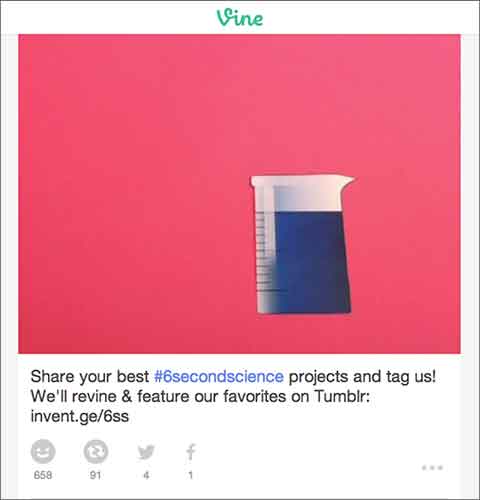
    VinePost

    Above you can see an example of a great Vine from GE. They encouraged their followers to be creative and make a #6SecondScience video, and in return they would revine a winner.

    Finding out how to use Vine can be difficult at first, but finding your niche and posting to this app can definitely be beneficial when it comes to keeping loyalty among customers and finding new ones. However, just like any other social media platform, it is important to keep up with the updates of the app and stay current with this ever-changing technology.

  • 5 For Friday – Facebook Privacy, Google With Your Voice, and Yelp Videos!

    5-sand1. Facebook Defaults Posts From “Public” to “Friends” & Introduces Comprehensive Privacy Checkup
    – Marketing Land

    Facebook has finally launched a major change that may have an impact on their real-time efforts. With the privacy updates, users’ posts will now default to only be visible by friends, and all users will be encouraged to check on their privacy settings if they have not been updated recently. Greg Finn says he expects that this update may cause hashtags and real-time conversations to continue on their decline.

    2.Yelp Will Allow 12-Second Video Reviews Starting Next Month
    – Marketing Land

    Beginning in June, “Elite” users will be allowed to share their review of local businesses via a short video. These videos will first appear inline with the photos, but will eventually also appear along with the reviews like photos currently do.

    3.Google+ Introduces New Features That Automatically Generate Movies and Travelogues
    – Search Engine Journal

    Google+ launches Stories and Movies that will bring together your photos and videos to highlight your favorite moments from your travel or an event. Google’s Story will arrive within 24 hours after you return from your vacation. After you receive your story, you will be able to customize it and share it. Google+ Movies will include related photos and videos along with a soundtrack and special effects.

    4. Google Adds “Okay Google” Voice Search For All Chrome Users
    – Tech Crunch

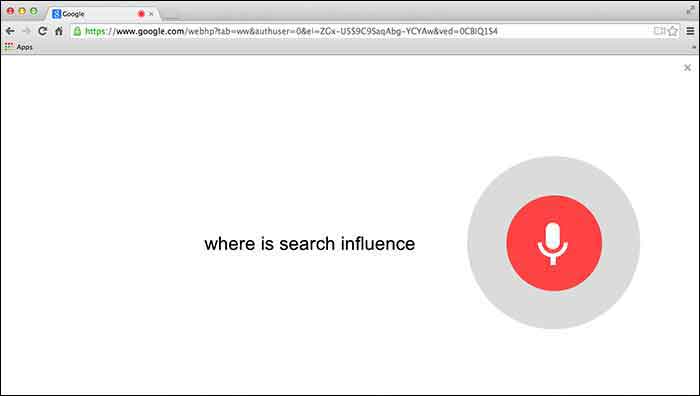
    Users will first need to give Chrome permission to use the mic on their computer. Then you can simply go to Google.com and say “Okay Google” to trigger the voice search followed by your search request.

    GoogleChromeVoiceSearch

    5. Google Paid “Dealers Nearby” Appears To Have Gone Live
    – Mike Blumenthal

    Mike Blumenthal noticed that Google’s new paid ads (now appearing within the knowledge graph) are live. This seems to be only the case in the US according to the comments thread on Dr. Pete’s tweet regarding this update. Mike Blumenthal suggests that we may one day see Google selling competitors space in branded knowledge panels.

  • All The Best Ideas Are Stolen: Take Yours From Facebook’s Success Stories

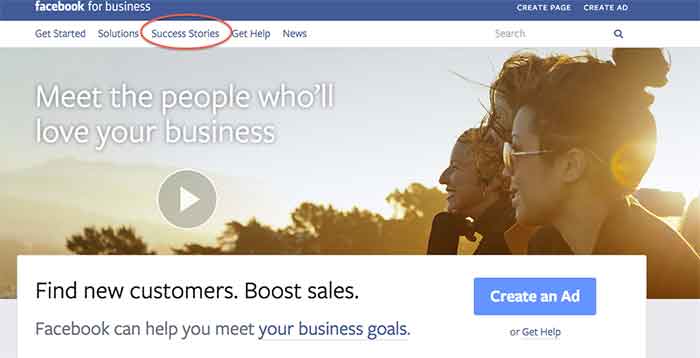
    I was recently introduced to the Facebook for business page and was shown some interesting and educational aspects of this informative page.

    Besides giving you an opportunity to create a Facebook Ad or create a page, it gives you the awesome option to see success stories of businesses that have used Facebook to their advantage.

    SuccessStories

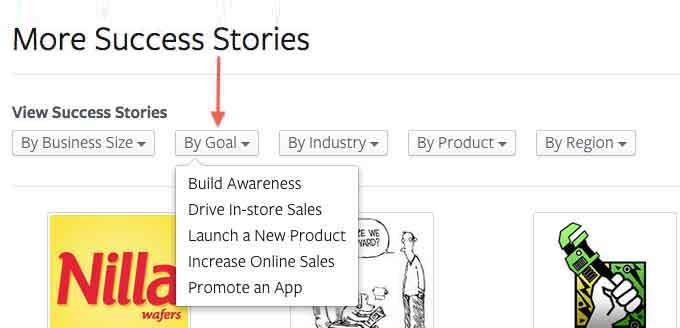
    The Success Stories page gives you 5 options to choose from, depending on what you would like your search to include/show. You can search by:

    • Business size
    • Goal
    • Industry
    • Product
    • Region

    The one that I think is the most helpful is the search by goal option. There are so many different goals that businesses want to achieve when promoting themselves on Facebook, and this option lists a variety of them to choose from.

    ViewMoreSuccessStories

    Since I LOVE to shop, I was interested in how small businesses that sell retail succeed on Facebook. When I conducted my search for a retail success story, Blake & Brady Boutique came up.

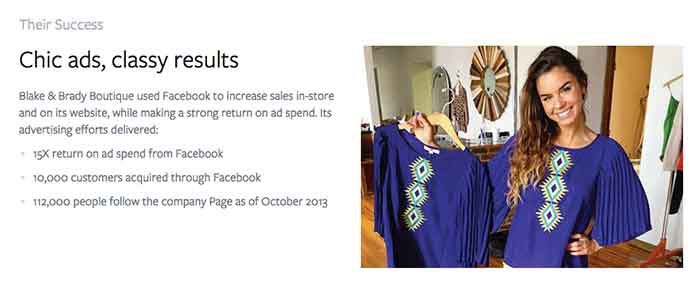
    This success story stated that the boutique, located in South Carolina, uses Facebook Ads to connect with shoppers. This in return has boosted their online and in-store sales. They have achieved a 15X return on ad spend and have gained 10,000 customers through Facebook.

    What Do They Have That You Don’t?

    After reading those amazing numbers, I had to wonder, how do they have such great success? Reading further into the story, I came across the thing that should start every success story, a GOAL!

    Their goal was to boost their in-store earnings and reach a wider audience online and offline. The first step the owner took was to use Facebook’s Start to Success Program to learn about what tools were available through Facebook.

    How’d They Do That?

    My next question was what did they use? Promoted posts were used to reach women who live close to Anderson, SC area in the News Feed. They also used ads in the right column of Facebook that target people based on their location, gender and interests to gain clicks to the business’s website to help boost online purchases. The owner measures ad results often and then re-invests in the campaigns that gain the most customers. The products they use are news feed placements, boosted posts, and custom audiences.

    TheirSuccess

    All in all, it is safe to say this small business is having an amazing experience using Facebook to promote their business. What are some of the ways you promote your business on Facebook? Let us know what works for you in the comments section below.


  • 5 for Friday – Google SSL Warnings, Twitter & Amazon Collab, and more!

    1. Twitter and Amazon Link Up, Add Items To Your Shopping Cart With A Single Tweet – Buzzfeed

    452416003

    Amazon is using Twitter to drive sales with the new #AmazonCart feature. This may be a major breakthrough for ecommerce businesses. It’s super simple:

    1. The business tweets out a link for a product.

    2. Interested consumers can then reply to that tweet with the hashtag #AmazonCart.

    3. The product will instantly appear in the consumer’s Amazon cart.

    The consumer’s Twitter has to be linked to their Amazon account in order to do this, but the new feature should drive sales for E-commerce businesses with products on Amazon. Twitter users can also search the hashtag #AmazonCart to see what other people are buying. Isn’t technology great?!

    2. Become Your Own Rumpelstiltskin: Spinnin’ Crappy Online Reviews Into a Better Business – Search Engine Journal

    This is a great article on how to approach negative reviews. There are bad reviews from people who genuinely had a bad experience and bad reviews from people who are just plain irrational.

    How do you tell the difference between these people?

    If you look through an irrational person’s profile it’s full of negative reviews and they usually make overly dramatic and sadistic statements. People that genuinely had a bad experience  usually have a mix of positive and negative reviews if you look through their profile, there are some positive comments within their negative review and they make rational statements about their experience.

    How do you deal with this?

    Respond to the irrational reviewer with a generic, but genuine message without addressing specific points of concert. If they respond back, don’t respond again. Respond to the rational reviewer by addressing their specific concerns quickly and assuring the reviewer that steps have been taken to ensure that this will not happen again.

    3. New App Reveals How Much Information You’re Giving To Facebook – Search Engine Journal

    FacebookScaryScary! A new app, called Digital Shadow, was launched as a promotional tool for the upcoming video game Watch Dogs. It uses data you’ve given to Facebook to guess your location, your income, and your passwords. They use algorithms to predict your interest, desires, and fantasies. We live in an era where we like to document everything online from how we’re feeling to what we purchased to where we are in the world. It’s an eye opener to find out that there are people in the world that can use that information against you to hack your computer or to be more influential in their sales tactics towards you.

    4. Google Pauses Webmaster Tools SSL Warnings In Order Clarify Them In Future – Search Engine Roundtable

    Google recently sent out mass SSL warnings via Google Webmaster. They decided to pause the warning after they realized they were causing mass confusion. Now, Google is working on making the warnings clearer and tweaking the criteria before restarting them.

    Google is simply providing information about the server response for HTTPS access to your URL. If it responds, but the SSL cert does not match the domain, the warning lets you know. Basically, Google wants the hosts to either serve content via HTTPS properly, or not serve content there at all. Serving content via HTTPS without a valid TLS/SSL certificate will result in users seeing browser warnings. Avoiding this makes sense, no matter how many site users actually see the warning.

    5. Announcing Schema.org Actions – Schema Blog

    LegosAction

    Schema.org introduced vocabulary that allows websites to describe the actions they enable and how these actions can be invoked. You can use action schema to play a video, review a movie, or purchase a product. The new schema adds context to a link or content. It is a way of interpreting content to cite sources and authors and the type of activity that happened between the two. From what was said in the press release, the actions schema is still a work in progress and will be enhanced as more users use action schema and provide feedback.

  • Is Anti-Social Media On the Rise?

    This year will make a decade since Facebook was launched and social media usage has skyrocketed, but is social media turning us anti-social? Parents who were unhappy about their children’s texting habits in the early 2000’s would be appalled by today’s society of Instagraming, Tweeting, FourSquaring and Pinteresting fiends across all age ranges. However, the pendulum may have swung too far, and it seems that parents aren’t the only group fed up with obsessive social media behavior.

    There are many signs that we are entering an age of ANTI-social media.

    SocialMediaGuardVideo

    Many corporations and industry leaders have voiced their advocacy for more human interaction through traditional media. Coca-Cola invented the Social Media Guard in the sarcastic commercial pictured above, which blocks people from the ability to see their phones.

    Dentyne used print and commercials to encourage more “face time” by comparing human interaction with social media actions in an ad.

    DentyneAdClip

    Professionals working within the social media industry may even capitalize off of the anti-social tendencies of those who are active online. Here are a couple of examples of how.

    Cloak

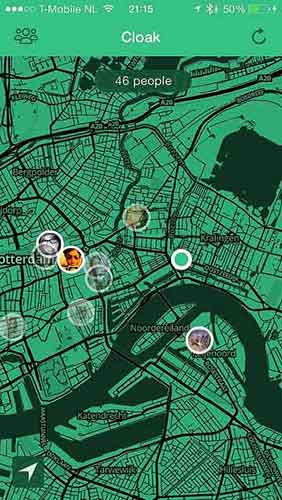
    Facebook, Twitter, Instagram and FourSquare aid this new mobile application in locating where you are. Cloak asks you to login to one of your social media accounts, which pinpoints where you are on a map, along with the locations of other friends who are also logged into Cloak.

    The app is advertised as a way to avoid people that you do not want to run into. You can set alerts that warn you when certain users come into a selected radius of you. Couldn’t this also be used as a way to stalk people? Guess that wasn’t a catchy advertising pitch…

    CloakAppScreen

    Self Control

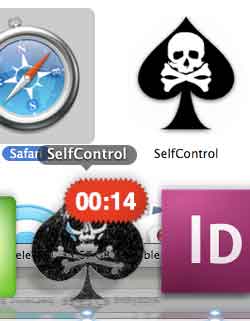
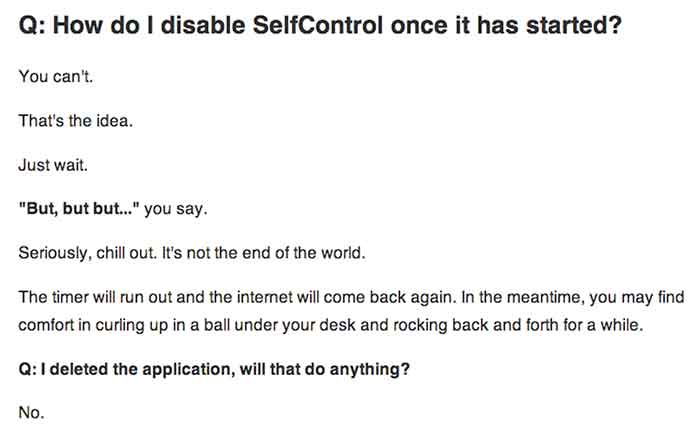
    This app allows you to choose time periods when you do not want the ability to access specified apps or programs at all. This could be used to stop yourself from checking your email, playing games, checking Facebook, etc.  A screenshot of the app is below, followed by their honest answer on how to stop the app when it is activated. The interest in this app shows that people want to be detached from their online world every once in a while but might need a little help to disconnect.

    SelfControlApp

    HowDisableSelfControl

    This discussion will continue on for years, but has social media gone too far? Check out the signs.

  • Social Media, You Don’t Have To Be A Wizard

    Your Audience

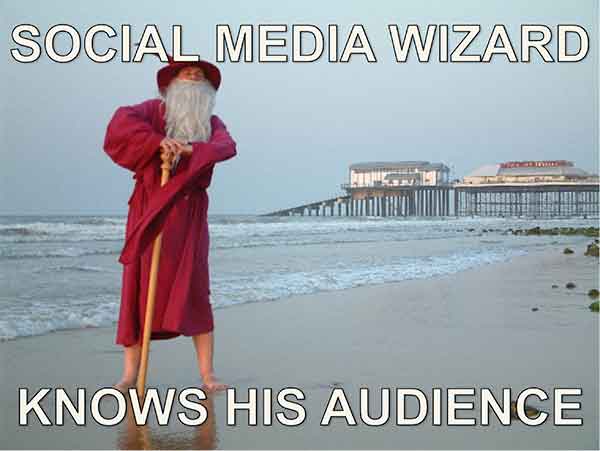
    You know your target demographic. If you don’t, social media should be the last thing on your mind. Properly addressing your demo group is essential in establishing a relationship with your followers on any social media platform.

    SocialMediaWizard

    Social Media Optimization (SMO) is used to directly target potential customers with relevant information, and eventually provide them with opportunities and incentives to become active customers. Proper SMO should also give current customers incentive to provide positive feedback so that others view your brand as trustworthy.

    SocialMediaWizard02

    Your Message

    For professional organizations, like law firms, business consultants, or industrial suppliers, news and advice are likely the fastest way to become a trusted voice amongst your demographic. Provide information your clients can use, “Tips to protect your rights,” or “Break through in industrial oven designs.” Be a voice of insight at the forefront of your field.

    If your target is the general public you need to be both friendly and local. Plus, direct social media interaction is key. If you post about an upcoming event in town, keep an eye out for responses on your Facebook feed or from your Twitter followers. Be aware of comment chains on your feed; respond to comments in an upbeat and positive way. Generally resist the urge to comment outside of your own page in regard to individuals (it can be viewed as overreaching or unprofessional).

    SocialMediaWizard03

    I know it sounds obvious but social media should be social and light hearted, so any sales efforts should be low pressure if they occur at all. A more effective strategy is to create interesting internal blogs, (then spread them through social media) so that you increase traffic to your page, which increases the chances of a conversion. You may not go viral but you can still reach your audience.

  • 5 For Friday – Twitter, Facebook, and Pinterest, Oh My!

    5RD

    1) Twitter Profile Redesign is now available to everyone!

    -Twitter

    Do you have the new Twitter layout for your profile? If not, you may be behind the times. Twitter recently updated their profiles with a new, user friendly look. This design is pretty similar to what many people are used to seeing on Google+ and Facebook. They are in the process of rolling out the profile redesign to all Twitter users.


    2) Are Your Fans Interacting with Your Brand on Social Media?

    – Mashable

    The look of your graphics and images supporting your social media updates carry a lot of weight. If they’re not appealing to your followers, they will fall flat when it comes to engagement. Mashable shares some insight on the various types of images that can boost interaction amongst your fans.


    3) Google Offers New Ways to Market Apps in Search, Display, and YouTube

    – Marketing Land

    Many app creators struggle to get their product noticed,  downloaded, and used by consumers. Google is now offering various unique ways to market them in AdWords via search, display, and YouTube. Read this article to learn details about all of the exciting new features available to app marketers.


    SocialMediaPhone

    4) Facebook Mobile is Killing it! Is your brand on Facebook Yet?

    – Bloomberg

    If your brand is not spending at least some of its marketing dollars on the social media giant, you are probably missing out on a major consumer base. This article from Bloomberg tells us that nearly half of the world’s internet population is logging into their profiles, at least, once a month. This mean almost a billion people a month are logging into the mobile app alone!

    5) Pinterest Announces the Launch of a Visual Search Engine

    – Buzzfeed

    Pinterest is launching a new “Guided Search” for its mobile users. It takes user’s broad search and prompts them to narrow it down with pictures in related sub categories. This very informative article from Buzzfeed explains, in detail, the specifics of Pinterest’s new guided search.


  • Social Media Goes Sci-Fi

    Continuing the trend of the recent push towards wearable tech, Facebook recently announced that they have acquired the virtual reality company Oculus VR, for a price tag of around two billion dollars. If you have no idea what Oculus is, or does, their flagship product, the “Oculus Rift,” is depicted below:

    10166365646_9d9a2ea50c_z

    If you thought Google Glass was intense, the Oculus Rift will most likely not be for you. Unlike the Glass, the Rift headset is specialized for HD gaming and full submersion into virtual reality. If the headset looks familiar, this isn’t the first time this type of technology has hit the consumer markets. The company started as a Kickstarter in 2012 with the goal of reviving the type of gaming headsets depicted in the 1990s Sinbad classic “First Kid.”

    00000065

    Benefits

    Even though the technology came and went over a decade ago, this doesn’t mean that history is destined to repeat itself. Stanford University’s Virtual Human Interaction Lab has been conducting research on how virtual reality can improve education, help the environment, and teach altruism. Their findings on how we can utilize virtual reality simulators have drawn the attention of several social media companies, including Mark Zuckerberg.

    Integrating Oculus

    Whether or not the gaming technology will cross into the social media world is yet to be determined. As of now, Facebook has not announced any specific plans for integrating the Oculus technology into their platform. However, Chaotic Moon Studios produced a concept video of what a Facebook themed virtual reality experience may look like. The video depicts the headset’s possible ability to create a user friendly shopping experience, similar to the one Facebook already uses.

    Unfortunately, we probably won’t be seeing this kind of social media experience gain popularity for a while. Mark Zuckerberg called it a “long-term bet on the future of computing.” Until then, could you see yourself using the Rift instead of going to the mall?

  • Is Facebook No Longer Effective for Small Business?

    Image Of Facebook LogoIt’s well known that Facebook is, by far, the largest and most successful social network in the world. Here are just a few of the astonishing statistics for this social giant:

    • More than 1,310,000,000 (that’s 1.3 billion) active monthly Facebook users
    • Over 680,000,000 active mobile Facebook users
    • Number of users rose 22% from 2012 to 2013
    • 48% of Facebook users visit the site every day
    • The average number of friends per Facebook user is 130
    • 48% of 18- to 34-year-olds check Facebook when they wake up
    • 28% of 18- to 34-year-olds check Facebook before they get out of bed

    Facebook is obviously home to a massive potential audience. The problem for businesses, especially small businesses, is the same as the advantage: Facebook is massive. And it’s hard to be noticed in the crowd.

    Finding Your Facebook Audience: Then vs. Now

    For quite some time, Facebook has remained the cornerstone of social media marketing. Small business marketers discovered and fine-tuned strategies to grow their Facebook pages organically, gathering page “Likes” and fans who would spread their message willingly to their own friend networks.

    However, there have been a few changes along the way. In late 2013, Facebook acknowledged that the organic reach of posts would drop off for everyone. Advertising Age reported that a statement from Facebook read: “We expect organic distribution of an individual page’s posts to gradually decline over time as we continually work to make sure people have a meaningful experience on the site.”

    Facebook’s New Algorithm

    The driving force behind the “meaningful experience” Facebook is promoting came in the form of algorithm changes. Near the end of 2012, the social network changed its news feed algorithm—and users immediately saw a decline in organic post reach. At the time, Facebook denied the algorithm was intended to reduce news feeds.

    However, another update to the algorithm in 2013 filtered news feeds even more, and this time Facebook stated the reach reduction was deliberate. Coincidentally, the network began offering promoted posts: a program that lets companies buy the ability to push their posts into more Facebook news feeds.

    Organically, page posts will now show up in only around 1 to 5 percent of the news feeds of people who have “Liked” your page. A number of variables, such as relevance and shares, can increase the percentage of exposure within that range—but only paid, promoted posts will exceed it.

    Are Promoted Posts Worth It?

    With organic reach on Facebook in decline, and the reality that businesses must pay to have their posts pushed to enough news feeds for the chance of going viral, is it worth investing your time and resources in Facebook marketing?

    The answer likely depends on your existing circumstances. If you already have a strong Facebook network with a substantial number of followers, you’ll probably benefit by continuing to post actively and buying the occasional promoted posts. It should be noted that promoted posts can cost anywhere from $5 to $300 per post—and the per-action cost of these promotions can run high.

    For small businesses lacking the time and the budget to sink into Facebook as a primary platform, this form of social marketing may no longer be viable. It won’t hurt to maintain a presence on Facebook, but relying solely on this platform to increase your business could be a costly mistake.

    What do you think—has your Facebook reach declined recently? Have you ever tried a promoted post? Share your thoughts in the comments!

    Image courtesy of Gerd Altmann

    Megan Totka is the Chief Editor for ChamberofCommerce.com. She specializes on the topic of small business tips and resources. ChamberofCommerce.com helps small businesses grow their business on the web and facilitates connectivity between local businesses and more than 7,000 Chambers of Commerce worldwide.

  • 8 Tips for Handling Bad (and Good!) Online Reviews

    Have you ever had a bad experience at a business? How did it affect your opinions of that company? More often than not, one bad experience will hinder how someone views a business, even if the experience was handled in the best way possible by the business owner/manager. This can affect the online reputation of a business greatly if people decide to write an online review about you.

    Reviews

    While the thought of negative reviews may scare you, do not let these reviews discourage you! Remember that a dissatisfied customer is more likely to write a review after a bad experience than a satisfied customer writing about a positive experience. Negative reviews can even help you learn how to improve your business. Here are some tips for actively handling these reviews:

    1. Actively check your reviews on various platforms across the web.

    A good way to keep up is to assign one day per month (or bi-weekly) to check your online reputation on the different platforms. The list can be endless, but these are some important ones to consider:

    **Note that you will most likely have to create an account and verify that you are the owner / manager to be able to respond to the reviews as the business owner.

    2. Always be transparent with your customers. This includes:

    • NEVER posting (or having your staff post) fake reviews.

    • NEVER deleting reviews that are negative. This will just anger the person that posted the review, in turn causing a downward spiral effect. Most likely, the angry reviewer will continue to post reviews until they are acknowledged by the business. Instead, take the time to listen to your customer and their concerns.

    3. Make an effort to respond to every review – positive and negative.

    • For positive reviews: A quick, “Thank you for your feedback, NAME! We appreciate your business. We hope you continue to be a BUSINESS NAME supporter!” is sufficient for a positive review. Responding to positive reviews can reinforce the already positive opinion that the reviewer has of your business, and reinforce brand loyalty with that person (because who doesn’t like being responded to by a business?).

    • For negative reviews: The dissatisfied customer will appreciate being heard, and outsiders will appreciate that the business takes the time to respond when something isn’t right.

    4. Be personal in your responses.

    Use the customer’s name if provided, and bring in information from their original review. This will keep the customer from thinking you just have a generic response to all reviews.

    • For example, if a person leaves a bad review on a spa page and you notice in their review they had a massage that day, you could say something along the lines of: “Hi NAME, I’m sorry your massage was not up to par….”

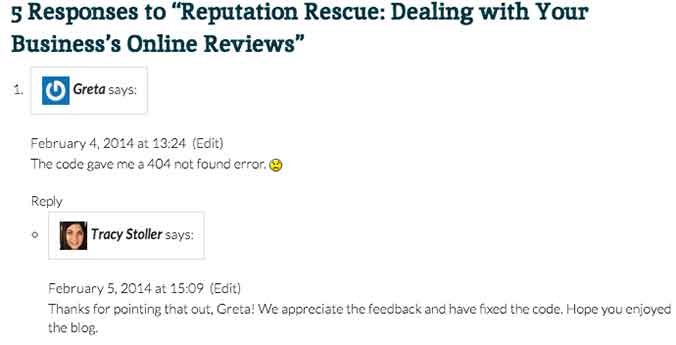
    • Another example comes from our blog! Check out how Tracy Stoller responded to a comment about an error in a code we provided in a previous blog.

    response

    5. Provide a business email that the reviewer can contact you on.

    Don’t try to make it all perfect on the review. You will be able to go more in depth with the customer through an email, depending on the severity of the review/situation. It’s up to you to decide when to try to go into more depth to resolve the issue.

    • You could say something along the lines of, “I truly apologize for XYZ. Please contact [email protected] to help us resolve this issue for you.”

    6. Remember that sometimes people have unrealistic expectations of a business.

    yelp-meme

    If something happened that is completely out of your control, explain yourself in the reply. However, do not have a negative tone toward the customer – simply explain the situation to the best of your ability.

    • For example, a customer leaves a horribly negative review after coming to your restaurant and you are all out of their favorite beer. You can apologize for the inconvenience, but explain that things like this happen occasionally. Explain when the product would be restocked and invite them back. This would be an example of when to NOT provide a contact email, because the situation is not that extreme.

    7. Do not offer gift cards or other repayment for a negative experience on the review site.

    If something is serious enough that you feel the need to refund the customer, provide your contact email and do so through email. Offering repayment or gift cards publicly can be seen as bribery by an outsider reading reviews.

    8. Invite your customers to leave reviews!

    Post a link to your Yelp! page (or other review site) to your social media accounts and invite your followers to talk about their experiences. This could lead to people leaving positive reviews that would not have normally done that on their own.

    It’s important to remember that you can’t please everyone, but continuously having timely responses to your reviews can only benefit your business.