Blog

  • Google Exposed! Don’t Trust Webmaster Tools Reporting!

    "The Simpsons" © 20th Century Fox Television (Don't Sue Me!)

    In the middle of December 2011, Google rolled out some new changes to the Webmaster Tools. This update included search queries with top pages, organic CTR, and organic imprressions, as well as, intergrated graphs ala Google Analytics.

    Since this update went live, I’ve been wondering if the data that Google is providing is accurate and how does it stand up against Google Adwords Keyword Tool and actual Adwords data.

    We have a client who is position 1 for a cosmetic surgery term in a major metropolitan area. So I pulled the two sets of Google data reported and the results were mystifying.

    Adwords Keyword Tool:

    Click to Enlarge
    Click to Enlarge

    Keyword Tool reports there are an average of 2,900 local monthly searches for the phrase geo-modified cosmetic surgery.

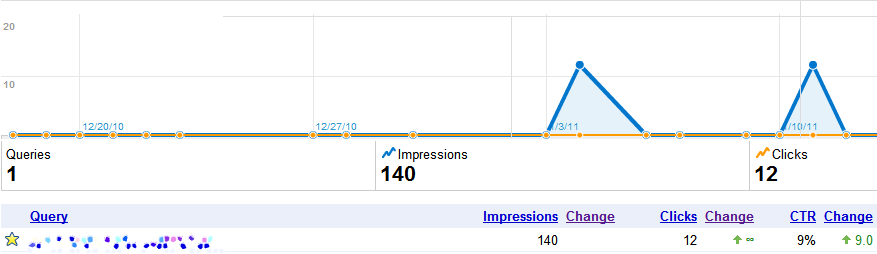
    Google Webmaster Tools:
    Click to Enlarge
    Click to Enlarge

    Webmaster tool reported a mere 140 impressions! That’s a difference of 27k searches! Granted this data represents the holiday season in the US but you can not convince me that 96% of the searches stop. 10 or 15% sure, people have other things to think about during the holidays than getting bigger breast, but 96%! No %&*#ing way. Especially for a client that is in position one for the phrase.

    And yes before you say it is an “approximate 12-month average number of user queries”, that would mean two out of the remaining twelve months would have to had double the search queries of the Google Adwords Keyword Tool number (go do the math, I’ll wait…).

    Oh and to convince myself this isn’t some isolated event in Google’s data reporting, I pulled some additional information on another client who ranked in position one and was running Google Adwords ads during the same time frame that Webmaster tool reported on.

    Adwords Keyword Tool:

    Click to Enlarge
    Click to Enlarge

    Google’s Keyword Tool reports that the local monthly searches are 1,300…

    Google Webmaster Tools:
    Click to Enlarge
    Click to Enlarge

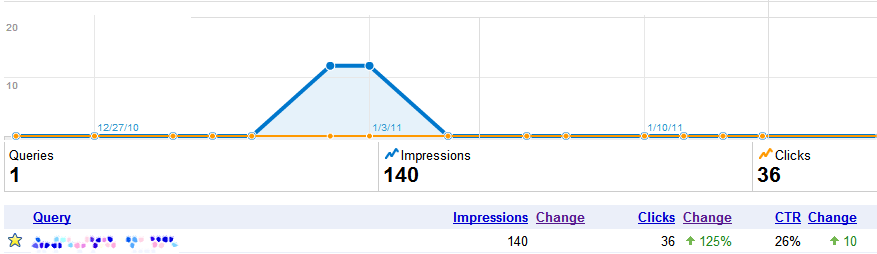
    And Webmaster Tools reported 140 impressions from Dec 22 – Jan 22. A big difference than what the Adwords Keyword Tool is reporting. But wait! The data looks even more like jelly when you compare Adwords  to Google Webmaster Tool for the same date range (oh and to clarify this client has been strong at position 1 for over a year for this term).

    Google Adwords:

    Click to Enlarge
    Click to Enlarge

    For the same exact date range and same exact keyword running simultaneously for the same location (this is a geo-modified keyword for a national level audience) the data is off by almost 50%! That’s failing (terribly) where I come from.

    Seeing this data together is actually disheartening.  If I was using Google tools to perform an  A/B test and got a 50% accuracy in the data I would throw away the test. I understand Google is giving away ( most of) the data for free but there really should be some quality assurance for the Google Adwords Keyword tool. This tool should be giving advertisers the most correct data possible in order to help them create more effective campaigns and better gauge potential market growth.

    At the end of the day, I wouldn’t trust Google Webmaster Tools as an authoritative source of search volume for your site. While it is collecting great data about indexing issues and missing pages, it is doesn’t give you accurate enough information to make a decision. I guess in a way, the three sources are like credit scores. If you just look at the one, you miss some important knowledge that could either be a boon or a bust.

  • Top 5 for the Weekend

    Happy Friday everyone! It’s been quite a while since we’ve done this little series, here, but we’ve been meaning to bring it back. Well, after a quiet week of non-blogging, we thought this would be as good a time as any. So without further ado, I bring you the triumphant return of Top 10… err, 5 for the Weekend!

    The 5 Critical Social Media Skills You Need to Disperse

    Back in the old days, the only people who really needed to understand and effectively communicate your brand were people on your marketing or PR team. With the popularity of social media, that thinking is a thing of the past. As outlined in this article, everyone on your team is involved in marketing, whether they want to be or not.

    How to Remove Google Duplicate Listings (Finally)

    Ugh. Duplicate listings. The bane of my existence (whoa, totally just got where Bane from the Batman comics got his name from… Mind=Blown). I’m still struggling with trying to get listings removed or merged for a number of clients. It’s apparently supposed to be quicker and easier now.  I haven’t noticed much of a difference, but maybe that’s just because I try my damnedest not to think about it…

    5 Must Read Reports on Social Media & Public Relations

    Similar to the first post in this string, this article has to do with managing your brand through social media. While author Lee Odden acknowledges that social media reaches across all departments, he decided to focus this list on the ones who probably manage it most: Public Relations.

    Regular Expressions – Don’t Use Google Analytics Without Them

    I found this article to be particularly important, mainly because I had no idea GA had so may regular expressions (regex) to use that makes using it that much simpler. In this post, Annie Cushing goes through many of them, dividing them up between the major and minor leagues. Take a look and write this stuff down.

    5 Ways to Measure Facebook Fan Engagement

    I’m starting to notice a pattern here. All posts dealing with social media are lists of five. There must be some connection here… Get Dan Brown on it! Anyway, this handy list teaches five incredibly easy ways to measure your Facebook fan engagement. It’s an incredibly important process that apparently not many businesses follow or even know how to follow. Read and learn.

    So that’s that. The latest installment of the top links for your weekend enjoyment, and hopefully you learned something too! You know G.I. Joe says about learning don’t you? It’s half the battle. The other half? Lupus.

  • Google Places iPhone app – Not convinced yet…

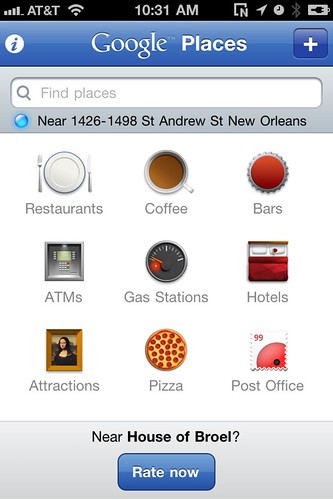
    Yesterday, Google announced and released its vast (almost too vast) catalogue of data on the brand new Places app.  Places can be a nightmare for anyone looking for specific businesses on the web, especially if you’re in SEO. The app is a fairly elegant solution to this problem.

    At first glance, it’s a great app. It’s easy to use and easy to find and review different businesses around your city. However, Yelp did it first and did it better. Also, I’m sure they’re going to roll out an update that allows you to check-in to locations, and who really needs another one of those? I still haven’t chosen my favorite one yet and I’m not going to complicate things by introducing another.

    There is some good to this app, though. Just like Google Places on the web, it pulls reviews from multiple sites across the ‘Net.

    Also, everybody is on Google. This can make for a great recommendations service, as long as it takes off. It also integrates their new Hotpot feature and it’s free, which is always a plus.

    As you can tell, I’m not entirely sold yet on this, which is insane. Usually I’m right behind Google when they roll out their latest venture. Not this time, though. Maybe Google should stop focusing on copying or trying to buy the latest craze and start creating them again.

  • Lab organs and keg-stands: practicing smart online image branding

    A Kansas City nursing student recently sparked controversy by posting a Facebook picture of herself with with human placenta in the context of a lab dissection. Doyle Byrnes, a 22-year-old senior, appears smiling broadly and leaning over the specimen while wearing scrubs and a stethoscope, with no visible shenanigans or humorous posing. Despite the innocuousness of the picture her school promptly booted her out, along with three other students who had taken pictures but not posted them on the Internet. Byrnes won the ensuing lawsuit to reinstate her enrollment, but under the grounds that the instructor had given the students incorrect approval; a formal judgment hasn’t been made on the ethics of the case or as to whether publishing a picture of a donated organ was punishable under set-down academic or medical grounds. Although the student’s education will survive intact, she has the story– and all of the ensuing publicity– attached to her name and career record forever.
    This is a pretty typical Facebook story, right? Person updates with an ill-advised photo or a slip of the tweet, and it translates to career consequences that can be both severe and long-lasting. (There’s already some fervor about the personal consequences of social media– the cyber-schadenfreude market has been well-cornered by sites like failbook.com or Fix My Facebook.) Contemporary sociality has as much to do with online interaction and sharing as it does with face-to-face time, which has become true for search engines as well– increasingly in online services, social results are accurate results. Essentially, Faceboook has become something like a search engine for people; it’s nearly universal (are you on Facebook? How many people that you know aren’t?), thoroughly multi-faceted in its search parameters and more often than not offers up a wealth of information that isn’t available on a resume or in a professional environment. At the end of the day (and particularly into the evening), it’s crucial to remember the importance of keeping your online life in accordance with your professional one.

    I’m of the generation that started using the ‘book when it was in its infancy and still required a college-domain email address for access. Longstanding dorkiness has ensured that my requisite drunken pictures don’t contain anything too scandalous, and I’ve long since stopped using it for anything besides keeping in touch with college friends and the occasional gratuitous plug for my magazine, but it seems that the lesson of online discretion is one that’s missed by many. Moreover, its increased usage in the last few years has proven that one’s online identity is no longer easily separable from the real thing. Online actions can have real consequences. The precise numbers reported vary, but surveys indicate a dramatically increasing number of employers research job candidates on Facebook and aren’t shy about declining employment if the profile isn’t up to snuff. Don’t think that you can hide by simply using a fake moniker — with Facebook’s detailed search parameters (expounded upon by Anthony in a previous post), it’s difficult to make a profile that isn’t searchable, to some degree, by the information that makes you you.

    OOPS!

    While all this isn’t necessarily a sign that you need to put your online identity on lockdown, de-tag all photographs and limit your tweets to “Eating dinner!” and “Good night!”, it should be a wake-up call for those who have assumed that their online identity was discrete from their real one. Thankfully, privacy settings have evolved along with the intricacy of the service itself, letting users customize what can be seen at different levels of access. And that itself may be the key to the whole thing: a potential employee who doesn’t have the common sense to limit their snapshots of private lab specimens (or illegal shenanigans, or extreme alcohol use, or…) to a small circle of approved personal friends probably doesn’t have the kind of common sense an employer is looking for anyway. Think of your profile page as your personal brand, and the appearance and quality of your profile as SEOing to potential professional contacts. Would you hire a mechanic who rItEs HiS sIneS liKe DIs?!?!??? Would a hair salon gain credibility by publishing pictures of their stylists doing sake bombs while trimming each others’ bangs? Probably not. The best method of keeping your online image safe is to either apply meticulous thought to your privacy settings or simply — as painful as it may be — prune your profile in accordance with professional and social standards.

    So after your next photo op with a large chunk of human placenta, no matter how educational or amusing the resulting picture may be, give some thought to its potential audience. Although it started as a free-for-all college kid project, Facebook is, for better or for worse, the home base for online personal information. What goes on the Internet connected with your name is pretty much there for all eternity, so practice smart branding and make your online image as important as your real one.

  • Mayor Maker iPhone app does what the name says

    Oh, foursquare! I can’t decide whether I want to dump you or go steady by offering you my class ring to wear around your neck. With Facebook jumping on the location-based check in craze, it’s just easier to do it on the app I use constantly as opposed to the one I only use when I go to the grocery store or Super Cuts. The only problem is- and my wife can attest to this- I have an absolutely horrid memory. The pile of dishes that still tower in my sink is proof. I can only remember to use the feature sporadically.

    This is where the Mayor Maker app comes in handy. It allows you to create a list of locations that you visit often and automatically checks you in when you go there. It does this by using geo-fencing, which lets the application know when you’re within a certain distance of the location.

    There are many apps that do this, so why choose this one? What separates Mayor Maker from the rest is that it also checks you out when you leave! This is perfect for the user and their friends. No more showing up to a location only to find out your bud left already. More importantly, it benefits the business that can now keep track of how long the visitor stayed in the location. It’s like a bounce rate for your business!

    The only problem is that it can automatically check you in when you simply pass by the location, as it did for me when I drove by my favorite local pizza joint on the way to work.

    Don’t get wrong. I love pizza in the morning (did the Bagel Bites theme just pop into anyone else’s head), but it’s usually after a long Saturday night. The application gets around this by allowing the user to set a certain distance they must be within for it to post to foursquare. Problem with this is the iPhone’s often sub-par GPS function.

    Despite the minor complaint, this app is perfect for anyone who has the memory span of a goldfish, such as yours truly. A++++ app would download again!

  • An Overview Of Google Analytics

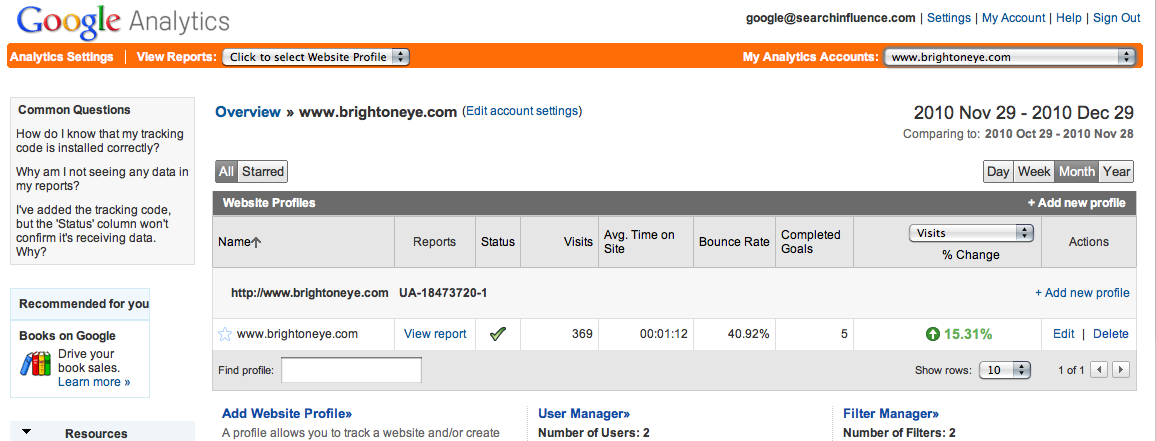
    Upon installing the Google Analytics code on your Web site, you will have an abundant amount of information to navigate through relating traffic sources and visitor information.

    To begin analyzing your Web site’s data, go to http://www.google.com/analytics/ – Click “Access Analytics” (blue button on the right side) and login using your Google account, under which the installation was made.


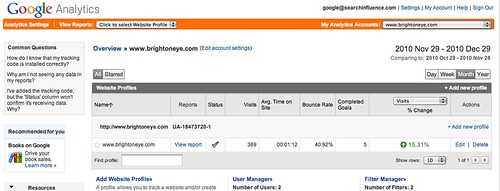
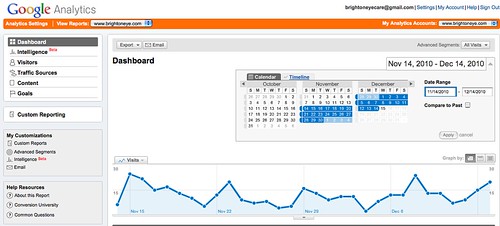
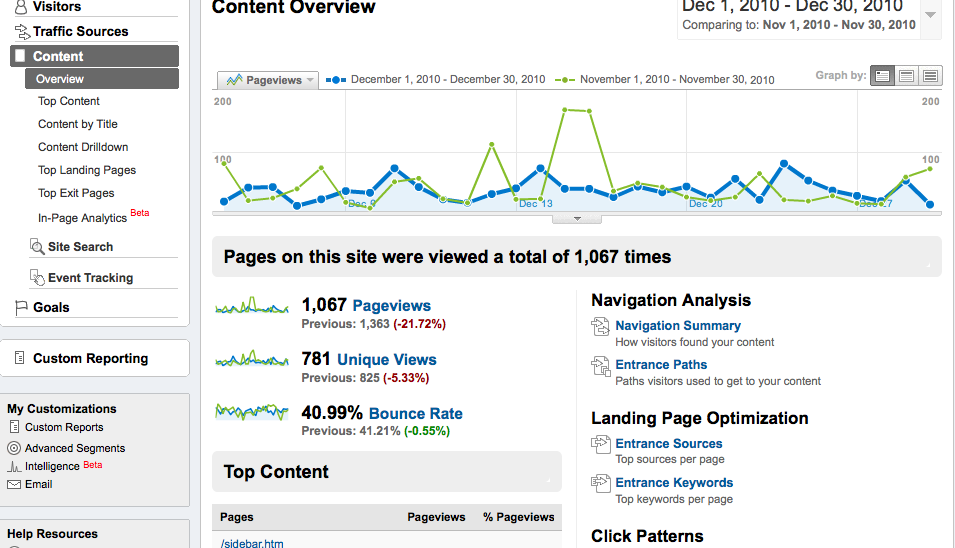
    The first screen is the Overview page.


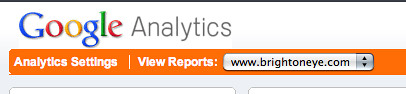
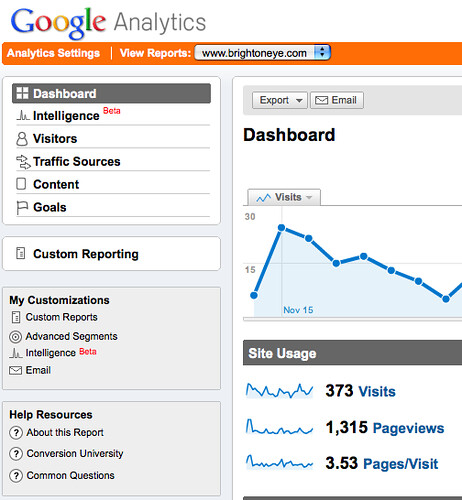
    To access the Dashboard with all the data for your site make sure the “View Reports” drop down menu on the top left corner displays your site’s name correctly.


    To specify the dates of the data you want to analyze, adjust the calendar on the right. Usually, a month to month comparison is best, but the smallest period of time you can compare by is day by day.  Note that data is only collected from the date Analytics was first installed on your site, any information from before that time will be unavailable.


    On the left hand navigation, you will see a variety of options to analyze including Intelligence, Visitors, Traffic Sources, Content and Goals.

    Under “Intelligence” you can set up customized alerts regarding your data that can either be emailed or sent directly to your phone.

    Under “Visitors” you can gain some insight on what browsers your visitors are using to get to your site, what mobile devices are being used to reach your site, what kind of Internet connection they used and their geographical location.

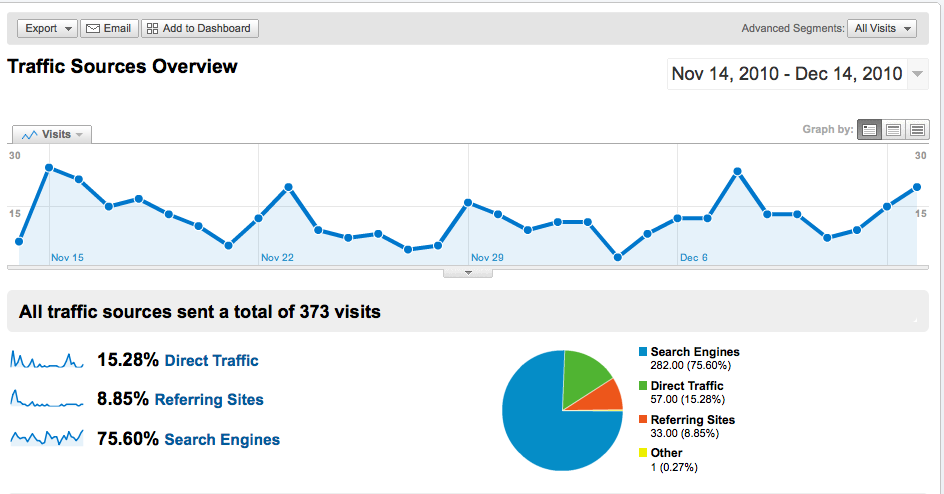
    Under “Traffic Sources” there is a link that will direct you to “Traffic Sources Overview,” which highlights Direct Traffic, Referring Site Traffic, and Search Engine Traffic. The percentage shown reflects the percentage of visitors coming in through those traffic sources and the pie graph illustrates that.


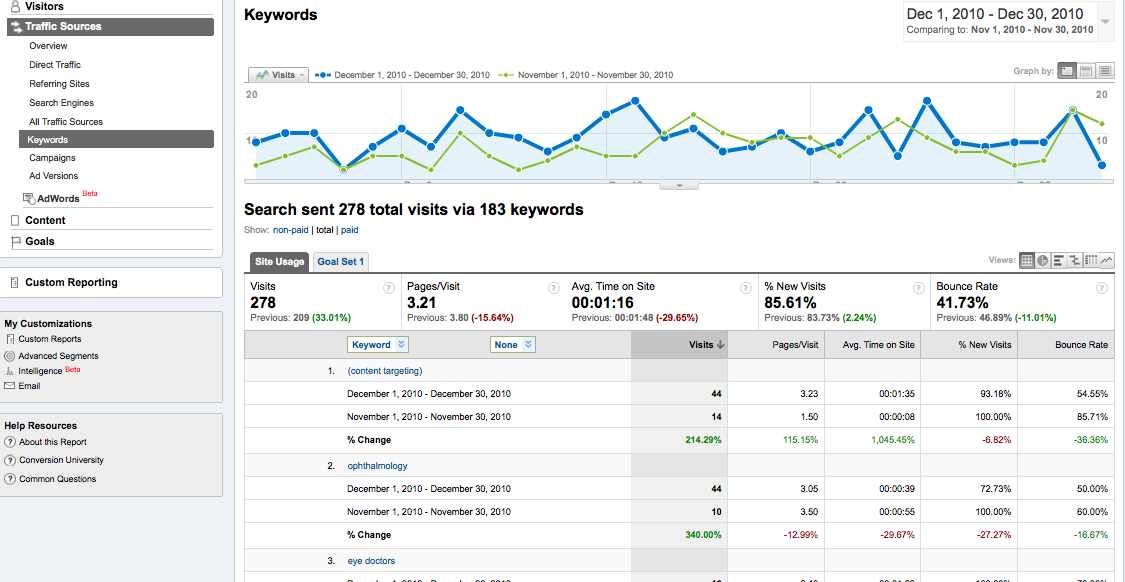
    Beneath the “Traffic Sources” drop down menu, you will notice an option that says “Keywords”. This offers valuable information on what type of search keywords are leading visitors to your Web site. If a keyword appears as [content targeting] this is an indication that a Pay Per Click campaign is leading people to your site.


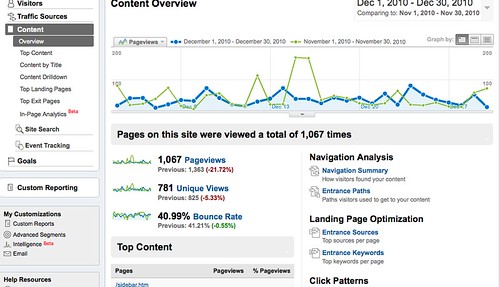
    Under “Content” you can gain insight on specific pages on your Web site including page views, unique visitors and bounce rate. Analyzing this information is particularly beneficial in determining the effectiveness of the design of your site. If your site has a high bounce rate, it indicates that visitors are immediately leaving your site, either because it is unappealing or it didn’t provide them with the information they were searching for quickly or effectively enough. Under “Top Content” you can determine which pages are receiving the most views and thus, the most interaction.


    Finally, you can export any of these pages as PDFs or other formats. You may also email the data results of any page with its respective information.


    Though this is but a brief overview, there are a number of additional features in Google Analytics including setting up alerts and customized reporting. Together, all of this data can give you a deeper understanding of your Web site and help you determine its effectiveness and help you make important decisions regarding your internet marketing efforts.

  • foursquare Gets Fancy with Photos & Comments

    Is foursquare is more than just a game?

    In attempts to drive more users and create revenue opportunities, foursquare has added comments and photos to their interface. This is a huge development for foursquare, which previously relied on Twitter and Facebook to be truly useful. However, is it too late? I’ve always seen foursquare, a location-based social networking site for mobile devices, as the adult version of Pokemon. The same principle that Nintendo follows with its “gotta catch ’em all” tag-line is the basis of foursquare’s success. Sure collecting badge and becoming the mayor of your favorite establishments is fun (I am the mayor of several Uptown New Orleans bars), but there has to be more than that or the game get old fast. The addition of images and comments allows more options than just telling absolute strangers (and employers) what establishments you visit, it also gives new depth to foursquare that it was previously missing.

    Here’s what the foursquare blog had to say about the new features:
    “Photos from Instagram pushed to foursquare will now be check-ins with photos (rather than just check-ins). Sightings on Foodspotting will be check-ins with your food photos. And picplz is the first service to allow check-in photos on both iPhone and Android”

    This is a win for foursquare and social media marketers, with the inclusion of images and comments, social media marketers can leverage the platform for promotionals and brand awareness for local business similar to the Yelp model.

    The foursquare blog continued with “There are a couple features we weren’t able to fit in for this release but we’re working to launch soon. These include sharing photos (to Facebook and Flickr)…”

    By allowing photo sharing with Facebook and Flickr, more user-generated content will be produced and more opportunities for branding are created. Having foursquare users take photos of your services saves local businesses the time and effort of doing it themselves.

    These updates are great, and certainly can be useful, but I ultimately question whether it’s a little too late. Facebook has already created its own check-in service that has all of the functionality of foursquare. They are also working on syncing business check-ins with Facebook fanpages which allows access to posts, reviews, and business information. Knowing all of this I am hard pressed to not think “is a little colorful badge really worth having the foursquare app on my phone?”

  • Top 5 Search Marketing Bloggers You Should Be Stalking in 2011

    Why hasn't Matthew Lesko written a get rich with SEO book yet?
    Why hasn't Matthew Lesko written a get rich with SEO book yet?

    I’m a search marketing guy, have been since my first job out of college (if we are not counting that liquor store on Ponce I worked out for 2 weeks in the summer of ’06. You can’t beat a 30% discount…). Most people can’t grasp what I do or even understand why the company I work for exist (my mother thinks I’m everything from a telemarketer to an Internet panhandler) but it is what I do and love. Recently I have become increasingly more serious about being able to do my job better and become a more rounded internet guy (I mostly just hang out on the fringe of the internet with the /b/tards and tweeps heckling e-celebs for my own amusement). Now I feel I have to pour myself into learning new search marketing strategies in order to keep with the constant changes and competition.

    Finding good information is not always easy for search marketers.

    There are no continued learning programs for SEO backlinking strategies or creating compelling keyword rich content. So I decided to put together a list of my favorite internet marketing bloggers and explain why you should be reading them if you are serious about SEO.

    #1) Matt Cutts is Better Than You

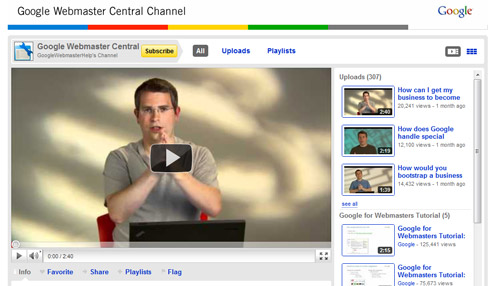
    If you are lazy like me you prefer to just listen to Matt Cutts talk.
    http://www.youtube.com/user/GoogleWebmasterHelp

    If you don’t know who Matt Cutts is and you are in Search Marketing, ctrl+alt+delete your resume. Best known as being the smilin’ enforcer of Google Webmaster Guidelines, Cutts provides guidance to search marketers through his Youtube videos and blog posts.

    Why You Should Care: Matt Cutts is Google’s Prometheus.  He presents SEO guidance in several different formats (videos, blog posts, guest speaking, etc). Having so many different formats make the information he provides easier to digest. If you are like me, hitting the play button is a lot easier to do than reading three paragraphs of insights.

    What Should You Stalk: While you can always follow his blog, I find his information most useful from the Youtube Channel – Google Webmaster Central Channel

    #2) The eWhisper

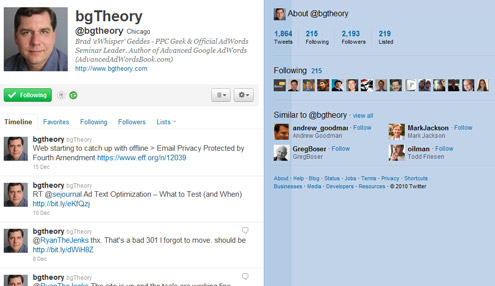
    @bgtheory on Twitter
    @bgtheory on Twitter

    bgTheory’s Brad Geddes is a world-class PPC Geek and Adwords affacionato. Besides being the Official Adwords seminar leader, he is also the author of Advanced Google Adwords.

    Why You Should Care: If you want to know what you should be doing with your Adwords account, Geddes is the man to follow. He is a well of information and ideas about how you be better use your Adwords campaign for generating and sustaining ROI.

    What Should You Stalk: His Twitter account – http://twitter.com/#!/bgtheory

    #3) David and the Paid Goliath

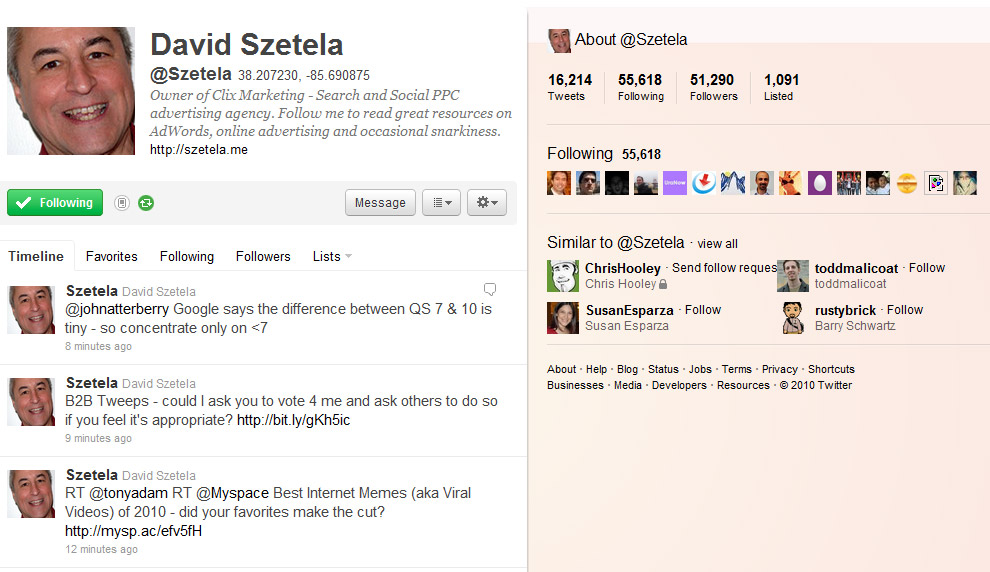
    @Szetela on Twitter
    @Szetela on Twitter

    David Szetela – the occasional snarky owner of Clix Marketing, David Szetela is one of my go-to sources for PPC news and updates.

    Why You Should Care: His knowledge of cross-platform paid search is extensive and an quick follow on Twitter will have your timeline full of information on tweets on paid search strategies and general SEO information.

    What Should You Stalk: Like with Brad, David is most active on Twitter – http://twitter.com/#!/szetela

    #4) Moz-el tov

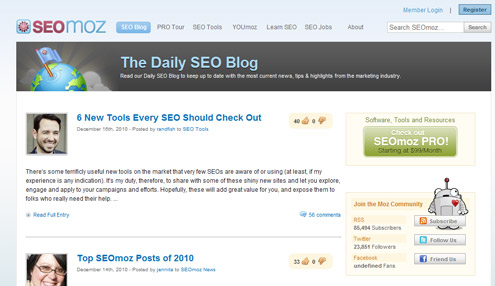
    http://www.seomoz.org/blog
    http://www.seomoz.org/blog

    SEOmoz  has some of the most informative blog post on SEO benefits, keyword mining, and PPC tips.

    Why You Should Care: I’ve been faithfully reading SEOmoz’s blog for up-to-date information on SEO, PPC, and SMM from some of the best and brightest. If you are not following this blog, you are missing out.

    What You Should Stalk: I highly suggest daily readings of the blog – http://www.seomoz.org/blog

    #5) Mike Maps It All Out

    [/caption]

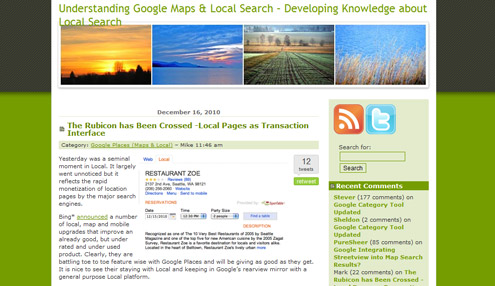
    A student of life, political economy & local search, Mike Blumenthal is a Google Maps and local search guru. He frequently authors articles at Search Engine Land and his blog Understanding Google Maps and Local Search.
    Why You Should Care: Local search, local search, and local search. Oh and maps.

    What You Should Stalk: : Mike’s blog is a warehouse of data points and Google Maps techniques

  • Merging Facebook Places with Facebook Fan Pages

    For those businesses that have taken advantage of Facebook Fan pages, brace yourself for some upcoming changes.

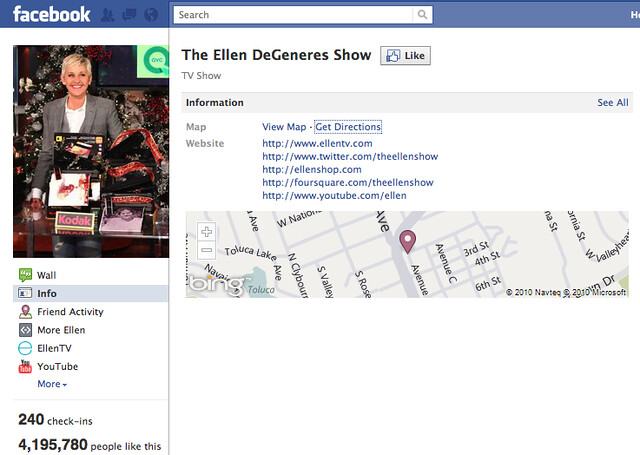
    Facebook Places, the network’s location-based service, now allows Fan Pages to merge with their “Place” page. This “Place page” is usually generated from information collected from the internet, particularly other location-based services such as Foursquare, Gowalla and Yelp.

    What’s the value of integrating your Facebook Fan Page and Place Page? Directly associating your business page with all the people that are checking into your location and commenting about it. People do not have to “like” your location in order to check-in to it, but when they do check-in, they display where they have visited to all their Facebook friends—giving your business visibility to a few hundred people that you may not have reached before.

    Change in Design
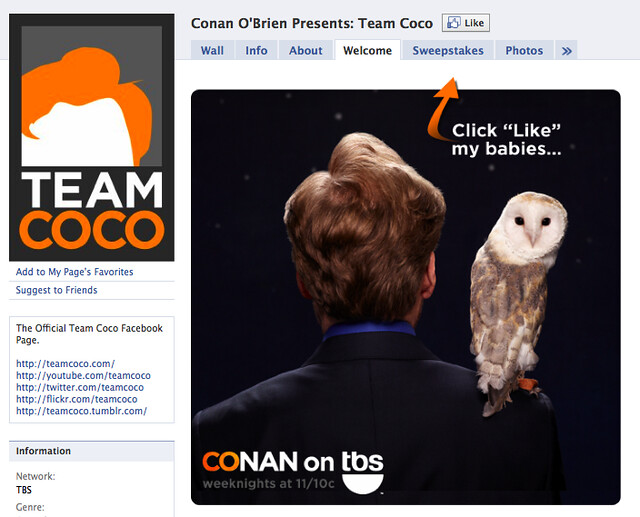
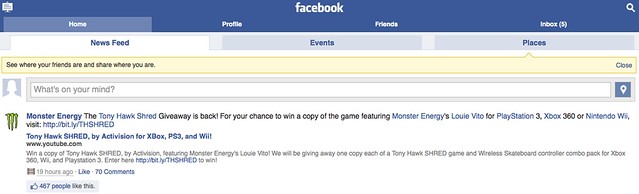
    There are a few challenges with this merge, particularly the evolution of the design, which removes the Facebook “tabs” and any FBML landing pages you may have created to attract customers, like this one:

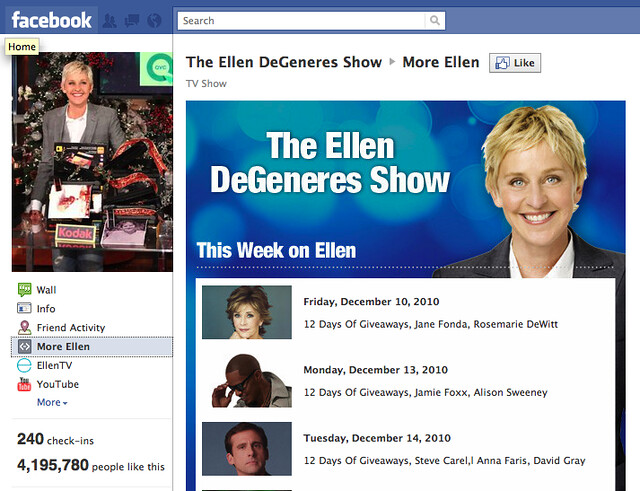
    Once the integration is complete, your page will no longer feature the tabs. However, FBML custom designs can still be displayed on the side, on non-tab spaces with images of about 490 pixels wide. Before you complete the merge with your Facebook Fan page and Place page, make sure that any content and images is adapted to fit the new size specifications.
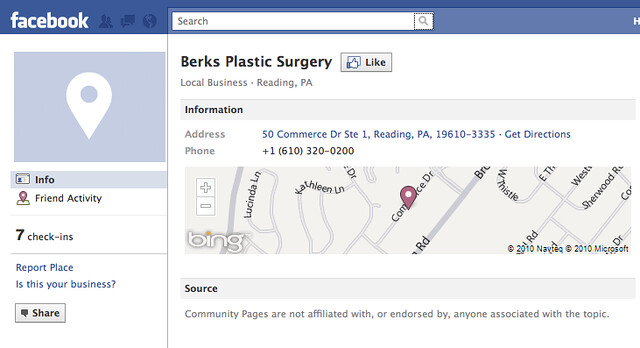
    Once the merge has been completed, the new design also displays the number of people checked in along with a Bing map of your location.

    Verifying My Place Page:
    Facebook Fan pages and Places pages can only be merged through a phone verification process.

    1)    On your computer, log on to Facebook under your Fan Page administrative login.
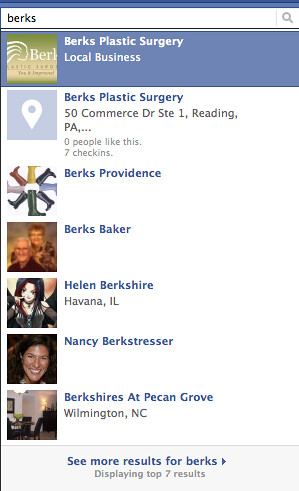
    2)    Search for your business name and the first result should be your Facebook fan page, when you look for more results a blue image icon of a white map pin should appear with your business name and address to the right.

    3)    If you cannot find your location, click on see more results. If you still can’t find your location, you may have to add it.
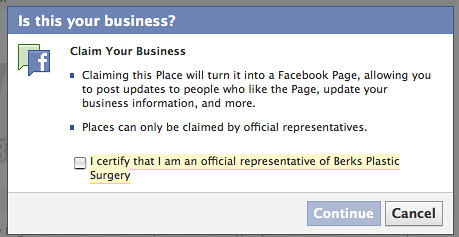
    4)    When you locate you business’s Place page – on the bottom left corner there will be an “Is This Your Business?”link.

    5)    If you are at your business’s location, be prepared to initiate a phone verification process.

    Adding A New Location To Places:
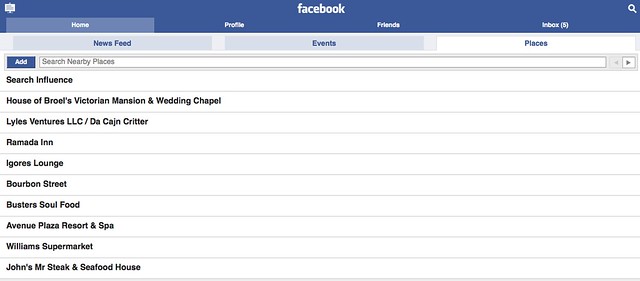
    If your location hasn’t been added yet, you can add yourself by visiting http://touch.facebook.com. Once you are logged in, you can click on “Places” on the right and you will be able to check in to a variety of places in your area.

    If you do not see your location add it by clicking the “Add” button on the left.

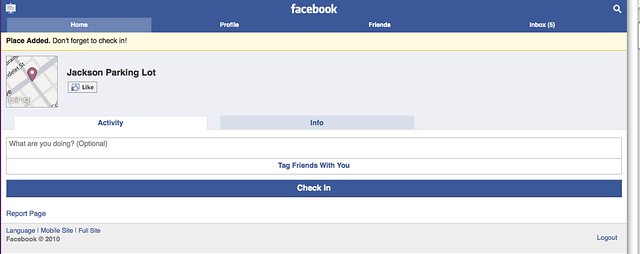
    Your location will be added immediately and you can check in. Make sure you “Like” your own location as well!

  • The Effect of Google Instant on Long Tail Search Behaviors
    We have been watching some recent Google product changes over the last few months to monitor the effects on site traffic, and in November we see most websites moved along at a positive level with their organic search numbers.  Nothing startling.  Everything is on track.  But for a significant few websites, digging into the Google organic search data in November elicited responses of “Help!” or “what in the world!?!”

    With drops in Google organic traffic in the double digits, some at 13% decrease, some at 20%, and some with a 32% nose dive, something clearly is going on for these few sites. Of course, my first thoughts turn straight to the two different Google product rollouts over the last 2 months and how they must be changing search behavior and traffic percentages.

    Trying to find an answer or at minimum, a clue, I am paying attention to three specific areas of organic decreases:

    1) geo specific searches

    2) branded searches

    3) photo organic search

    For an example, Google organic search for 1 website for November dropped 17% or 57 visits, of which 27 were geo specific related phrases.  His organic rankings are super strong so that’s not the cause. He is in the SERPs in some great spots, so where is the traffic going?

    I have another website in a different industry which lost 156 Google organic searches in November – 74 of these were geo specific.

    I believe these losses are largely a consequence of Google Instant where the results differ with each letter typed in search.  I believe Instant is pulling searchers away from their intended search when these alternatives are dynamically generating as they type.  I know when Instant first rolled live, some SEO experts opined that Instant was going to be a non-event.   I can’t agree.

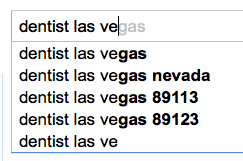
    As I type “dentist Las Vegas” Google Instant offers several options to divert my search.  Well, I didn’t think about searching by zip code, but maybe I live in 89113, and that alternative search might be better than the one I was going to type.

    dentist las vegas

    Instant is offering some pretty specific options that may mean a wider keyword universe for SEO.  The “best dentist?”  Well, I would like to see who is best…

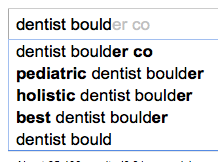
    dentist boulder

    Branded search is not safe from these Google product changes either.  From my first example site, of the 57 dropped searches, 30 were branded search related (the doctor’s name).

    For the branded search drops, I wondered if people were clicking on his 1 box instead of his website with his name search.

    Or maybe searchers were finding a different results set for his name and were clicking on his profile or other directory listings, but I don’t see ANY increase in directory referrals.  Frankly, I’m a little stumped.

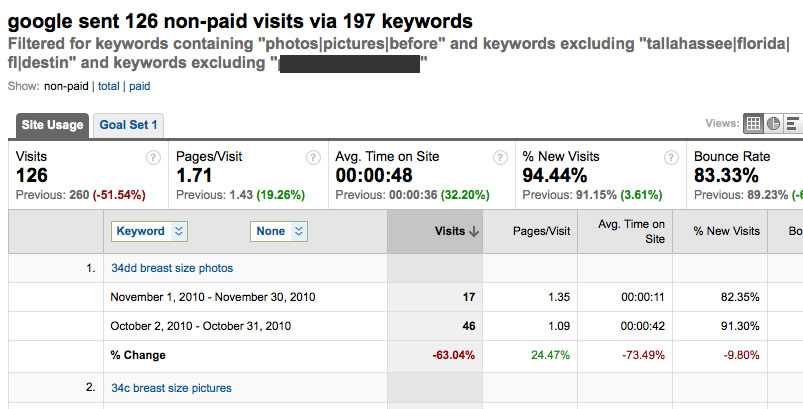
    A third trend I found his month is more specific to the plastic surgery industry.  Each month there is a lot of organic search around “photos,” “pictures,” or “before and after.”  These are not search in Google Images.  I have 1 surgeon based on the West coast, who lost 37 visits from lost “photos” searching.  And 1 practice on the East coast, which lost 134 visits – dropped in half!, and I filtered out all other factors that would affect it.

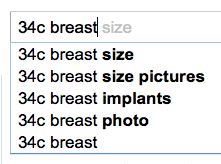
    google instant results

    I attribute these traffic losses to both Google Instant – I can see where searches can get distracted from their intent –34c breast size

    And to SERPs.  I’m pretty sure that where our docs once ranked for those non-localized phrases have been given over to directories.  Unfortunately, I don’t have historical data on where they once ranked for non-geo phrases in location based search and where they rank today.  Bummer.  That would have been cool to know.

    I haven’t figured it all out yet.  doh!Surely, I am missing something in the data even though I have been combing through Analytics, probably something right in front of my face. Someone may be kind enough to point it out to me, forcing me to say “doh!”

    Thanks to cytoon for the great nose dive image http://www.flickr.com/photos/cytoon/

    Thanks to LuChOeDu for the iconic Homer http://www.flickr.com/photos/luchoedu/