On Twitter, you only get 140 characters to make an impression. With so little room to spare, how do you come up with tweets that engage your followers, get retweeted, and generally contribute in a positive way to your social marketing efforts?
While there’s no one right way to compose a tweet, there are a lot of things you can do to improve the quality and attention-grabbing nature of your Twitter messages. These tips will help you write and send tweets that get results.
What to Tweet About
The hardest part about composing effective tweets is coming up with a topic. There are only so many times you can talk about your company’s sales, special offers, or newsletter subscription before your followers tune you out. How can you keep your Twitter feed fresh and interesting?
Talk up your blog posts: If you have a business blog, you can tweet about any new posts you put up. Pull out the most interesting info from the post to use as a teaser, and then link to the rest in the tweet.
Ask a question: People love offering opinions. Try asking a general discussion question that’s related to your business—or turn the topic of your latest blog post into a question that your followers are likely to answer “yes” to and click through for the answer.
Encourage participation: Get those tweets flying by posting a poll, offering an incentive for following/retweeting, or holding a monthly Twitter event that’s related to your business (with your own custom hashtag so that it’s easy for new people to follow along).
Tweet content from other people: Give your followers something of value by tweeting links to interesting, industry-relevant articles, blog posts, or current events.
Tweet back: Scan your followers’ feeds and look for interesting tweets that you can reply to—after all, this is social media, and your Twitter account should be a two-way conversation. Definitely respond when a follower sends you a direct question.
How to Compose a Tweet
Here’s what an effective business tweet can look like:
[Headline/Call to action] [Link] [Message] [Blank space]
Headline/Call to action. A short, intriguing phrase that either summarizes your tweet, or asks followers to do something (retweet, subscribe, follow).
Link. Use link shorteners like bit.ly or tinyurl to conserve characters. Place the link in the middle of the tweet to prevent the characters from being cut off (and the link broken) when retweeted.
Message. What’s great about the link you’re sending out? Why should your audience click on it?
Blank space. Aim to make your tweets around 100 characters long—leaving space for a mention or comment makes them more retweetable.
When to Tweet It
According to data from popular link shortening and tracking service bit.ly, the best times to tweet with the highest click-through rates are between 1 p.m. and 3 p.m. EST. The worst times to send tweets with links are after 8 p.m., and any time from 3 p.m. on Friday afternoon through Monday morning.
You can take this tweet timing a step further by figuring out your own optimal time for tweeting, based on your follower activity, with a service like Tweriod.
Bonus: A Quick List of Tweet Don’ts
Don’t use capital letters for emphasis in a tweet. Instead, consider putting square brackets around words or phrases you want to call attention to.
Don’t use more than two hashtags in a single tweet. It looks spammy, and it will get your tweets ignored.
Don’t send the same tweet 10 times a day in an attempt to hit every follower. This is one form of Twitter spam that can get you banned —and if you don’t get banned, your followers will un-follow in annoyance.
Don’t use slang or Internet abbreviations (like AFAIK or TBH) to save space. It looks unprofessional.
Megan Totka is the Chief Editor for ChamberofCommerce.com. She specializes on the topic of small business tips and resources. ChamberofCommerce.com helps small businesses grow their business on the web and facilitates connectivity between local businesses and more than 7,000 Chambers of Commerce worldwide.
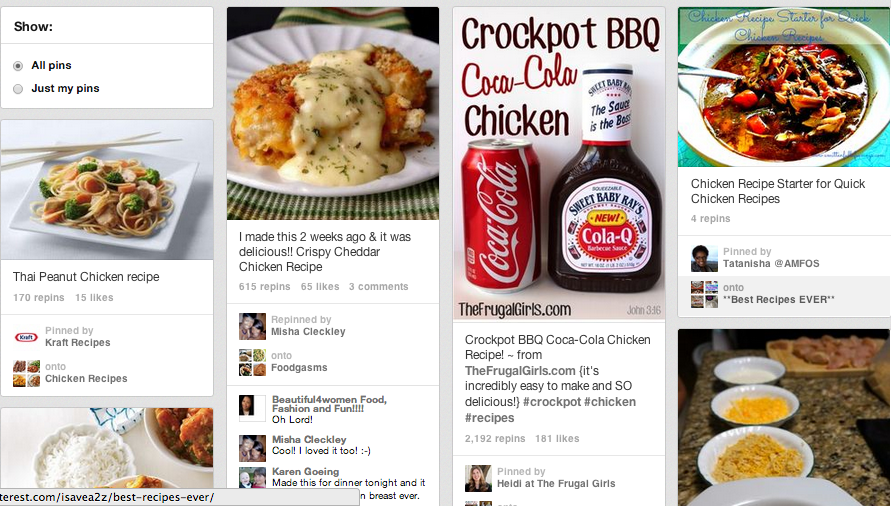
Yesterday, Pinterest’s CEO Ben Silbermann announced on the company blog their first move toward running ads on the social bookmarking platform. Pinterest will be “promoting” select pins, and the ads will start appearing in the coming weeks in the search results and category feeds. Currently no businesses are paying for these ads; the company is just testing to “see how things go and hear what [we] think”
The CEO promises the company is not shifting to flashy banners ads. He says the promoted pins will be tasteful, transparent, and relevant. The promoted pins will be clearly identifiable as such and relevant to what the user is looking for. He promises to improve this new feature based on user feedback and seems to really want to work with and tweak this new feature to provide a great user experience.
I think this a smart move for Pinterest. They are “planning for the future,” as the title of the blog post states. People often use Pinterest as an idea board for different things such as home decor, fashion, and projects to do with their kids. But Pinterest is also very product oriented, with many pins marked with a prices and a link to the retail site. Providing some sort of way for business to market their products only makes logical business sense. It’s a win-win for the user and for Pinterest, as long as it is done in tasteful ways, which seems to be the plan.
I know personally I get frustrated when I am searching the fashion section on Pinterest and find a cute outfit but the link takes me nowhere useful. I love that skirt but where do I go to get it? These promoted pins would lead you straight to a place to buy that product!
There are times, though, when I don’t want to buy anything and wouldn’t want my search results to be cluttered with ads. When I search for a chicken recipe for dinner, I don’t want to see cookbooks for sale. I just want a simple “mommy blog” explaining how to make a certain dish. At times, I think I would find “promoted pins” very helpful, and the times where I wouldn’t, its seems they would be clearly marked and I could just look over them — as I usually do when my Google search is overly populated with ads.
As a marketer, I am super excited about this announcement, since it means great possibilities for my clients. I am very interested to see this new feature unfold and the success it could have for a small business on Pinterest.
A lot of people overlook Google+ when planning a content marketing strategy, because it’s still not perceived as a popular social media platform. It’s true that Google+ doesn’t command the huge user numbers of Facebook or Twitter—but the real benefits of the platform aren’t its social media aspects.
The important part of Google+ is Google itself. With 67 percent of the global search market share, according to the latest data from comScore, the search engine still dominates the market, hands down. And ranking high on Google is exactly what Google+ can help you do.
Here’s how you can improve your SEO by incorporating Google+ into your online marketing plans.
Google+ Content: Search Engine VIP Treatment
Obviously, Google is interested in plugging its own holdings. That’s why content on Google+ is viewed more favorably than other social media content, in terms of search engine results on Google.
Unlike tweets and Facebook posts, Google+ content is treated just like any other web page by the search engine giant. Posts on Google+ are regularly indexed by Google. They are assigned page ranks, and they appear on the search engine results page (SERP) of regular Google Searches—not just internal Google+ searches.
The search life of a standard tweet is 14 minutes. Comparatively, Google+ content sticks around and continues to gain rank, with some content still appearing in top SERP for Google searches more than a year after it was originally posted.
Posting regular, informative content to Google+ helps to ensure that you’re being regularly indexed on Google. To get more mileage, you can link to your Google+ page from your website, blog, LinkedIn profile, and other social media real estate.
Google Authorship: Make Your Search Engine Results Stand Out
You’ve probably used Google a time or two, so you know it’s hard to stand out in a sea of similarly structured search results. Google+ can help you attract more attention in standard searches with Google Authorship.
This service—which, of course, is free to use—provides you with an enhanced search result profile that showcases your headshot, quick facts, other images, and more on the right-hand side of the Google search results page. It’s a real standout option, and it shows up whenever content you claim through Authorship is returned with a Google search.
There are a few steps in setting up Google Authorship to make this enhanced display start working. You can claim authorship for all of your blog posts, as well as any posts or articles you write that appear on other websites and blogs.
To claim authorship for your content, you’ll need to either add your byline and the email address listed in your Google+ profile to all the pages where it appears, or link from your content to your Google+ profile, and from your profile to your content. Then, follow the instructions provided by Google+ to claim authorship.
Stop thinking of Google+ as yet another social media platform that you can choose to ignore—and start thinking of Google+ as the key to building authority, improving SEO, and getting your business up there in search engine rankings.
Megan Totka is the Chief Editor for ChamberofCommerce.com. She specializes on the topic of small business tips and resources. ChamberofCommerce.com helps small businesses grow their business on the web and facilitates connectivity between local businesses and more than 7,000 Chambers of Commerce worldwide.
By now, we should all know that Pinterest is a great tool for businesses. But, since Pinterest is so visually centered, what you may not have thought about is the importance of your written content.
After you have your About section properly filled out and you’ve established your boards, it’s time to direct your attention to your pin descriptions. Some of the biggest mistakes that you can make are not spending enough time writing descriptions and not editing repins.
Whatever industry you may be in, it’s never a good idea to repin content that has a description written in the first person. Since there’s no need for a stranger to be essentially speaking on behalf of you or your organization, take advantage of the description, and use it as an opportunity to appeal to the reader.
Instead of keeping an existing description like, “Everyone in my family loved this recipe,” it would be more effective to draw your reader in with descriptive language. Your audience is more likely to click on a pin with a description like, “This unique DIY skirt is both casual and comfy. All you need is a yard of fabric, elastic, thread, and 30 minutes to spare, and you’ve got a new addition to your wardrobe!”
You can also keep it short and sweet. If your descriptions aren’t complete sentences, pick a format and stick to it to keep your pins looking neat and uniform. If, for example, you choose to use title case, make sure that you apply that format to your other descriptions. As pin descriptions, “Sweet Southern Iced Tea” and “Quick and Easy Garlic Dinner Rolls” look better than, “Sweet southern iced tea.” and “Quick & Easy garlic dinner rolls.”
In short…
Take time to make sure that your pin descriptions are saying what you want them to say and not what someone 5 pins ago might have said.
Use descriptive language that will make your reader want to come back to you or your organization for quality pins.
Clean up your text so that it is aesthetically pleasing to the reader and they can quickly scan for the information that they want.
Many businesses, small and large, have started using Instagram as a way to build their brands and online presence. Not only is Instagram an effective and useful way for businesses to promote themselves, but it is also a way to create connections with customers through engaging content. Also, photo sharing through Instagram allows a business to reach customers without an overload of clutter and superfluous content.
1. Employ Hashtags to Increase Discoverability
According to the press page on Instagram, they currently have 130 million active users. In order to captivate this large audience, the use of keywords is essential. It’s been said by many Instagram gurus that using less than three hashtags in a post drastically limits your discoverability. Sites like top-hashtags.com tell you what hashtags are trending and most used at the time, but anything relevant to your content is good to use. For example, a local non-profit organization for music can often use the hashtags #NOLAmusic #NOLAevents #NOLAnonprofits. If you’re a local business in a city with a well known abbreviation, you should always attach this abbreviation to keywords in hashtags in order to target your ideal audience. It is important for all businesses to understand what audience they are targeting on a social media platform like Instagram.
2. Sponsor Contests
Many businesses use Instagram for contests and giveaways. A great example of this is the cruelty-free, handmade cosmetics brand Lush and their giveaway using the hashtag #LUSHtravels. They encouraged users to post a picture of their favorite products for traveling using the hashtag. The contestants with the best photos would win a new set of their favorite products. This not only promoted participation with the brand but also created free publicity and positive reviews for their products.
3. Create Hype for New Products
Another way businesses can use Instagram to their advantage is to excite their audience about upcoming products. A company that does this effectively at the moment is the vegan cosmetics brand, Lime Crime. They are constantly creating new products for their customers, and the last set of new lipsticks they released were so anticipated that their site was crashed by too many orders on the release date. Lately they’ve been posting sneak peeks of a new lipstick color and locations of cosmetics expos where you can try it out before anyone else. Product promotion and sneak peeks are a great way to keep people feeling like they’re in the loop and not missing out on anything.
4. Utilize Cross-Promotion with Facebook
According to Ragan’s PR Daily, 60 percent of major brands, including Starbucks and Nike, are using Instagram. Many of these brands also share their pictures from Instagram on other social media platforms like Facebook and Twitter. Although Instagram dropped Twitter support in December, they have gracefully regained popularity since then. ZOG Digital provided a chart that shows the effectiveness of cross-promotional engagement with other social media platforms. See above.
5. Humanize Your Brand via Engaging Content
Instagram is a great way for businesses to create a personality for their brand. It allows a business to mold the way it is perceived by their customers. A great way to create positive brand recognition is through engaging content like behind the scenes photos and interactive and unique hashtag involvement. The online eyeglasses brand Warby Parker has effectively done the former by showing pictures of their employees enjoying a recent “Field Day” where they show a philanthropic side to the company with relay races for charity. Also, Instagram itself has an exciting hashtag event called Weekend Hashtag Project where every weekend a theme is chosen and the best user photos taken over that weekend are posted the following Monday on the company’s blog. This kind of content makes users feel connected and shows how the product itself can be used to its fullest.
Whether you choose to engage customers or simply promote your content, Instagram is an effective tool to improve your brand and is quickly becoming a necessity for any well known brand.
Thanks to Panda and social signals becoming more prevalent than ever in Search Engine algorithms, content both on and off-site is moving to the forefront of most SEO and online marketing strategies. Truly exceptional content not only ranks well, but is shared virally and provides a real value to the reader.
Something I really began believing at PubCon NOLA this year is that social signals for search go beyond just whether someone likes or shares your content. The social signals Google is looking for have more to do with whether your customers are talking online about their experience with you after their purchase.
Source: mvellandi Flickr http://bit.ly/8vqROG
The problem here is the ratio between people who want to shout it from the rooftops when they have a bad experience to those who openly share when they are excited or had a positive experience. In today’s social age, everyone is a journalist, food critic, secret shopper and referral source. The average Facebook user has 229 friends on the social network, meaning that if they so choose, they can instantly alert at least 229 friends to stay far away from the new Italian restaurant in the neighborhood after finding a hair on the pizza.
That’s pretty powerful. There aren’t many other platforms that allow one individual to communicate with so many others so quickly, and to be so expressive while doing it.
As a business, you’ve probably been told that you need to be marketing on social media to protect your reputation online and grow your business by generating leads or driving more customers into your store. I would challenge you to think beyond that.
When is the last time you had a great experience at a local restaurant? Did you tell anyone about it? If so, how many people? Now think about the reverse. Chances are, you told a few more people about the negative experience than you did the positive one.
It is time to change our thinking when it comes to social messaging, beyond the traditional “lead gen” mindset. Rather than trying to push your product on someone who’s never used it or heard of it, why not look for opportunities to engage your existing happy but quiet customers and get them talking? Social media gives marketers and businesses the opportunity to turn a customer into a brand ambassador.
Yes, we have to make sure we watch out for Panda and keep an eye on that pesky Google and their algo updates when it comes to on-site content strategy. I don’t mean for my focus on social to suggest that you should move your entire content strategy off your own website and onto social platforms. But, if we think about using our online content strategies to lift up our happy customers, get them sharing and engaging with us, just imagine the viral potential to reach their friends and family–new business you haven’t yet tapped into.
You’re probably like, “Ok, I get your point, but how do I DO that?” Funny you should ask! Social media content strategies will vary by business and industry, but here are some tips for converting your social media following into brand ambassadors:
Tone down the sales messages and pushy language. No more than about 20% of your social messaging should be self-referential or portray a sales message. Within this 20%, remember that the goal of these posts should be to provide a real value proposition to the audience. This could include specials, deals or contests.
While this is basically a self-promotional post for Shutterfly, an online photo service, they are providing a value to their customers with a create-your-own cover photo featuring dad for Father’s Day.
Reward your loyal customers and followers with exclusive information. Whether is a sneak peak into an upcoming in-store special or just a “Did You Know” fact, people love to feel like they have the inside scoop, so give it to them!
Online retailer HauteLook hosts designer pop-up sales for a limited time until inventory is sold. They effectively use social media to make their audience feel like they’re getting the inside scoop while also promoting the upcoming sale.
Feature your fans. Everyone loves to be recognized, so give your fans a moment to shine by choosing to feature them every once in awhile. They’re more likely to share the content with their friends and family (increasing the potential reach of your future posts).
A little subtlety goes a long way. I’m a big proponent of including a call to action in your post, but it’s best not to take it to the extreme. Providing a share-worthy piece of content to your pre-qualified audience with a slight nudge can never hurt.
Disneyland provides a great piece of content with a direct call to action: share. And share they did! The piece resonates well with their audience and was timely for the Mother’s Day holiday.
Post well and post often. At PubCon New Orleans this year, Alison Zarella (another AZ girl!) said it best: “the newsfeed is crowded.” As a business or brand, your competition on Facebook is not limited only to the business across the street that sells the same product. You’re also competing for your audience’s attention with the likes of their moms, distant cousins, besties and frenemies. If you don’t post great content and do it consistently, you’ll never be seen.
Reply, reply, reply! Make sure to reply to your customers who comment or post with questions! Facebook and social networks are where people spend a lot of their time these days, so getting a quick reply and notification of that reply is what they expect.
Be flexible and test for yourself. Above all else, try new things and test multiple approaches with your fans. There’s lots of information and data out there about what works, when to post and how to do it, but the truth is that every industry is different. You’ll never know what is the most effective for your brand until you try new things, compare results and adjust your approach.
I love a good hashtag, y’all. I think everybody does! They are great engaging pieces of content in social media posts that can really build engagement among your followers. They are also extensions of your post that allow you to specify your tone and point of view. Pinterest, Twitter, Google+, and several other platforms have all integrated hashtags into their interface and users love them. Personally, I’ve been using hashtags with these platforms for years, and I find that it really allows my sarcastic personality to shine through!
Well I have BIG news for y’all. Between 11pm last night (when I last checked my facebook) and 9:30 am (when I first checked my facebook today), Facebook rolled out the use of hashtags. And I gotta say… I’m not sure how I feel about it.
Now, we all knew this was coming. There have been rumblings of it for weeks! But, it is finally here. I feel like an apocalypse has happened in the social media world. I mean, c’mon… hashtags are just for Twitter and Pinterest right? Right?! Apparently not.
What I’m interested in is how the hashtags will be incorporated considering Facebook’s privacy settings. I am hashtagging under the pretense that hashtags are for trending purposes. But if my settings are “Friends Only”, does that mean that my post will not be part of what is trending on Facebook? I’d love to know the answer to that one!
Here are some shots from the trending hashtag, #hashtag, as of this morning. Some people are stoked, and some are not so stoked. How do you feel about this?
As Facebook has become a more robust advertising platform, a broad smattering of ad units have shown up all over the platform. Almost every kind of content can be advertised on Facebook, from a text status to a Facebook app to a web site, leading to increased interaction and ultimately stronger organic performance of the content. It’s important to keep in mind the same things that drives high organic action rates: the importance of EdgeRank, the necessity of AWESOME, and the value of truly social campaigns.
Marketplace Ads
The ads most people are familiar with on the social media network are Marketplace ads. These ads, usually showing in the sidebar of the News Feed, a Profile, or a Fan Page, are the constant companion to the Facebook user. Marketplace Ads compete with FBX retargeting as well as traditional advertiser-created ads. The thumbnail image can be up to 100 px by 72 px, The headline is 25 characters long, and the body copy is up to 90 characters long.
There are five main types of content that are promoted via Marketplace Ads:
This example, displayed on the soft blue of a profile or fan page, links to a traditional landing page. These ads are among the most common, but be wary of ad blindness and the cognitive disconnect between users moving from Facebook to your website.
This ad, found on the News Feed sidebar, brings you to a different site, but uses the social proof from the Facebook fan page to entice users to trust the site. This is easily set using OpenGraph meta tags.
The traditional Facebook ad links to a fan page. These ads can drive likes without clicks and can land on a specified tab. These ads default to reporting only on Page Likes.
Facebook also offers display ads for Apps. This ad lands on the app page, showing the number of monthly users as social proof.
Facebook also has Event ads, using Event Responses as the point of conversion.
Interestingly, Marketplace ads have begun showing in the News Feed itself as well. This should lead to higher click-through rates, especially on Mobile devices, which did not traditionally have Marketplace ads.
Sponsored Stories
Sponsored Stories are posts that promote single posts showing both in the News Feed and in the sidebar. In most cases, Sponsored Stories bolster a successful organic post; however, “Dark Posts” are great ways to test content, demographics, or targeted personas without affecting other aspects of your organic Facebook marketing. Sponsored stories are traditionally to increase interaction, but strong targeting combined with a clear organic strategy can garner “real” leads as well.
Some selected Sponsored Story ad types:
Text posts can do well on Facebook, especially when they prompt user interaction by asking a question.
Image posts are best when the post has a striking, square image. Links can be added to the post, but are best placed early for higher click-through to the landing page. Images can’t be over 20% text, using a 5×5 grid overlaid on the image.
Link posts, while common, are some of the lowest-reponse posts due to the limited kinds of solicited actions users can take on the post.
Video posts take up space like a smaller image post, but because of the high engagement needed to watch a video online, may not get as high of engagement rates.
Like Ads
Like ads are a subset of Sponsored Stories. Unlike most other ads, these ads are created and triggered by user interactions with your content. Like ads are an inexpensive way to target people who may be brand aware through their online friends’ activity. Created as a companion to Marketplace Ads or Sponsored Stories, these ads are much less controllable than standard Sponsored Stories, but lead to more organic interactions.
Examples of Like Ads:
The main type of Like ad is the Page Like Ad. This shows in the sidebar and in the News Feed. These ads let targeted friends of your existing fans see real proof that someone they know likes your page. With a quality thumbnail, you can reach single-digit click-through rates on these ads.
Post Like Ads can extend the reach of your posts, ensuring that friends of fans can see interactions taking place on your page.
Events, Apps, and other content is also shared, highlighting actions by a user’s friends on Facebook content such as RSVPs.
Promoted Posts
Promoted Posts and Pages are a simple way to set up Sponsored Stories, letting even the least savvy advertiser get a piece of the Facebook ads pie. Promotions are wholly untargeted, which can be a blessing in disguise for large pages with diverse fan bases and no need for location targeting — the only way to target a Promoted post is to target the organic post itself.
Promoted Posts and Pages are a shortcut for businesses that don’t have the time or energy to manage a full Facebook campaign.
Modern Facebook Targeting
What Facebook Promotions lacks is the hallmark of advertising on the social network: the targeting that allows an advertiser to hone in on specific psychographics and demographics to ensure that your ads perform significantly better than the average of 1 of every 2000 impressions leading to a click.
Some examples of targeting methods:
Location
Languages: This is the language setting of the user’s Facebook account.
Age & Gender
“Interested In” & Relationship Status
Education users list, including targeting of specific colleges or majors.
Workplaces users currently are listed as working at.
The workhorse of Facebook targeting, Interests are pulled from a user’s likes, statuses, and site interactions. #Hashed interests are broader categories which may include misspellings or a set of liked pages. Unhashed interests are largely individual Facebook pages, though with “little words” like and and the removed.
Facebook Broad Categories: These are more general groups of interests that Facebook has grouped together for easier targeting. These also include temporary demographic groups, like “Birthday in 1 Week” and “Recently Moved.”
3rd-Party Partner Categories from companies such as Datalogix, Acxiom, and Epsilon, which use real-world actions, transactions, and accounts to categorize users.
Connections and Friends of Connections to Pages or Apps that you are an admin of.
Custom Audiences from advertiser-submitted email, phone number, or Facebook ID lists
Lookalike Audiences generated by Facebook to match custom audiences, either inclusively or attempting to closely match the audience’s interests.
Facebook has become a robust ad platform with complex, interrelated, and mutually beneficial ad formats. For even the smallest business, the Facebook platform is a toolkit for social media interactions, driving brand awareness and ultimately real revenue.
As the Paid Search Manager, I often recommend posting exciting content to increase engagement on Facebook fan pages. However due to algorithmic changes (which always reminds me of Pool’s Closed), just posting to Facebook will not reach all your audience. In fact, it has recently been shown that organic posts only reach about 16% of your audience! Facebook “solution” for this problem is sponsoring your posts. Sure, this isn’t new, but sponsoring your personal posts is (kind of…not really). So after I made the above post, I decided to open the can of Alpo and dig in.
Getting Started
It is a pretty painless process. You just click the Promote link at the bottom of your post, FB determines how much you can spend based on your total reach, and then you choose an payment option (either credit card or PayPal).
Due to my limited number of friends (I’m pretty exclusive), I was only able to buy 70 Facebook Credits.
Results
So what do I get from my $7.00 USD investment?
21 comments (6 unique commenters)
14 Likes
1 Share
That’s 19¢ cost per action* *<filler text>There was once three exclamations after the word “action” but then I realized it read like I was more excited than I really was </filler text>
To give you some reference on cost per action, it can range from $1.59 – $3.00 for some advertisers.
How do you know you wouldn’t have had the same reaction from just posting organically?
I don’t. BUT, I do know my previous ten posts averaged 2.7 actions per post. Which would make this a +1233.3% increase interaction total and +307.40% if we just look at uniques.
“That’s that $#!+ I don’t like” – Pusha T
One major thing I didn’t like about promoted profile post was the lack of reporting. Having the total impressions, reach, and frequency would give users the action rate which can be used to gauge what content should be promoted in the future. Instead Facebook thought a notification was enough reporting.
Hey FACEBOOK, I need more than this. Notification ≠ Results.
Why Does This Matter? A wise man once said, “Just because you paid for it doesn’t make it less satisfying”. This perfectly explains the Facebook landscape. It is no longer just about good content; it is also about how much you are willing to invest in that content. This also shows that people with major followings, like gay Star Trekker George Takei, can stop being so frustrated with their lack of reach. If you are so invested in your audience you should be willing to shill out a few coins to stay top of feed. I mean Facebook has to pay their code monkeys and keep the lights on somehow…right?
Editorial Note: Mr. Coleman’s official title at Search Influence is Online Advertising Supervisor. However he will answer to Paid Search Manager and money.
Many, including big brands, are convinced that Facebook Ads are a waste of money. Under their assumptions, even high rates of fan interaction don’t correlate to new business. However, it’s clear that promoting strong organic posts beyond the natural reach of a page drives the expected post interaction and page likes, while delivering real, money-making conversions.
By focusing on the psychographics, i.e. interest groups, who might be interested in each individual post, a marketer not only saves time and energy by merging organic and paid advertising campaigns, but also leverages the better position and higher click-through rate of Sponsored Stories to expand the business’s reach among its target groups.
If a business is regularly posting good content, a marketer will have no problem finding enough material on which to base his psychographics. Every post, even one somewhat unrelated to the business, has an inherent audience. When we noticed we could do more for one of our low-spending fanbuilding clients, we moved them over to a Sponsored Story-only advertising strategy.
Marketplace Ads for Like-Building
In most cases, Facebook ad campaigns center around “Marketplace” ads, traditional display ads that link to a website or Facebook page. These ads compete with retargeted FBX. On average, 1 of every 2000 to 2500 impressions will lead to a click, where the landing page experience takes over to call the user to action. That means that for a campaign that targets 100,000 people who see the ad 4 times each, an average advertiser only has 160 to 200 chances to get a like from a user.
Despite low interaction rates, Marketplace ads are still an effective generator of Likes. For our client, one of every thousand impressions led to a click, doubling the average rate, and one of every 625 targeted users Liked the page.
Sponsored Stories for Engagement-Building
Sponsored Stories, with both their prominent placement in the sidebar and their engaging display in the news feed for both mobile and desktop users, are by comparison click magnets. Like quality content marketing, Sponsored Stories seek mostly to increase user engagement; however, with the granular interest targeting available in Facebook’s ad platform, marketers can laser-target their content to people who are nearly guaranteed to actually enjoy the content and want more of it in their feed. It’s not uncommon to see 1 of every 100 impressions lead to a click, and many Sponsored Stories can attain a 10% click-through rate from significant audiences of brand-unaware people.
Facebook Actions, the measurement for engagement on the platform, is a major factor in the EdgeRank algorithm that drives placement in the News Feed. By paying for actions at a cost of less than $20 for 1000, marketers create social views for content and boost the overall page’s quality in Facebook’s eyes.
Sponsored Stories can be 95% cheaper per click than Marketplace Ads…
Even though most Sponsored Stories use a Cost per Thousand Impressions bid, Costs per Click are usually significantly lower, likely due to a less competitive auction and stronger bid effects from EdgeRank than in the Marketplace. However, it’s important to understand what a Sponsored Story Click really measures: content views, as opposed to Page or Tab views for Marketplace ads.
Campaign Strategy: Which is Best?
Changing a campaign strategy can obviously radically alter the way users interact with whatever ads are displayed to them. In the case of pivoting from Marketplace to Sponsored Story ads, the shift from page to content views ensures the need to slightly change metrics and goals. Comparing the Reach, Actions, and Page Likes allows a marketer to understand what strategy is best.
Reach is largely unaffected by type of campaign when spends are equal.
Reach gives a marketer a basis on which to judge all other metrics – on Facebook, Reach trumps impressions because the target is users, not something like search terms. Sponsored Stories and Marketplace ads have about the same overall reach at the same spend; however, it’s important to understand that typical Sponsored Story campaigns run more ads at once, reducing the overall Frequency of each individual ad.
Sponsored Stories drastically reduce Frequency of individual ads.
This has a twofold effect: users don’t feel overwhelmed with ads from one company, while the ads can more reasonably masquerade as organic content. As we look at all metrics, remember that the same amount of people are seeing ads and the same cost constraints were in effect.
Sponsored Stories can boost Actions by over 500%!
As mentioned earlier, Sponsored Stories are Action magnets, and switching to a campaign strategy focusing on those kinds of ads will rapidly ramp up measured Actions. For Sponsored Stories showing in the news feed, this is a pretty clear metric; however, Actions includes “Photo Views,” which is simply clicking on the ad if the ad is showing at the top of the sidebar. Regardless, that this interaction is considered an Action hints that simply opening images increases the overall EdgeRank of the post, providing value from even low-engagement users.
These Actions are key to understanding the true value of Sponsored Stories. Such ads are well-equipped to introduce both brand and content to a new user. Extending ideas from eBay’s recent research on paid search, these new users are most likely the ones who will respond to an ad. If a user enjoys the sponsored post, it would follow that they would enjoy more posts in their feed and would then Like the page.
Due to the more labyrinthine path to conversion, Sponsored Stories generate less Page Likes.
Regardless of marketers’ dreams and well-formed theories, that’s not always the case. Since Sponsored Stories campaigns are largely focused around EdgeRank curation through interactions and the current implementation of Sponsored Stories requires a multi-step process for converting to a Like, Sponsored Stories do somewhat worse at creating Likes for a brand on Facebook. The new display of sponsored stories may change this, as a Like button is significantly more prominent.
Sponsored Stories for Driving Real Business
What is the value of interaction if the user won’t Like the page? It’s easy to talk about social proof, exposing your brand and content to others through their friends, and other strengths of Social Media Marketing in general that won’t directly affect anyone’s bottom line.
The real value of these interactions comes from the ability for a user to get in touch with a page in a conversational way about business transactions. Though Facebook has recently implemented conversion tracking – a godsend for Marketplace Ads – there is little way to automatically count the conversions from increased reach and conversions.
Client 1’s Leads from Facebook skyrocket after switching to Sponsored Stories.
In this graph, we counted forms and calls resulting from Facebook referrals and combined those on-site conversion metrics with business-focused Facebook messages and Wall Posts. While certainly each conversion type isn’t equally valuable, all of these interactions give businesses new leads and ultimately paying customers.
Shooting Your Lead Generation in the Foot
The chart above might make it seem that Sponsored Stories are a consistently great way to drive online conversions to a business.
In short: you have to be good at organic social media to be good at paid social media.
Until we talked about leads, we showed two clients in our graphs. Here is the graph of conversions by campaign strategy:
Comparing Clients 1 & 2 paints two radically different pictures of Lead Generation with Sponsored Stories.
Why did Client 2 fail to produce leads, when it followed Client 1 in every other metric? If you’re used to social media marketing, the answers shouldn’t surprise you.
Client 2:
Posted far too often, sometimes more than 8 times a day. This didn’t allow any organic engagement on the posts and made it less inviting to talk to the business.
Blocked users from posting on the Wall. This cut off communication from existing clients or potential customers and forced the conversation to be one-way and unsocial.
Self-promotional posts were often only of interest to current customers, instead of showing off services to people who might not know the face behind the company.
These three factors are not the only conversion-killers, and may not be an albatross in every case; however, they outline the main tenets of getting ROI on Facebook: transparency, community, and openness.
How to Win at Facebook and Alienate Competitors
Any advertising campaign should ultimately be about one thing: new customers. Sponsored Stories, which demonstrates the added value to the user that Liking the page would bring, can also demonstrate the added value of the user patronizing the business. By maintaining a strong organic presence on Facebook, you boost your paid efforts while maintaining the relationships with your existing Fans. The Actions magnet, Sponsored Stories, is now an amplifier of your Facebook presence.
The Key to Real ROI on Facebook
Combine organic and paid social media campaigns into one unified strategy.
Foster a comfortable social community where your business seems responsive to client and potential client needs.
Focus on real metrics that not only affect Facebook, but your business’s bottom line.
 On Twitter, you only get 140 characters to make an impression. With so little room to spare, how do you come up with tweets that engage your followers, get retweeted, and generally contribute in a positive way to your social marketing efforts?

 Also, Instagram itself has an exciting hashtag event called Weekend Hashtag Project where every weekend a theme is chosen and the best user photos taken over that weekend are posted the following Monday on the company’s blog. This kind of content makes users feel connected and shows how the product itself can be used to its fullest.
 It is time to change our thinking when it comes to social messaging, beyond the traditional “lead gen” mindset. Rather than trying to push your product on someone who’s never used it or heard of it, why not look for opportunities to engage your existing happy but quiet customers and get them talking? Social media gives marketers and businesses the opportunity to turn a customer into a brand ambassador.


 As Facebook has become a more robust advertising platform, a broad smattering of ad units have shown up all over the platform. Almost every kind of content can be advertised on Facebook, from a text status to a Facebook app to a web site, leading to increased interaction and ultimately stronger organic performance of the content. It’s important to keep in mind the same things that drives high organic action rates: the importance of


 Promoted Posts and Pages are a simple way to set up Sponsored Stories, letting even the least savvy advertiser get a piece of the Facebook ads pie. Promotions are wholly untargeted, which can be a blessing in disguise for large pages with diverse fan bases and no need for location targeting — the only way to target a Promoted post is to target the organic post itself.


 Why Does This Matter?


