
It was an odd pairing to begin with, a one-off that was a bit out of left field even when Linkedin and Twitter joined forces in late 2009. It was much like that couple in your friends group with different values and nothing in common, but who work… for a time. Linkedin is a B2B paradise with a focus on member engagement, lead generation and advertising. Twitter, on the other hand, is B2C utopia due to the brand awareness and engagement-driving “promoted tweets” feature.
Linkedin is now being used for what it was initially intended: to build engagement, drive leads and sell their advertising product for companies and job openings. Twitter is now “working on themselves” — and no, this doesn’t mean a yoga membership and a few dates to get over Linkedin. They’re back to the lab and focused on growing their applications.
All Linkedin posts that were synced to Twitter in the past automatically optimized each post specifically for Twitter. Now, they are completely standard if you share to Twitter. These changes come from Twitter creating more uniform guidelines around API sharing and a more in-depth focus on their own applications and tools. Raven Tool’s Courtney Sieter (who was one of the most engaging and educational speakers of Search Exchange this year) came out with 10 Linkedin Shortcuts for a Post-Twitter World which I found extremely helpful.
You can still share your Linkedin updates on Twitter, but not the other way around. For some, this is a tragic loss; for other tweeple whose feed represents a birds-eye view of Texts From Last Night’s “Best Ever” category, it’s a hidden blessing (seriously, just un-link your accounts at that point). This severance has also greatly reduced the amount of frivolous and ill-suited posts that used to clog the Linkedin feed.
Pre-breakup Linkedin Engagement Level:


Now: Chock-full of Goodness!


Like that one mismatched couple who had their good years, this split seemed sudden at the time; however, they’re just better off doing their own thing. Both companies made the best move possible to not only grow their own revenue and product, but to separately work on custom initiatives important to their users. Since the split Linkedin has had a facelift, redesigning their look and feel to engage users by keeping them on the page longer. Conversely, Twitter makes 90 percent of its revenue in advertising, and it’s time to focus on themselves. Historically, they were giving too much of themselves through third party applications and at the end they had a smaller piece of the pie. For Twitter, it’s time to stop self-sacrificing and be a little selfish for more lucrative results.

 In advertising, the
 So now, even when your viewers are out of site, you can keep your brand on their minds!

 We’re back with another edition of
 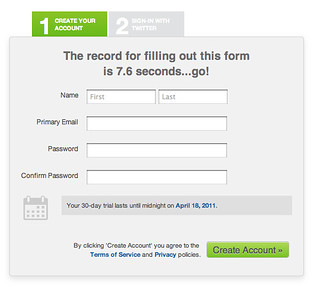 In the search engine marketing world, one of the main tools for generating leads is the use of an online form. Forms can be an invaluable tool for generating leads and increasing revenue. They also provide a metric for classifying return on investment. We are all familiar with the usage of forms, but are we ignoring their full potential by underutilizing leads? As a business management major and online marketing enthusiast, I couldn’t help but wonder how these leads are handled by the staff at the many business for which we work, so I did some research.
 Think about the logic behind why a quick response rate is so important. If you can manage to respond within 5 minutes, the potential customer is most likely still interacting with your website or brand. You are still at the top of their mind. With all of the psychological benefits of quick contact, the ability to get back to a potential customer before they move on to another business is invaluable.
 We’re back with another edition of
  Applying for a job is something that we all have to do at one point or another in our careers – unless you won the lottery at 18, or are an heir to a billion dollar empire where you can lounge on a beach in