Tag: website

  • How Does Having an SSL Certificate Impact Your Site’s SEO?

    Site security and user privacy have been a hot topic in the technological community lately. With big names like Google pushing for tighter security, it leaves website owners wondering what they need to do to ensure that their site is compliant with the best practices that will ultimately lead to them being favored in search results. One of the security measures that’s being pushed is ensuring that a site is secure. But what is a secure site and why does it matter? Here’s what you need to know about SSL Certificates and the role they play in your site’s SEO.

    Graphic of lock laid over an map of the world

    What Is an SSL Certificate and How Do I Get One?

    A Secure Sockets Layer Certificate is a means of creating an encrypted connection between a web browser and server. By using an SSL Certificate, an encrypted key protects sensitive information that is submitted by site visitors. If you’ve really got internet security on your mind, you can dig deeper by taking a more technical look at SSL Certificates.

    There are paid and free versions of SSL certificates, and others may be included through your hosting service. Depending on your CMS and hosting provider, there are various ways to get your virtual hands on a certificate. For example, installing a WordPress plugin or rerouting your site through CloudFlare may be an easy and convenient option. If neither of these are possible or ideal, you can usually purchase one through your hosting provider or buy one somewhere else and install it manually.

    Once you have it installed, it’s equally important to ensure that you keep your certificate up to date by auto-renewing it or making sure to renew it before the expiration date.

    What Does an SSL Certificate Mean for Your Site and Its Visitors?

    Which site would you rather make a purchase on: One with a red “Not Secure” warning clearly visible, or one boasting a green padlock ensuring that all of your information stays secure?
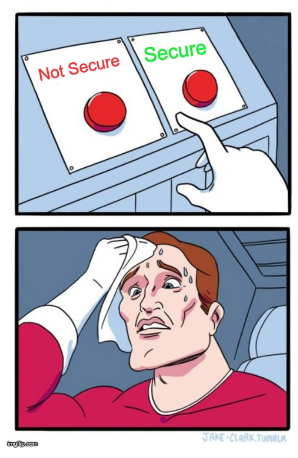
    Super hero sweating whether to pick secure or non secure options

    It’s a no-brainer. Secure sites are more appealing to visitors because they are provided the comfort of knowing that any of their information that is passed onto the server will be encrypted. Enhancing user experience should be a top priority for your website. A site with a “Not Secure” warning may even scare off some visitors from completing any transactions or creating an account on your site. Installing an SSL certificate and having a fully secure site means that your site and its visitors can have peace of mind.

    Do You Have to Have an SSL Certificate?

    Technically, no—at least not yet. However, browsers are now making their users more and more aware of which sites are secure and which ones are not. For example, Google’s push for secure sites includes making the “Not Secure” warning more prominent on web pages, as well as favoring secure sites in search results. Some sites that aren’t secure even direct the user to a full warning page warning them not to continue before they can click through to the site. This definitely won’t help a site’s bounce rate.

    Additionally, if your site’s connection isn’t secure, it leaves your users’ information vulnerable to people looking to get their grubby hands on it. Personally, I wouldn’t want to be the person sending the email to users letting them know their information has been compromised should the worst happen. Why not make your site secure and provide your users with the assurance they need before willingly giving you their information? Overall, having a secure site greatly enhances user experience, confidence, and the overall trust of your brand. If that wasn’t enough, whether or not you have an SSL Certificate can impact your SEO and search engine rankings.

    What Does SSL Have to Do With SEO?

    Having an SSL Certificate on your site is becoming more important than ever for SEO and search result rankings, and its significance will only increase. Search engines are rewarding sites that are secure and penalizing those that are not. According to an article by Neil Patel, data shows that sites with an SSL Certificate are getting increased traffic over those that don’t. Plus, as Google continues to place an increased emphasis on the importance of SSL, it will likely have an even bigger impact on SEO rankings as the years progress.

    Much like Google’s push to require mobile-friendly sites for healthy SEO, a secure site is going to become the standard. If your site isn’t secure, then not only are you behind the times, but you are no longer following best practices. Many platforms that outline what your site does well and what needs to be improved will start to report that your site being not secure is an issue, if they don’t already.
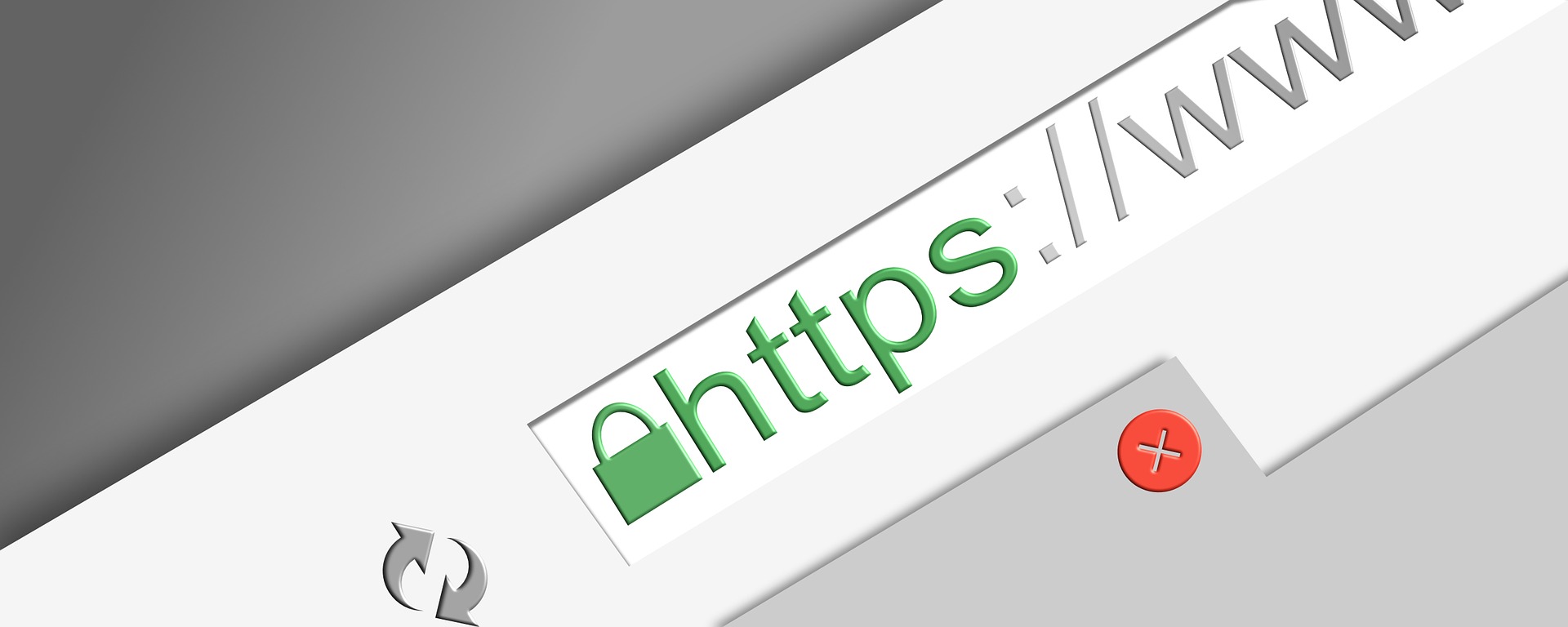
    Graphic of SSL certificate being displayed in browser's URL field

    Making your site secure will let you take advantage of all of the current and future benefits that come with it. Now that you understand what an SSL Certificate is, how to get one, and why it’s crucial for your site, its visitors, and your SEO, contact Search Influence to make your site secure and enhance your SEO.

    Images

    Map Lock

    Secure vs. Non Secure

    Browser

  • #FreelanceFriday: Freelancing Tips for College Students

    This blog is part of our Freelance Friday series, where we discuss everything and anything related to freelancers. For more freelance information, tips, and trends, follow us on Twitter.

    College is expensive. Tuition is sky high, textbooks cost an arm and a leg, and everyone needs a little extra income to go out and fully enjoy the college experience. Even with scholarships and saving accounts, it is nearly impossible to avoid some kind of financial strain during these years pursuing higher education.

    So, with time and experience typically at a premium for students, are there any legitimate ways to make some extra money on the side?

    Yes! Freelancing!

    Freelancers, digital nomads, work-at-home parents, and all independent workers currently comprise 33% of the U.S. workforce (approximately 53 million people). Freelancing is an umbrella term that encompasses writers, editors, graphic artists, designers, photographers, videographers, and many more people with specialized, in-demand skills. And, what’s great about freelancing is that it is open to anyone, including cash-strapped students.

    President Obama Asking You To Join The Movement - Search Influence

    Freelancing is a great way to get relevant work experience, which–whether through part-time jobs, internships, or freelancing–is incredibly important for a college student.

    Where freelancing offers a distinct advantage over a normal job is in its flexibility. Most jobs have a fixed schedule, whereas freelancing (in most cases) offers you the chance to work on your own schedule. It also allows you to work from anywhere–your dorm room, apartment, library, classroom, or when you go home for the holidays.

    If you decide to give freelancing a shot (and you totally should!), here are a few things you need to consider first, as well as a few things you need to do to position yourself for success.

    Figure out How Much Extra Time You Have

    Life as a college student is busy. You are already balancing classes, labs, papers, exams, presentations, and various extracurricular activities. Adding freelancing to the mix is only going to make you busier.

    A commitment to weekends and holidays will help you as a freelancer, but no matter when you work, prioritization and productivity are key. Because you are a student, schoolwork should also come first, but beyond that, you will need to figure out how to find more time in your schedule to freelance. You can prioritize your freelance work based on things like deadline, pay, research/planning/setup, estimated time to complete, and other markers.

    Determine What You’re Good At

    Your freelancing side gig does not need to relate to your major, but it can’t hurt. Freelancing opportunities can fall into all, one, or a combination of three things: something you are passionate about, something you are knowledgeable or skilled in, or something that is in high demand.

    Every topic with a web presence needs content creators. There are tons of niche markets you can work your way through, especially as a writer. If you really want to flourish, especially at first, stick to what you know best, but don’t be intimidated by exploring something new. College is the time when you should be exploring new things to help discover what you want to do in life.

    Identify Your Goals

    What do you want to gain by freelancing? More money? Of course. Experience? Always a plus. But what else are you looking to gain from this? Are you looking for a gateway to a full-time job? Do you just want to try out a field before committing to it? Will you continue freelancing after college?

    These are all great questions to ask yourself before and during your time as a freelancer. The answers should not dictate whether or not you do it, but they should provide guidance and purpose to what you are doing.

    Get the Right Tools

    What do you need to be successful as a freelancer? For most, a computer and reliable internet access should go without saying, but what else?

    Well, that depends on the field you are operating in. For some, that is all you need. The internet can help with the rest. Other more specialized skills will need more–graphic designers may need the latest software programs, while photographers will need a good camera, lighting, and other equipment.

    Know what you need upfront and familiarize yourself with these tools. Freelancing may be a side job for many, but that doesn’t make it any less important when it comes to planning, preparedness, professionalism, and time management.

    Understand You Will Have to Start From the Bottom

    This is a tough pill for many to swallow. Like most jobs, you have to start at the entry-level position. It’s a nearly unavoidable rite of passage. Accept it and work your way up. Thankfully, ascending the freelance food chain is typically easier and quicker than climbing the corporate ladder.

    It is important to build your skills and constantly improve your services and presentation. The more you freelance, the more you will learn how things are done, what you should and should never do, etc. Reaching out to other freelancers for advice and support is always a great idea.

    Betty White Informing Us That She's On The Twitter And On Facebook - Search Influence

    Self-Promote

    Once you have been working for a while, it is important to create a portfolio of your best work as an example of your skill and proficiency. This is a crucial tool for landing other gigs. You can even include some pertinent school assignments as well, especially when you are just starting out.

    Creating a personalized website or blog as well as engaging on social media are also great ways to showcase past projects and seek out new work. Many freelancers today use Twitter and Facebook to stay up to date on industry news and find relevant opportunities.

    You shouldn’t feel bad about this kind of self-promotion. It is a crucial part of freelancing. And speaking of the importance of self-promotion, check out our freelance Twitter account. We frequently share the latest freelancing trends, tips, and best practices.

    Build Your Professional & Adult Skills

    Freelancing can help you build valuable workplace skills. Just like school, deadlines are extremely important, as are promptness and efficiency. Similarly, freelancing often calls for collaboration with a wide variety of people. While you may already be using these skills in school, freelancing will allow you to put better hone them in a more professional setting.

    As an independent contractor, you will learn to deal directly with your clients and gain valuable experience handling a variety of situations as they arise. You will also learn more about contracts as well as taxes.

    Treat Freelancing Like a Real Job

    Many people have made this mistake, especially those who have never freelanced before. They contract for a little while before quickly realizing that it is a real job. You are getting paid to provide a skill or service. You have to consider deadlines and often collaborate with others. How is that not a real job?

    In essence, freelancing is even more than just a job. You are essentially starting your own microbusiness. If you go into it knowing this, you can somewhat avoid the learning curve and work through any missteps early on that could cause you to lose clients, doubt your own abilities, or even quit.

    Use Your Freelance Career to Jumpstart Your Post-College Career

    Because freelancing is a real job, don’t be hesitant to include it on your resume and discuss it a significant positive in job interviews after you graduate. The work you’ve done has given you experience in the workplace–use that to your advantage! Be confident about your transition into the job market. You will have more experience than your fellow graduates.

    Of course, you can also continue, and likely expand, your freelancing business after school. You have spent the time and effort to build these relationships and skills, why not continue utilizing them!


    Image Sources:

    President Obama

    School Supplies Animation

  • Meet & Greet : Your Buyer Personas and What You Should Know About Them

    When you ask a small business owner what kind of customers they want to attract, it’s not uncommon to get an answer like “everyone” or “anyone who can use our service.” When you’re creating marketing content, however, it’s not often possible to create something that will appeal to every single person on the planet—some people simply won’t be interested. For example, it doesn’t make a lot of sense to try and convince a college-age renter to install a new roof. It’s a more efficient use of your marketing resources to zero-in on people who are most likely going to be your customers. The best way to do this is to create buyer personas. Doing this will help you to define exactly who you are trying to reach.

    Zoolander Who Am I Image - Search Influence

    What is a buyer persona?

    A buyer persona is the Everyman of your customers. It combines all the characteristics your customers have in common and puts them into one fictionalized person who represents your average consumer. The buyer persona is based on real information about your clientele, and it defines their age range, gender, income, common pain-points, and what they’re hoping to get from your product. It also combines your demographics with psychographics to build a buying character that is pretty much human.

    Why are buyer personas important?

    Having a well put-together buyer persona helps two people: you and your potential customer. According to a survey by Rapt Media, 63% of consumers would think more positively about a brand that gave them content they found valuable, interesting, and relevant. Whether you’re reaching out via a direct mail campaign, emails, or Facebook, no one wants to be stalked by content they’re not interested in.

    Wedding Crashers Image Of Gloria Saying I'd Find You - Search Influence

    By focusing your marketing efforts on your buyer persona, you’re ensuring your message gets in front of people who are most likely interested, without alienating those who aren’t.

    At the same time, knowing your buyer persona means you can give your customers exactly what they’re looking for, ensuring they trust you when it’s time to make a decision. For example, if your buyer persona is an on-the-go business traveler who doesn’t want to waste time during the research stage, you can present them with content in an easy to digest infographic. The potential customer is now more likely to engage with your content and come back to you next time they need a problem solved.

    How can I build a persona for my business?

    Your buyer persona should be based on who your real customers actually are. You can do this by directly surveying your current or past customers. Ask them about their background and demographics, as well as more probing questions like how they heard about your product, why they bought it, how they’re using it, and what (if any) difficulties or reservations they’ve had since their purchase.

    Talking directly to your customers is the preferred method, but if you’re not getting enough information, supplement it with searches on sites like Quora and industry forums to see what kinds of information people are seeking. Content Marketing Institute recommends you ask these three questions when searching: 1) What is the first thing my customer thinks of in the morning; 2) What are their last thoughts at night; and 3) Why is this so. The first thoughts they think about will reflect their daily to-dos and frustrations.

    Image Of Titus Telling Kimmy That He Already Did Something Today - Search Influence

    By the end of the day, they’ll start considering the macro level of what they’re doing with their life. The ‘why’ gives context to the first two questions. If you end up getting a couple of different answers for some of the above questions, that’s totally okay. It just means you probably have more than one buyer persona.

    What does a great buyer persona look like?

    A strong buyer persona will read much like a character description from a play or TV show. Describe Olivia Pope from the TV show “Scandal.” What does she do for a living? How old is she? Does she live in a city, the country, or a suburb? East Coast, West Coast, the South, or Midwest? What kind of clothes does she wear and what is her favorite pastime? With her line of work and hobbies, what kind of products would she be most interested in and find to be most helpful? This is a short list, but you get the picture. Buyer personas completely flesh out your customer base, creating what may look like a complete person or personality. The more detailed, the better. The sharper your assessment of your client base, the better targeted your marketing and the more likely you will attract your most likely customer.

    Image Of Scandal's Olivia Pope Saying It's Handled - Search Influence

    Need an expert to help you build your buyer persona? We offer a variety of great services to target your customers and engage them online. For help creating a digital marketing campaign that speaks directly to your potential customers, contact our team!


    Images:

    Zoolander

    Wedding Crashers stalker

    Titus To-Do List

    Olivia Pope

  • Rookie Website Mistakes, Part 6: You Abandon Good Work When Replacing an Old Site

    So, you’re launching a new spiffy, user-friendly website? Or, maybe you’re migrating your site from an HTTP to HTTPS secure domain? To make the launch as successful as possible, there are a few important steps you (or more likely your web developer) should take on the backend to facilitate a seamless transition.

    Changing your URL requires a strategic plan. Without it, you could end up with lost links, dreaded 404 errors, and annoyed customers. If you’ve built some authority for your site, you also need to manage your page rankings during the process. No one wants to watch traffic plummet when they launch a new site.

    While it may not be as exciting as creating the design or building out new pages, here are four absolutely necessary administrative steps to take during the launch of your new site.

    Set Up 301 Redirects

    A 301 redirect will automatically transfer users from the old URL to the new page on the website that replaces it. So, when someone types in your old domain they will still end up on your beautiful, newly-designed (or newly-secure) website.

    While there are other options for redirecting links, 301 redirects are the safest and most trusted way to permanently redirect pages without diluting PageRank on Google. In fact, Moz estimates that 90–99 percent of ranking power will pass from the old page to the new one with the use of a 301 redirect. This is because Google bots recognize 301s as a permanent change, indicating that the original content from the old URL has found a new home on the redirected page.

    There is no limit to the number of 301s you can use per site, so you can (and should) redirect all of your old, viable content to new URLs for your new site in order to retain all of the rank power (also known as link juice) from your old site.

    To make this happen, extract all the URLs from your content management system or export the URLs from Google Analytics to create a list of the URLs on your existing site. Don’t forget to include landing pages from any paid search campaigns you’re running, as Google will lower your quality score for running ads with broken links.

    Once you have this list, you can proceed to the next item on our list, mapping out your new site.

    Image of Lost Duck With Map - Search Influence

    Update Site Maps

    As you learned in part four of this series, you’ll obviously want to have more than one page on your new site. An updated sitemap should be the foundation for your new site design. Start by creating a list of all the pages you know you want to include in your new site. Your old site’s URL list (see above) can provide a foundation for essential pages that you know you want to keep, especially the pages on the old site with inbound links that help improve rankings.

    Map out all planned pages that correspond to pages on your old site so you can set up redirects for all of those pages. You’ll also want to take note of key analytics on legacy pages to use for comparison once the new site is launched.

    The following are some ideas for what you should track for your benchmark:

    • Organic traffic and page visits
    • Bounce rate
    • Page loading speed
    • Conversions per page
    • Rankings for priority keywords

    From here, you’re ready to create a robots.txt file and an XML sitemap to give Google and other search engines the right information to crawl your new site. If any of the steps so far have left you scratching your head or frantically googling SEO jargon, one of our friendly tech gurus can help you out!

    Recycle Existing Content & Optimize for SEO

    Creating a new website from scratch is already a big undertaking—don’t recreate the circle. Be sure you bring over your existing title tags, meta descriptions, and page headings and ensure all new content includes these essential SEO elements. This is also the perfect time to audit your existing content to ensure that it meets the latest best practices. Are multiple pages using the same headline (h1) or meta descriptions? Do pages have broken internal or external links? Are images too big and slowing download time?

    Use what works, fix what doesn’t. Your content for each page should be unique, use keywords naturally (without stuffing), and include logical internal links.

    Don’t Forget About Google Analytics

    As you launch the new site, it will be more important than ever to track analytics and ensure that everything is functioning like it should. Migrating to a new domain is a huge, detailed undertaking, and little problems are likely to arise.

    Image of Graphs, Charts, and Analytics - Search Influence

    Make sure that the Google Analytics tracking code is properly installed on each page of the new site and collecting data. With your collected benchmark data, you can compare traffic and rankings for the new site and check and adjust as needed. Tools like Screaming Frog can also help you check for 404 errors on the new site and alert you to any issues with pages being indexed improperly via your robots.txt file.


    Images:

    Lost Duck

  • Rookie Website Mistakes, Part 5: Weak Content

    Welcome to Part 5 of our series on Rookie Website Mistakes. In Part 4, we learned about single page website design and how they often put form over function much to the detriment of your SEO and the user experience. While we all want a shiny new website with all the bows and whistles, it’s more important to focus on quality content that will give the users what they want. Having weak content can prevent search engines from exploring your site and leave visitors with more questions than answers. Avoid this mistake by following the tips below.

    Hit the Sweet Spot of Content Length

    Unfortunately, there’s no magic number for how long your content should be. Because I can’t tell you that precisely 253 words will make your page number one, I’ll instead give you the frustrating advice my high school English teacher gave me–your content should be as long as it needs to be. Obnoxious, right? But, what it comes down to is that your content should provide all of the related information on the given topic you’ve chosen for the page.

    Very broad topics, like ‘what is family law,’ are going to be longer, while very specific topics, such as ‘features of Victorian-style roofing,’ might not have as many relevant details. Generally, more technical content like a plastic surgery procedure outline will be 500–700 words, while an ‘About Us’ page will be more around 250.

    If you’re not sure how much you should write on a given topic, scope out your competitor’s pages to see how much they’ve written. If they’ve written 500 words, chances are you can build out your own content to be more competitive than theirs.

    That being said, you don’t want to over-inflate your content just to make it longer. The other half of ‘as long as it needs to be’ is that it shouldn’t be any more than necessary to make your point. At Search Influence, we’ve named this superfluous content ‘fluff”; it provides the same amount of nutrition to your content as fluffy cotton candy. Fluffy content makes you sound less authoritative on the subject and doesn’t actually provide the reader with important or new information.

    Focus on EAT Content

    Google uses the acronym EAT to describe the characteristics of high-quality content: Expertise, Authoritativeness, and Trustworthiness. The opposite of fluff is EAT content. Producing EAT content gives you a better reputation in the eyes of Google, and it can help you rank above competitors writing on the same topic who don’t meet the EAT requirements.

    Of all the EAT qualifications, expertise sounds the scariest. When you’re a marketer or a small business owner, you might not feel like an expert on everything you want to write about, and you may not have a degree or certificate that proves you’re an expert. For some topics, like medical and financial, Google expects that you have some sort of formal training to back up your knowledge on the subject. But for most industries, “everyday expertise” that you’ve acquired from working in the field or having a first-hand experience is sufficient. Google evaluates expertise by looking at how useful and detailed the content is, so the goal should be to write what you know, and your expertise will shine through.

    You can also increase your EAT levels by incorporating specific statistics, studies, and other information from reputable sources. Make sure to cite the source and explain the findings in your own words if you can. You don’t need to be overly formal about this, either; saying something like “According to the CDC, 43 percent of sudden, unexpected infant deaths are caused by SIDs” would be sufficient.

    Save Your Spam for Quick Lunches

    Keyword stuffing is an old SEO practice that involves using a keyphrase as many times as humanly possible in the content, even if it doesn’t make sense in context. Sometimes, the keyphrase would even be hidden in the page footers and the background of the page! Google has caught on to this and will penalize sites they think are providing a poor user experience by being spammy. Focus on writing clear content that is centered on a theme and answers the reader’s potential questions. Then you can go back and naturally incorporate a few keyphrases throughout the content.

    Image of SPAM on a conveyor belt - search influence

    Try to pick long-tail keywords that are more specific. For example, instead of using the broad keyphrase ‘botox,’ you could use variations of the long-tail keyphrase ‘does Botox work on crows feet.’ Google is clever enough to pick up on variations, so you can use the exact match long-tail keyword from the example above, and then use ‘Botox for crows feet,’ ‘crows feet Botox,’ ‘treating crows feet with Botox,’ and even ‘Botox around the eyes’ throughout the content to keep things natural.

    If you’re unsure what keyphrases you should be using and trying to rank for, Search Influence can build you build a keyword strategy, track your keyword rankings, and even write content for you. Call us to discuss your content goals!

    Put Some Words Behind the Scenes

    While putting keywords in all sorts of nooks and crannies of your site is considered spam, there are some parts of the backend of your website where you should optimize for keyphrases. Make sure you check out this previous blog for an explanation of what the backend of the site means if you’re unsure what I’m talking about.

    Readers can’t see the metadata of a page when they’re viewing your content, but search engines can see it. It works as a sort of behind the scenes shortcut to what your page is about. Your title tag, meta description, and image alt text should all have relevant keyphrases to solidify ‘this is what this page is about.’

    But metadata is useful for people, too. The title tag and meta description appear in the search results; they encourage the viewer to click through to the page by showing them what kind of information they should expect from your content. Alt text on images will appear in place of an image if for some reason the image won’t display. It is also used by screen readers to describe an image to visually-impaired users. Without alt text, users and search engines could be missing out on crucial information.

    Craft a Killer Call-to-Action

    The final piece of really strong content is a great call-to-action. Now that visitors have read your content, what do you want them to do? This should be a specific action and related to the content they’ve just read. If you’re a cobbler and I’ve just read your page on all the different styles of shoes you can cobble, I should have a pretty clear idea if my shoes can be cobbled. So now, I may want to learn more about the process, what it will cost, or how I can go about making an appointment to have my specific shoe assessed. The call-to-action will direct me to something I will find useful and that will still serve your business needs and entice me to eventually come in to the shop. The goal is to use the call-to-action to convert.

    Strong content will build trust with the reader, provide them with valuable information, and help drive them to buy your product or service. Putting words on the page just for the sake of it could actually drive them away. Download our whitepaper for more information, and tune in next time to learn about mistakes made when going to replace an old website.

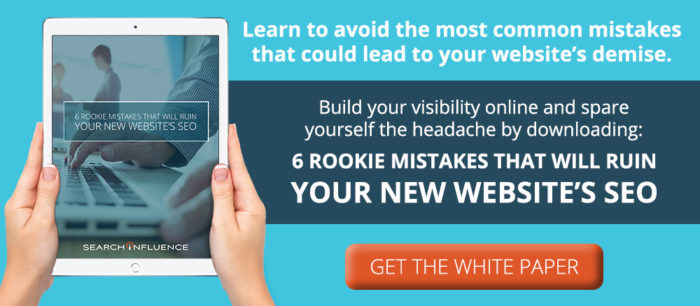
    Image Of 6 Rookie Mistakes White Page Graphic For Search Influence - Search Influence


    Images:

    SPAM

  • The Final Countdown: Secure Your Website to Align With Google’s Update to Chrome

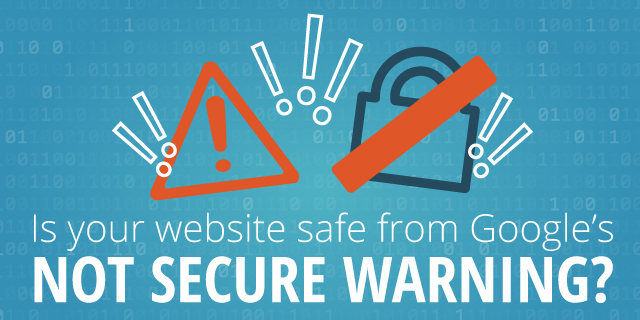
    Is your website safe from google's not secure warning - Search Influence

    The year is almost over, October is finally upon us, and if you’re wondering what you should be checking off of your business plan “to-do list,” then you should definitely place priority on reviewing the security of your website.

    Starting this month, Google will officially be letting your visitors know if your site isn’t secure for them to navigate.

    This shouldn’t come as a surprise, since Google announced its intentions back in 2014. But nonetheless, the time to take action is now. Here’s what you should be looking for in order to avoid Google showcasing security warnings to your visitors and potential customers.

    Image of an HTTPS secure site - Search Influence

    Are You Talking to Me?

    A secure site means your site has received an SSL Certificate. SLL uses HTTPS (Hypertext Transfer Protocol Secure) servers to encrypt and store information given on the site. Here’s more detailed information from Google about HTTPS servers. Not only do they provide an assurance for your visitors by securing any information they provide through a form fill like credit card details, but Google also announced that HTTPS is a ranking factor, even if not a huge one.

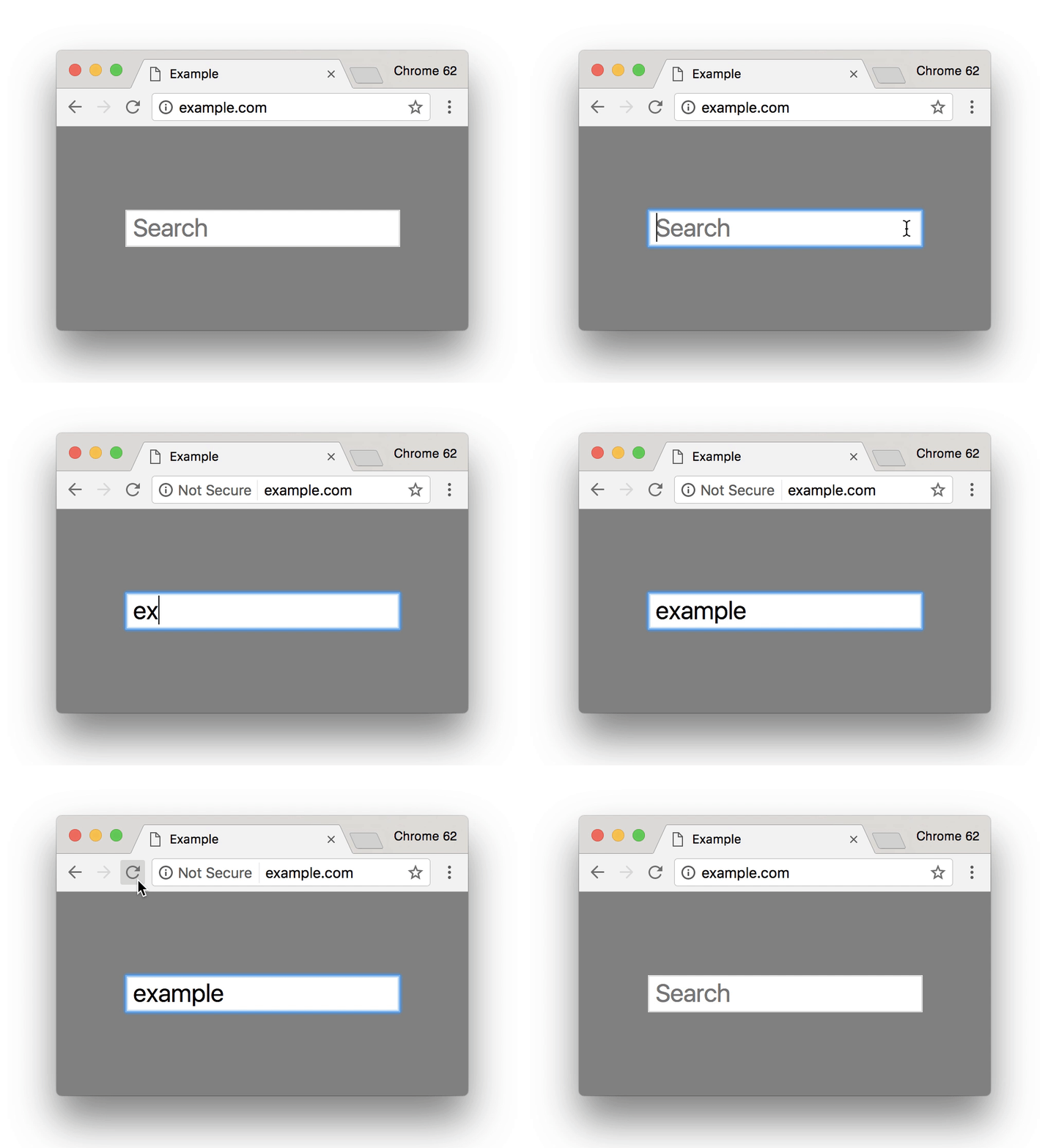
    So, how can you tell if your site is secure? One the easiest ways is to open an incognito window and look at your site’s URL in the search bar. Does it read  “Secure|HTTPS”? If so, then you’re good to go. If you attempt to input any information in a field on your site and “not secure” reads at the start of your URL, then that means your site is not secure and you will need to contact your web developer, web host, or attempt the switch to a secure site yourself. Google made a handy GIF displaying what this would look like for users.

    Search bar from Google Site - Search Influence

    Is It Too Late to Secure My Site?

    Google’s update to how it displays unsecured sites in Chrome is slated for release around October 24. If you have already earned an SSL Certificate for your site, then kudos to you. But, it’s never too late to switch your site to HTTPS.

    Jared Jones, one of our technical web developers, wrote a detailed blog post about the importance of having a secure site, steps you can take to switch to HTTPS, and reasons why it may affect your site’s speed and your overall ROI. If you’re thinking of tackling the project yourself, this post is a great start.

    Google plans to announce future changes to increase site security, like displaying “not secure” for all HTTP pages, not just those in incognito mode. But, it’s safe to say that making this simple change will increase the trust of visitors to your site, leading to a higher return rate for your business. Contact our team of experts—we can help you make the switch today.

    Here are some options:

    1. Do it yourself or with your developer or website company, with caution.

    Beware, not all SSL Certificates are created equal. Be sure the provider of the SSL Certificate is Google approved. purchasing an SSL Certificate, configuration at the server level is required for set up as well as ongoing maintenance. The process must be repeated each time it expires.

    Once the SSL Certificate is purchased, it must be configured at the server level in order to complete setup. Ongoing maintenance is also required, and the process must be repeated each time it expires. When you update your URLs to HTTPS, you must also implement proper 301 redirects and all your assets must be addressed when moving.

    2. Let us take care of it for you!

    We’ve developed an easier-to-maintain alternative for our clients that fully addresses redirects and website assets, setting you up better for the long term.

    If you are a current client, we’ve already reached out to you about moving over.

    If you are not a Search Influence client, reach out to us so we can discuss helping you!


    Images:

    Google GIF

  • Rookie Website Mistakes, Part 4: You Have a Single Page Website

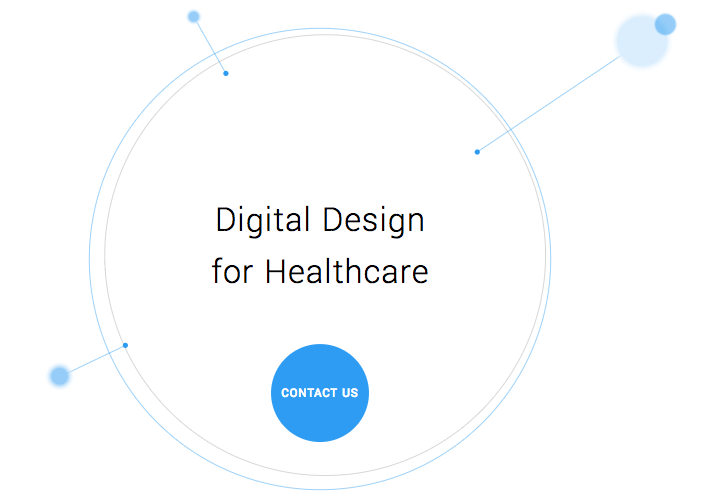
    Single page websites are very popular right now with web designers. With so many new ways to develop websites, they’ve become a unique and scroll-friendly way for users to interact with a company in a way that they’re used to (cue the token image of people scrolling through phones). And, to be fair, they can be quite beautiful. For example, take this design from 415-Agency, a San Francisco-based design firm that works with healthcare companies to make their digital products user-friendly, seamless, and as they put it, “awesomely good looking.”

    Image Of Screenshot of Digital Design for Healthcare One-Pager - Search Influence

    It’s an understatement to say that ton of work went into this site—it won them an honorable mention award from Awwwards, an organization that gives awards for the best designs, talent, and web dev agencies across the world. I’m a huge fan of exciting visual content, interactive graphics, and designs that enthrall. But, where some entrepreneurs get into trouble is when they try to manage a killer single page website while also optimizing it for SEO. They may come to discover that, for all its glitz and beauty, they’re the only ones actually finding it online.

    Photo Of Stock Of Boxes - Search Influence

    Form Must Follow Function

    Just as the customer is always the top priority, your website should follow that same line of logic. When thinking of how to design your website, think of not just how users will react to the visuals, but also how they will eventually interact with the site’s navigation. Give them clear avenues for finding more information, ordering products, or exploring your blog or testimonials. While a single-pager may seem simpler, it can often be easier to get lost and frustrated with trying to find a relevant page of content. To quote marketing guru Neil Patel, “website usefulness is more important than website beauty.”

    If a user comes to your site and thinks, “wow,” then give your web designer a bonus or yourself a pat on the back. But, the more important thing you should worry about is if their next word they is, “how?” Users should know how to interact with your site pretty easily. If they don’t know what to do or how to do it, then your site is harming you, not helping you. This can also lead to high bounce rates—users will eventually get frustrated and leave your site for one with better navigation.

    Another thing that can contribute to high bounce rates from your one-page design? Slow load times. I wrote about this in a previous blog in this series, but it’s worth mentioning here as well. Whether you’re using Flash (which, please don’t) or not, data-heavy load times due to unoptimized, large images that occupy your page’s whole screen can strangle your page load times.

    Single Page Websites Lack the Opportunity for Detail Laden Content

    Single page websites don’t have the space to allow for specific, rich content. From a user perspective, this limits the opportunity to provide a visitor with detailed, relevant content on topics they want to learn more about. Instead, they’re likely only able to view around a paragraph on specific topics. From an SEO perspective, this also gives search engines fewer opportunities to crawl your site for content that can help you move up in rankings while asserting yourself as an authority on your subject. It puts a great amount of pressure on a small amount of words. And, if you do manage to get a lot of content onto a single page, it ends up looking like it’s fighting for space.

    Image Of Post-It Notes - Search Influence

    Google likes to see that you’re updating your site with relevant content. If you have a single page site, you could make the argument that new content could be added to the bottom, creating an endless scroll of text and images. But, that method still doesn’t address the problem of not allowing search engines to crawl multiple pages of relevant content, and it also creates a headache of a user experience for visitors.

    By building out pages for your content to live, you give visitors designated, clean spaces with which they can explore your services, products, or ideas (blog posts) to their heart’s content. They don’t have to scroll for a minute or two to find your latest blog post, and search crawlers can find it easier, too.

    Forget About Performing Wide Keyword Targeting

    Since single page sites are generally designed around one main concept, the opportunity for using multiple keywords is very limited. With a multi-page site, every page has a chance to introduce a new topic or genre that can include different types of keywords that target different users and open up multiple avenues for ranking.

    With a single page site, it becomes extremely difficult to rank for varying keywords. For example, say you’re an owner of an HVAC company. You provide installations and repairs for furnaces, A/C systems, ductless A/C, water heaters, as well as air quality testing. By building separate pages for each of those services, you have an opportunity to move them each up in Google’s rankings, all while showing an increase in your authority. Putting all of your content in one page is like putting all of your keyword goals in one basket and hoping Google magically picks them up.

    Missed Opportunities for Quality Tracking

    Having multiple pages means multiple opportunities to track user behavior. You can track if someone spends 5 seconds or 5 minutes on a page about one of your services. With that valuable data, you can then focus your goals on what pages need work to bring in more visitors and convert them into customers. Obviously, this would be a difficult task for a single page site. The data showing time spent by your users will be very general, leaving you unable to tell what they love and what they dislike.

    Are There Examples of Single Page Designs That Work?

    There should and will always be design diversity on the internet. And sometimes, a single page site may work for you. For instance, take this site made by firm Gin Lane for GE that explores everything about the inside of volcanoes. Not only is the site visually satisfying, filled with video and interactive graphics, but the scroll feature of a single page makes sense because you’re literally venturing down into a volcano. Educational sites like this can have the luxury of not worrying about how SEO-friendly their content is because their main goal is to inform, not sell a product or service. Also, it doesn’t hurt that GE has the budget to build a site like this.

    Image of Screenshot of Volcanoes Single Page Website for GE - Search Influence

    Another example of a single page site working to your advantage can be when you’re utilizing it as a promotion. FBC Creative Tech Design created a site for FOX’s upcoming show, “The Gifted,” a show based on the X-men series of comics. The site, using the fictional “Sentinel Services” organization from the show, details the reasons why people should get tested for the “x-gene.” There have been numerous pre-launch sites built to create a buzz around upcoming movies or shows, and this is a fantastic way to build awareness. They’re almost like temporary landing pages. It’s worth noting again that it’s no coincidence that some of the better single-pagers are tied to large organizations—they simply have the budget to pull it off.

    Combining the Storytelling Approach of Single-Pagers Into Traditional Navigation Sites

    There’s no denying that some single page websites create curiosity. They can encourage the user to explore by simply scrolling instead of clicking, and they (ideally) tell a story about their company along the way. Businesses looking to wow users with a cool site while also being optimized for SEO should try to incorporate this same type of organic curiosity into a multiple-page, traditional navigation website. It’s completely possible. Take this blueprint of a popular WordPress design scheme from Undsgn—Uncode.
    Make each page a rewarding experience for users, where they can sit and really get comfortable with your content. If you design your multi-page site with the same goal of clean content without a lot of clutter and clear calls to action, then you’ll achieve a lot of the same aesthetic ideals of a single-pager, and with better SEO capabilities! Also, consider using visual content on your pages, like animation headers and background video. Just make sure they’re optimized so that they don’t slow down your load times.

    The ultimate decision on whether or not you choose a single page website for your business will be up to you. Every website is different; it may work for you. But, it will also be that much trickier to see your site move up in Google’s eyes and, inevitably, in rankings. If you decide that more than one page fits your business, you should learn more about SEO services which are imperative to the health of your website.

    Stay tuned for our next blog in the series, Rookie Website Mistakes, Part 5: The Content Is Weak.


    Images:

    Digital Design for Healthcare

    Volcanoes

    Blog Masonry

  • How to Write Clear CTAs That Convert

    According to Small Business Trends, “70% of most B2B websites lack a call to action.”

    With millions of websites in existence, the odds are slim that a user will visit your site and miraculously remember your URL or bookmark it for later viewing. Without a continued, personal connection through an email newsletter, a white paper download, a podcast subscription, a special offer, or another form, it may be the last time that person connects with your business online.

    A call to action, or CTA, attempts to establish that connection with your potential customers once they click on your PPC ad and head to your landing page. Even if you’ve got a CTA on your site, it may be deterring visitors rather than inviting them to explore your business. Here are some tips to make your CTA convert visitors into customers.

    Start Strong With Action Verbs

    There’s not a lot of space to get your point across, so it’s important to get straight to the point. Use an action verb to start your call to action. If you’re in the eCommerce world, consider using words like “shop” to start your CTA, possibly followed by “and save 50%.” The goal is to be direct and informative, highlighting the exact action you want your potential customer to take.

    Image of CTA Get Your Guide - Search Influence

    Focus on Value and Benefits

    As a general rule, think of how you might be able to finish your potential customer’s thoughts for their desires/pain points/expectations, and then use that action verb at the end of the following sentence: “I want to _______.” What was the first thing that came to mind that your clients might choose? Grow more leads? Find shoes that slay? Get My Custom Ad Analysis? Start My Free Software Trial? The answers to this hypothetical question are completely dependent upon your business, but one thing remains true—they need to focus on how you can delight your customer by providing them relevant solutions and unique selling points that make their life or job easier. Instead of phrases like “Buy Now,” which focus on an action a user has to do, get more creative by emphasizing what he or she will get out of clicking that CTA.

    In a case study from Unbounce, a B2B website owner reported a 38.26% increase in conversions after replacing just one action verb—Order Information vs. Get Information. With the former, “order” puts the customer in a difficult position—there’s either purchasing the service or not. But with “get,” the potential customer gets to see advantages or rewards. He or she is potentially awarded valuable, relevant information for choosing to continue the buyer’s journey. It’s this combination of value and relevance that can make or break a click.

    Another tip about delivering benefits: Don’t make claims or offers you can’t deliver on. This is going to be the start of a potential relationship with a new customer. The last thing you want to do is promise something you can’t afford.

    Image Of Girl Writing On A Blank Card At Her Desk - Search Influence

    Keep It Short and Be Specific

    According to research performed by Dan Zarrella at Hubspot, the most engaging Press Release headlines are between 90–150 characters. The same holds true for crafting landing page headlines and their corresponding CTAs. Be concise, focused, and goal-oriented. Going back to emphasizing value for the customer, consider these more focused and value-driven options.

    Generate Leads ⇒ Generate {higher quality} leads by {unique qualifier}

    Drive Sales ⇒ Drive {higher value or more} sales by {unique feature}

    Measure ROI ⇒ Measure ROI {across all channels} with our {unique product}

    Sure, the first versions were about as short as you could get, but the amended CTAs remain concise while giving a more in-depth and accurate portrayal of what the customer will get. Clear copy should help reduce any anxiety or confusion that someone may have about exploring your company. And let’s face it; people have a limited amount of time to explore your content. Make the time they spend on your site valuable, not wasted.

    Use Natural Language—Submit or Click Now? No Thanks.

    These antiquated terms used to be exciting when it really was a novel concept to be able to click on something and get immediate results. After all, most CTAs before the internet involved a number that you had to call. Now, though, that novelty isn’t the selling point; what you can provide your customer is. When thinking about writing your CTA, think about how you can connect with them. One way to use this in your writing is to use the words “you” and “my/our.” For example, “Drew Brees Can’t Stop Talking About Our Training Program. Learn Why and Get Fit.”

    Steer clear of using ornate language by cutting unnecessary adverbs and adjectives. These words may seem like they add value to your copy, but they’re hiding the value that you can provide your customer.

    Also, avoid using industry jargon in your copy. This can include words like, “franchise,” “utilize,” “virtualization,” “capitalize,” and especially acronyms that only a limited number of potential customers would even understand, like these marketing big ones: KPI, RSS, CAC, CSS, CRM. Doesn’t look too inviting does it?

    Does the Size and Layout of the CTA Matter On a Landing Page?

    Just like your copy, your page layout should be neat and clean. Kissmetrics recommends: “The size of your CTA buttons is also important. A too-small version won’t command attention, while a supersized one will make you seem desperate.”

    Think about how your landing pages look from a visual standpoint. Avoid the color red for your CTA. There are too many associations with danger, stop signs, stoplights, aggression, etc. You’ll likely see more positive results from calm colors like blue or green.

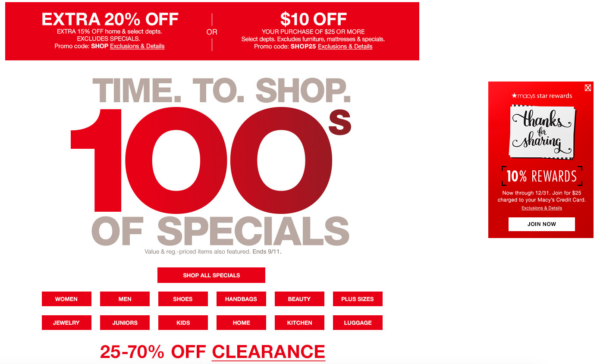
    Also, consider the size and spacing of your text on the page. It should be scannable so that a visitor can instantly pick out the information they’re interested in. Cut out the clutter. For instance, here’s an example from Macy’s current main landing page. Aside from the mixed messaging of the different values, can you spot the call to action?

    Image Of Macy's Landing Page Sale - Search Influence

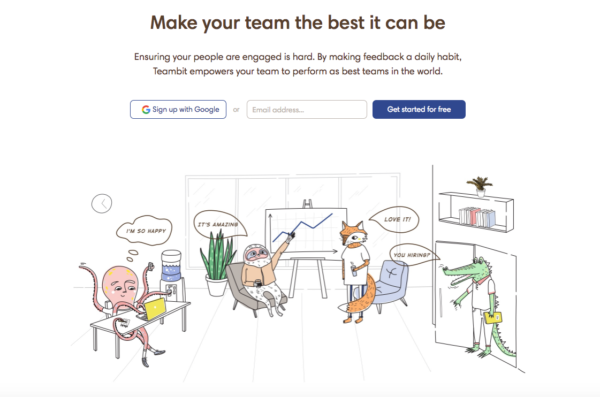
    Their “star rewards” offer is shifted to the right of the page. The goal for a button’s CTA is to predict where the user will look next. This one missed that mark. Also, it’s hard to tell what “JOIN NOW” means until you read the tiny print at the top indicating this CTA is for their rewards program. And finally, they’re asking a lot of their visitors to read the fine print on all of these different offers. A cleaner example of a landing page with less clutter and more clarity would be like this one from Teambit, an employee feedback, recognition, and survey startup.

    Image of Teambit Landing Page - Search Influence

    The value? Your team could be the best it can be. Sounds great. How do I go about doing that? Oh, I’ll get started for free. They have detailed information if you scroll through their page about just how they help people. But the reason why it succeeds is because it doesn’t worry about that up front. It focuses on the why with a compelling headline followed by clean copy and a simple CTA. Sometimes, it really is that simple.

    A Few Final Ideas for Crafting Great CTAs

    In addition to the previously mentioned points, here are a few examples of how you can make your CTAs stand out and drive conversions.

    1. Make sure to always display the benefits. If you’re offering a free guide, then say so right away (e.g. “Get the Knowledge You Crave – Download Our Free Guide.”).
    2. Try using a pain point that your potential customers may be hitting. For example, “Tired of Not Seeing Results In Your Ad Campaign? Watch Our Free Webinar to Find Out…”
    3. Also, you can try using an Influencer who supports and promotes your brand. This adds authority and intrigue to your CTA. Viewers who see that “Mark Zuckerberg Is Crazy About Our Team’s Marketing Ideas” will likely want to click on the corresponding, “Discover Why” button.
    4. Lastly, utilize testimonials from your current clients. This is a source that people often overlook. Your customers should be the biggest proponents of your brand. If a client has said that you’re the best company they’ve ever worked with, then take that and condense into copy to go along with a short, action-oriented CTA. Of course, always make sure to attribute ownership of the testimonial, and it goes without saying that creating a fake testimonial is a horrible idea for your brand. You’ve got to earn them.
    5. Numbers are great. If you have some success metrics, consider including them on your landing page. Are 100% of your employees certified in the service you’re promoting? Visitors should know that.

    Have any great examples of CTAs in landing pages or other types of content that you’ve seen? Share them with us! A great CTA can have your business seeing more conversions and fewer bounces. Need some more guidance on building a landing page that has strong calls to action that focus on your company’s brand and values? Reach out to us at any time.


    Images:

    Macy’s

    Teambit

  • Google Paid Search vs. Facebook Paid Social: Team Players or Adversaries?

    When it comes to choosing between Facebook and Google advertising, it’s important to note what your business’s goals are. Both platforms are beneficial to business in their own ways and often work in conjunction to help businesses achieve maximum online visibility, gain more customers, and increase leads and sales. In order to best understand the opportunities with these two advertising channels, it’s important to know what each has to offer.

    Google Paid Search and Facebook Paid Social

    No one can deny that as far as search engines go, Google takes the cake. With more than 3.5 billion searches being conducted every day, Google is by far the world’s most popular and widely used search engine. Because of this, advertisers are able to reach a broad potential audience who may be seeking their products or services. Google AdWords, the PPC advertising platform for Google, allows advertisers to utilize the Search Network and the Display Network. Through the Search Network, advertisers can bid on keywords and phrases to trigger certain Google searches. The Display Network offers visual ads and can reach those who are not just searching on Google, but on other sites as well (i.e. a banner displaying your business’s logo on YouTube).

    Image Of Don Draper Discussing The Future Of Advertising - Search Influence

    Considered the pioneer of paid social advertising, Facebook has refined its process and has become an important part of many businesses’ marketing strategies. Like Google, Facebook is an extremely prominent website, with more than one-fifth of the entire world’s population active on the site monthly. Because Facebook users tend to share a lot of personal information—interests, relationship status, political views to name a few—Facebook advertising can target very specific demographics, showing Facebook users what they want to see.

    What Types of Ads Does Each Channel Offer?

    Both Facebook and Google include a variety of ad formats to appeal to a variety of audiences.

    Google Ads:

    • Text – These ads are only words, and can immediately reach customers as they search on Google.
    • Responsive – Size, appearance, and format can be adjusted depending on the ad spaces.
    • Image – Graphics that are static or interactive, and can be animated in .gif and Flash format. These can show on websites that partner with Google through the Display Network.
    • App Promotion Ads – As the name states, these ads can drive app downloads and engagement for your business. These will only show on devices that can support the app.
    • Video – These can stand alone or show in streaming video content on websites that partner with Google.
    • Product Shopping Ads – These show a photo, title, price, store name, and other details about a product you are selling.
    • Showcase Shopping Ads – This type of ad shows a product but expands when it’s clicked on to show related products and store information.
    • Call-only Ads – Ads that include your business’s phone number to drive phone calls. These types of ads only show on devices that support phone calls.

    Facebook Ads:

    • Domain Ads – With a simple format, this ad displays on the right column. This type of ad does not display on mobile.
    • Page Post Link – The most common of all Facebook ad types, this type of ad links to your external website and includes a large image for grabbing the attention of Facebook users.
    • Carousel Ads – A relatively recent development in Facebook advertising, these ads allow e-commerce advertisers to showcase up to five of their products, each with its own picture, link, and title.
    • Dynamic Product Ads – These ads target based on past actions on your website, also known as remarketing.
    • Lead Ads – Allows Facebook users to fill out a form on either desktop or mobile directly from Facebook.
    • Canvas – Only available on mobile, customers can interact with the ad by swiping through the carousel, zooming in and out or even tilting the images.
    • Page Like – This allows users to immediately like a Facebook page.
    • Page Post Photo and Video – Showcases pictures and videos from your business. Video advertising is especially engaging as Facebook video receives up to 8 billion video views per day!
    • Mobile and Desktop Apps – Similar to Google’s app promotion ads, these drive installs of a business’s app to mobile and desktop.
    • Event – Allows a business to promote their event to visitors.
    • Offer – This type of ad can only be created on a page with at least 50 likes, and it allows a user who clicks on the ad to redeem a special promotion.

    Google and Facebook: Friends or Foes?

    As previously stated, it’s highly common for Facebook and Google to be utilized together in a marketing campaign for their different advantages. Many marketers are drawn to Google because of the search volume and opportunity for exposure there. Google allows for targeting based on location, keywords, demographics, devices, and languages, as well as re-marketing, which can target users based on searches that have previously been conducted. While PPC ads are text-based, advertising opportunities are versatile. Extensions, user reviews, map data, and shopping ads are just a few examples of how Google advertising can be further optimized.

    Facebook advertising is not only extremely targeted but also highly visual, which many see as an advantage over Google. Facebook ads are essentially unavoidable, appearing in your target audience’s News Feed or the right column of their page. Because advertising on Facebook is based on specific insights and interests, chances are that the ad will be more engaging to the user.

    Image Of the Internet Being Friends - Search Influence

    Perhaps the biggest difference between each platform is the behavior of the users. When searching on Google for products or services, users have an idea of what they are looking for. Facebook, on the other hand, is not typically used to seek a product or service. However, the likelihood of a Facebook user to be exposed to a product or service that appeals to them is very high.

    While Google and Facebook are often seen as adversaries in the marketing world, the possibilities with each vary greatly. Try this team together for utmost potential in maximizing any campaign’s performance.

    Image Sources:

    Don Draper & The Future Of Advertising

    The Internet Shaking Hands

  • Grow Your LinkedIn Network With These 3 Optimizing Tips

    With over 400 million users, LinkedIn has become a social networking must for companies large and small. While other platforms like Facebook and Twitter are commonly used in marketing and SEO campaigns, LinkedIn can have a significant impact on online visibility and SEO opportunities. Instead of neglecting your LinkedIn account, utilize it to grow your business’ traffic and network.

    1. Be Consistent

    The Devil Wears Prada Who Are You - Search Influence

    For your traffic to increase, customers have to know it’s you. One of the biggest mistakes a company can make is not maintaining brand consistency across all marketing platforms. LinkedIn provides you with the opportunity to upload banners, background images, videos, and photos. Utilize all of these to tie back into your brand, logo, tagline, and color scheme.

    This also applies to the written content on your LinkedIn profile. If your business’ website uses a formal tone, don’t be overly casual on your social media. This creates brand confusion and can lead to customers not connecting with you because they think you’re someone else. Don’t lose out on growing roots with a client because someone can’t figure out if your profile is the right one.

    2. Engage Your Network

    Parks And Recreation Aziz Ansari On Social Media - Search Influence

    While you may have a lush profile, if it’s not active, no one is looking at it. It’s important to create, share, and like fresh and relevant content to your industry. Shower your followers with content at least twice a day and watch your network grow. This keeps your profile engaging as well as current. When creating or sharing content, make sure to add variety. For example, it can be good to post an interesting article in the morning and then ask an engaging question in the evening. This allows for different types of client interaction and can make a profile look more personable.

    As I’m sure you’re aware, blog posts are great when it comes to a site’s SEO. By posting your company’s blog posts on LinkedIn, you not only help your profile, but you also improve your website’s ratings, which can lead to more business.

    3. Let Your Keywords Shine

    SEO Friendly - Search Influence

    While your company can be searched on LinkedIn by name, it can also be found by keywords. The keywords used in your SEO campaign are the same words you should be using on your social media platforms. Your keywords should shine through your content from your posts, to your description, and to your headline. While it’s still important to stay natural, try to fit in a keyword or two in the first 156 characters of content on your profile. Google previews these first characters, and with the help of keywords, your profile can be more easily found.

    LinkedIn Superman - Search Influence

    By not growing your LinkedIn network, you’re leaving opportunities like referrals and website traffic in the dust. Social media platforms are crucial to interacting with current and potential clients. As LinkedIn’s numbers grow, so can yours. Make sure your profile is the cream of the crop and optimize.


    Image Sources:

    Devil Wears Prada Image

    Aziz Ansari On Social Media

    LinkedIn Superman