Who doesn’t love a good Snapchat? Whether you are the one trying to get the best shot or viewing your friend’s stories, Snapchat has become one of the most-used social media platforms by all ages and demographics today.
Back in February, Snapchat announced that users could create On-Demand Geofilters for any event for a fee as low as $5. This could include creating a filter for a birthday party, wedding, business event, or just for fun! Before this update, Snapchat only allowed Community Geofilters, which were used for cities, landmarks, schools, etc. The Community filters were free to submit and dependent on Snapchat’s approval to push the filter live.
Choose Your Filter Type
Submitting On-Demand Geofilters is broken down between two categories. You can either mark the Geofilter as a personal or business filter. The difference between the two is that the business On-Demand Geofilters is a filter a user submits on behalf of a business. This is also used if the filter includes any branding, logos, or business marks/names. Basically, if it is promoting a business or a brand, it is safe to say you are submitting a business filter. Any other filters submitted would be considered a personal On-Demand Geofilter.
The GeoFilter Process
After noticing a few of my Snapchat friends’ custom filters used for graduation parties they attended, I began wondering how easy it was to create a custom filter. After doing some digging online, I discovered that the process looked relatively easy. There were only 3 steps to submit an On-Demand Geofilter.
- Design – Snapchat does not create the graphics for Geofilters submitted for approval. They do provide a few templates that work with some image editing programs, but the submitter is free to be as creative as they want. There are a few guidelines to follow when designing the filter, but, overall, nothing too crazy in my opinion.
- Dates and area covered – Snapchat provides a map for you to mark off the area you would like your On-Demand Geofilter to cover. The larger the area and length of time the filter will run impacts the amount of money the filter will cost.
- Buy – Snapchat confirms with you the date(s) and area you would like the filter to run, along with the price and design you submitted. Enter in your payment information and agree to a few terms and conditions.
Testing the Process
I was recently part of a team that helped in planning Search Influence’s annual crawfish boil and thought a team building event in Audubon Park would be perfect to test the Snapchat On-Demand Geofilter submission process.
I began with reaching out to our graphics team to create the On-Demand Geofilter that we all thought would look best for the event. Once the graphic was completed, I uploaded the file to the upload assets and followed the steps outlined below.
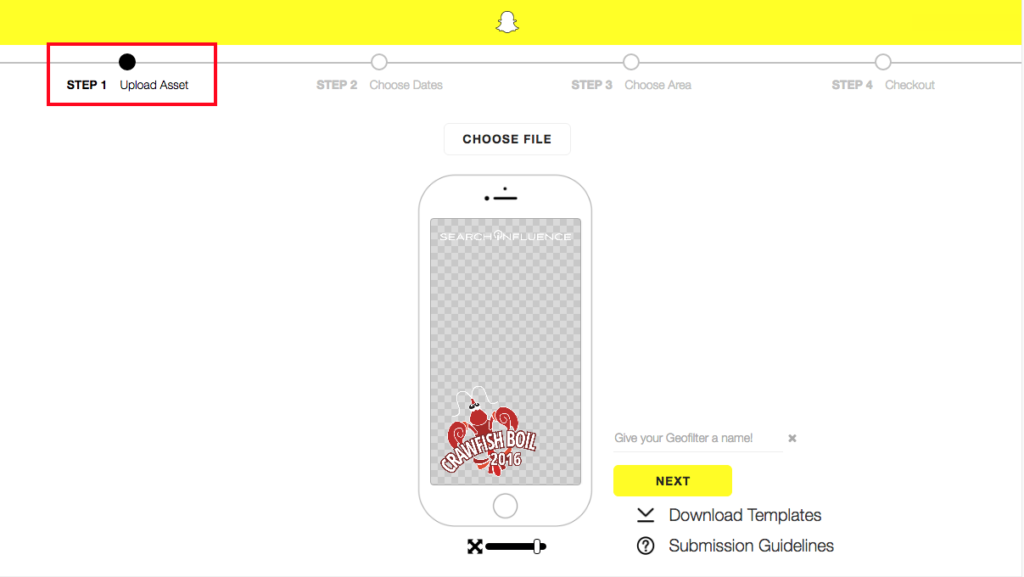
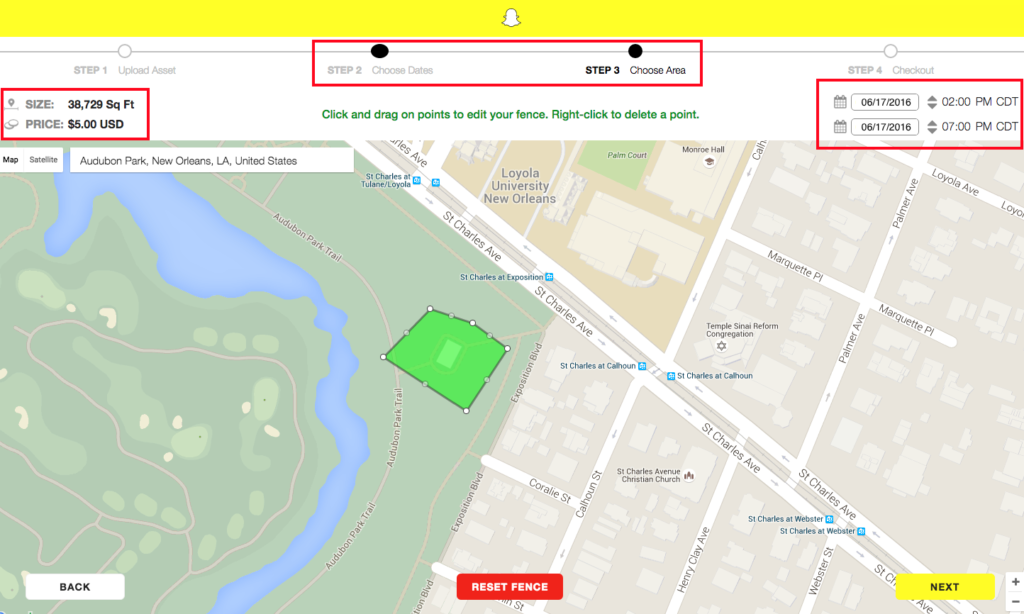
Once the image upload was completed, I moved on to selecting the date and duration of the event along with the area of Audubon Park the crawfish boil would be held. I added a few extra hours just in case the party lasted past 5 p.m. Once the area and duration was added, the price was given immediately.
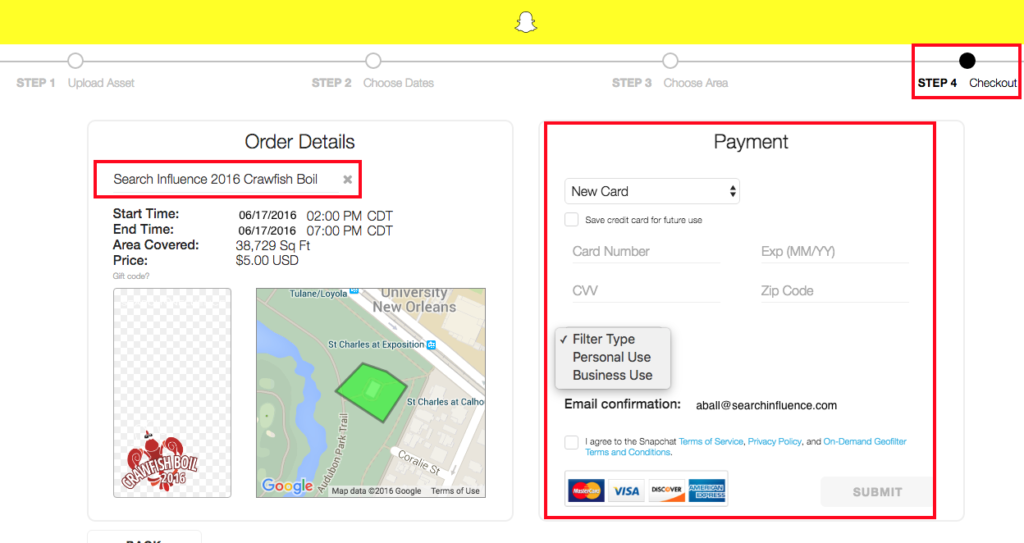
Lastly, I was guided to the checkout screen. I was prompted to name the filter, add in payment information, select the filter type, and agree to all of the term and conditions.
Once submitted, I was emailed a confirmation that the Geofilter was waiting for approval, which can normally take up to 48 hours. I received approval within the next few days and patiently waited to see if it would generate the day of the event.
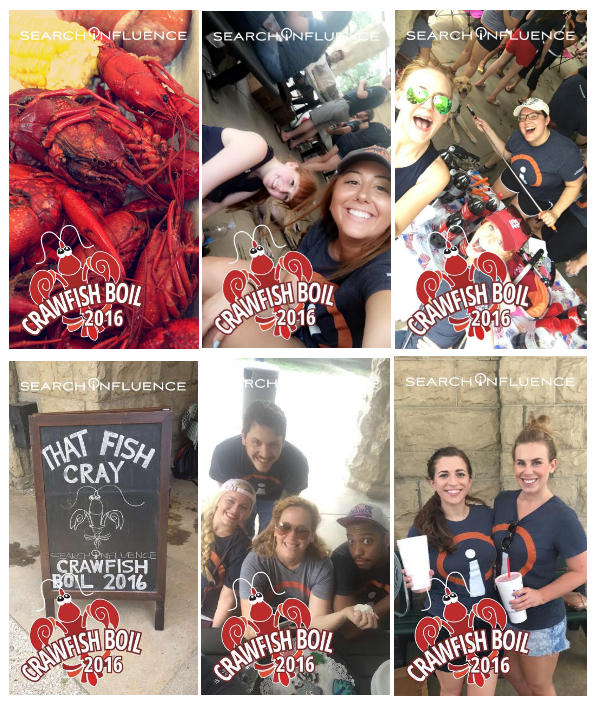
The day of the team-building event, I received an email that the Snapchat On-Demand Geofilter had started running at the noted time I requested. From there, the team used the filter throughout the event.
Measuring Your Geofilter’s Popularity
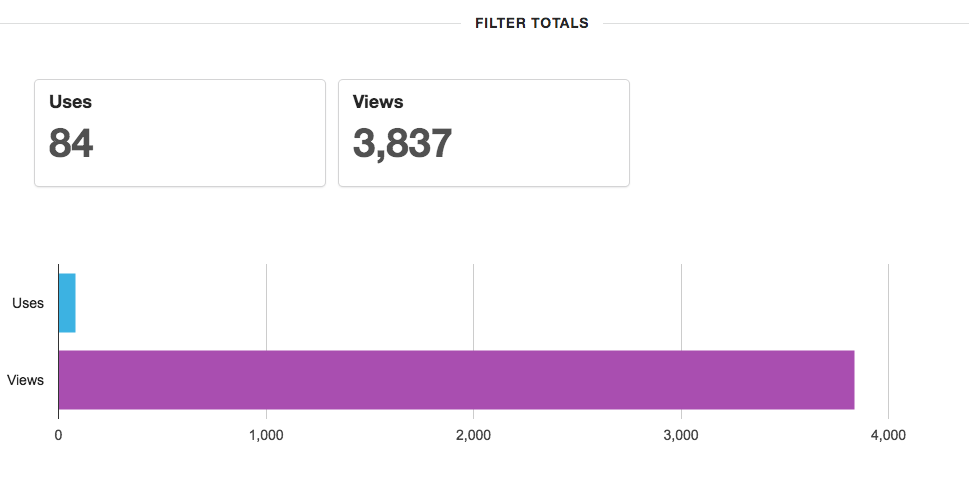
Once the On-Demand Geofilter is finished running, you can log into your Snapchat account to see uses and views for the filter during its duration. For the few hours the filter ran, 84 Snapchat users used the filter and 3,837 Snapchat users saw the filter in their view. This includes a post in a user’s story and direct Snapchats.
 Overall, the process was easy and seamless. I will definitely be creating another On-Demand Geofilter for the next event or party I throw or help plan.
What event do you think you would like to create an On-Demand Geofilter for this year?



 The Wall Street Journal reported Wednesday that Snapchat is expected to launch Snapchat Discovery in November. This new product will allow Snapchat users to read news articles and watch video clips the same way they do now: by holding their finger down on a phone screen. The Journal also reported that Snapchat CEO Evan Spiegel is looking to get into advertising for his popular app.