Author: Mildred Padilla

  • Harness the Power of Video on Social Media

    To succeed in today’s competitive environment, companies have to convince us to choose their products and services in an instant.

    What better way to do that than with videos?

    Let’s face it, people love videos!

    Sight, sound, and motion can be a powerfully positive combination. We’ve all felt it.

    Two hands together making a heart with sun in background

    Videos are a very effective marketing tool, and businesses should make the most of them on different media platforms, including YouTube, Google Ads, and social media. According to Cisco’s Visual Networking Index on Forecasts and Trends, by 2019, global consumer internet video traffic will account for 80 percent of all consumer internet traffic. And this doesn’t even include the videos we send directly to each other.

    People really love videos!

    We also love to share them. According to Sprout Social, videos generated 12 times more shares on social media than images and text combined.

    Chris Pratt being mind blown

    This Is Where You Want to Be and Be Seen

    To really stand out today, business owners need to find ways to stay relevant in real time. That’s where posting videos on key social media channels comes in.
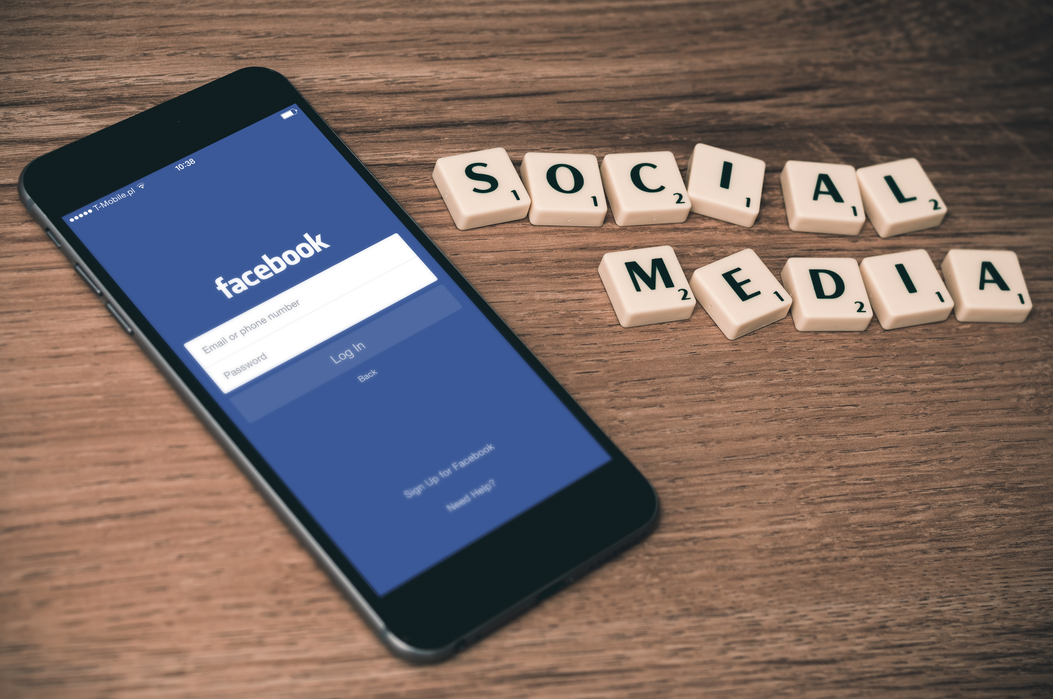
    Iphone on facebook app and scrabble words spelling out social media

    Facebook

    When asked why his company was making enormous investments in video on a 2017 earnings call with investors, Facebook CEO Mark Zuckerberg replied, “I see video as a megatrend.”

    Mark was spot on.

    Today, over 8 billion video views take place on Facebook every day.

    We encourage you to upload videos directly to Facebook, rather than sharing videos from other sites like YouTube, to boost your ability to reach potential clients organically.

    Instagram

    Last summer, Instagram reached 1 billion monthly active users, up from 800 million in September 2017.

    Instagram and video marketing are a match made in social media heaven.

    Videos on this platform can be highly effective at telling your brand’s story in 60 seconds or less. And storytelling is a sure-fire way to market your brand and create engaging content.

    Hashtags are everywhere these days, from casual conversations to TV commercials, and hashtags on Instagram are a game changer. They help Instagram users discover new content and can help optimize your campaign.

    Twitter

    According to Twitter: “Research shows that people who view videos on Twitter are 50 percent more likely to be aware of an advertiser’s brand, and that videos on Twitter are 2x as memorable as those on other premium platforms.”

    On Twitter, the length of your video is a significant consideration. Several studies have shown that a 15-second video on the platform is just as effective as a 30-second video, in terms of recall and impact. Since Twitter users are used to quick updates, it’s best to keep your video content brief.

    We Are Here for You

    Whether your business needs help with social media or video creation, Search Influence can handle all of your digital marketing needs. Start a conversation with one of our experts today.  

    Images:
    Heart Hands
    Mind Blown
    Social Media

  • Non-Secure Site? Prepare Your Website for the Google Chrome 70 Rollout

    Since last year, we have been explaining what HTTPS means and the important updates announced by Google. Let’s do a brief refresher course.

    What Is the Difference Between HTTP and HTTPS?

    HTTP and HTTPS protocols both fulfill the same core function to transfer data over the internet. HTTPS stands for Hyper Text Transfer Protocol Secure and is the most secure protocol that enables data transfers. It allows for security because it applies encryption on the data being sent. This makes you far less vulnerable to attacks on your information.

    HTTP isn’t encrypted, therefore snoopers with access to a network could look at and modify your precious data passing between you and the website.

    For a more in-depth look at the importance of security, check out our blog post on the topic of “Internet and Security” by our web developer Jared Jones.

    What Are Google’s Upcoming HTTPS Changes?

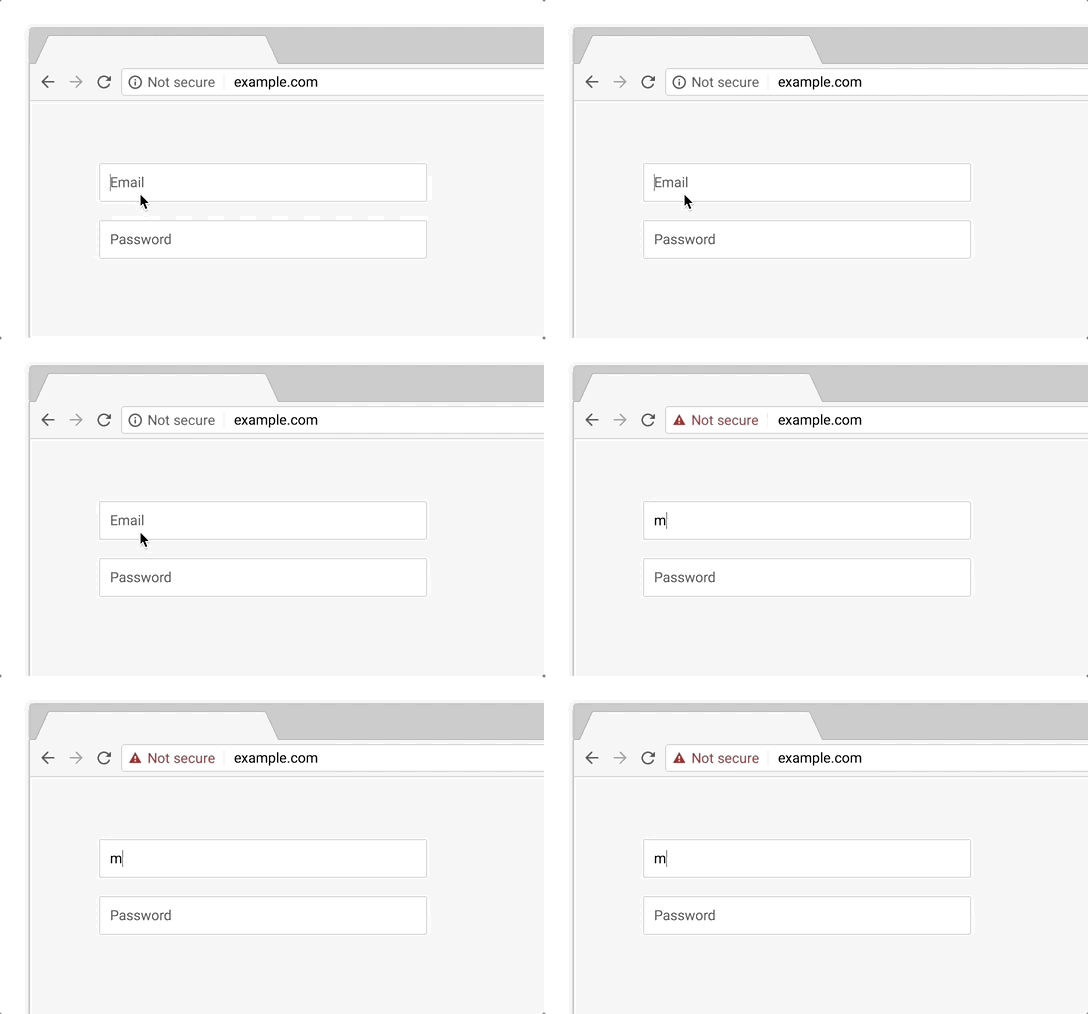
    The current version of Google Chrome shows a “not secure” sign alongside the web address bar for any websites that still use the HTTP standard.

    With the upcoming release of Chrome 70 in October 2018, Google announced that they will begin to shout out the “not secure” notification even louder. All websites still being served via HTTP will receive a negative visual indicator in red that reads, “not secure” beside the URL in Chrome’s address bar.

    “Eventually, our goal is to make it so that the only markings you see in Chrome are when a site is not secure, and the default unmarked state is secure. We will roll this out over time, starting by removing the “Secure” wording in September 2018. And in October 2018, we’ll start showing a red “not secure” warning when users enter data on HTTP pages,” according to Emily Schechter, the Chrome Security Product Manager.

    Example of a URL for a non-secure site - Search Influence

    In other words, now is the time to think of HTTPS as mandatory!

    How Do You Add HTTPS to Your Website?

    An SSL certificate is needed to convert your site to HTTPS. When you install this certificate and migrate your website to HTTPS, it facilitates the important encrypted connections.

    Google’s SSL requirements are crucial to your website because they provide authentication and establish trust when customers visit your pages.

    Brush up on our detailed explanation of SSL Certificates by reading Influencer, Alison Zeringue’s blog post.

    We Have Your Back!

    The majority of internet users tend to trust Google when it tells them something isn’t secure. Be prepared for all the new Google Chrome changes and keep your website secure. Call our team at Search Influence today at 504-595-1623 to help you protect your clients and provide encryption of all sensitive information on your website.

    Images:

    Not Secure

    We Got This

  • The Beginning of Google’s Mobile-first Index Rollout Is Underway—Are You Prepared?

    In 2016, Google announced they had begun testing a new ranking system based on indexing all mobile content first. Now, it’s official. The eagle has landed! The beginning of Google’s mobile-first indexing rollout is now well underway. As Google continues to move toward the big shift, it’s important that your company’s website is ready for the change.

    But how do you make the jump? Let’s start from the beginning.

    What Is the Mobile-first Index?

    Previously, GoogleBot would crawl your website and assign rankings based on the desktop version of your company’s website. Now that about 60 percent of search queries are made from mobile devices, Google is replacing desktop versions of sites in the index with their mobile counterparts via this mobile-first index. As a result, Google will determine rankings based on the quality of the mobile version ahead of the desktop version of the site.

    If the mobile performance, content, and user experience are up to scratch, your site receives a better ranking. If they are inferior, other sites will rank higher and you would take a hit.

    Ouch.

    How Do I Know When My Site Will Be Included in the Mobile-first Index?

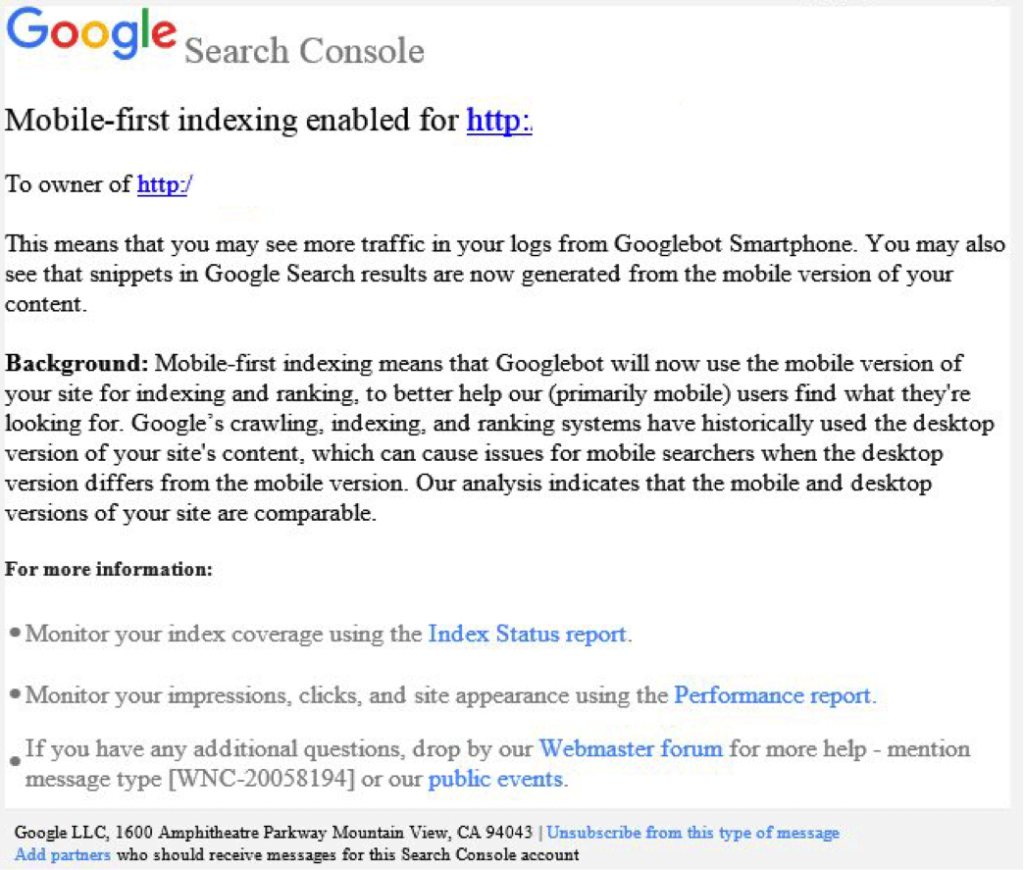
    Beginning this month, Google started notifying site owners and webmasters that their sites are migrating to mobile-first indexing through Search Console. The message looked like this:

    Screenshot of a mobile-first index notice from Google - Search Influence

    How Do I Prepare for the Mobile-first Index?

    Here are some tips to get you started.

    1. Mobile Page-speed

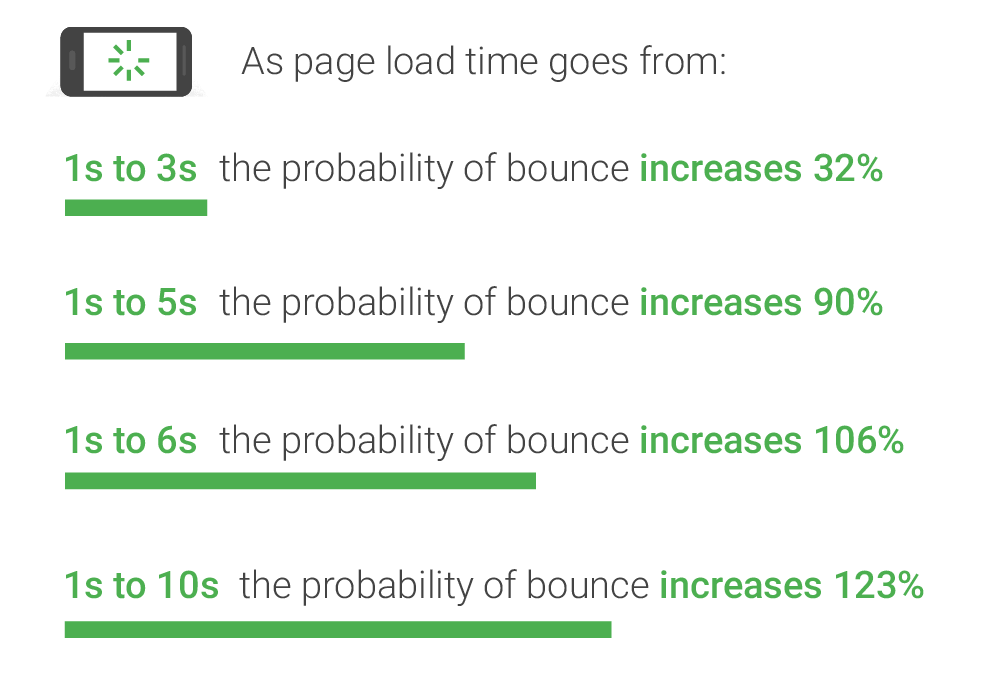
    According to Google’s mobile page speed study on Think with Google, as page load time slows down from one second to six, the bounce rate increases by 106%.

    A graphic of page load time relative to bounce rates - Search Influence

    So, make sure that your mobile website loads quickly and seamlessly. Google’s PageSpeed Insights is a handy tool for a basic test.

    2. Responsive Website

    A responsive website that is mobile-friendly works seamlessly across all devices. How do you make a website responsive?

    If your website is built on the WordPress platform, then creating a responsive design is very easy!
    Jared Jones’ post on the beauty of WordPress will make you a believer.

    3. Search Console Verification

    If you have separate mobile and desktop websites, verify the mobile version in Google’s Search Console. This proves that you own the site and directly affects how Google interprets and indexes it.

    Google’s Search Console help page provides you with all the ammo you need to get this done. More complex solutions for this preparation period includes content and image optimization, on-site directives and redirection, and schema structured data for your website.

    Talk to Us!

    At Search Influence, we are excited to start seeing the mobile-first index take form!

    To fully understand the impact of Google’s mobile-first index on your website, contact us for an audit and review of key aspects of your site’s mobile-friendliness. We’ll help you develop a roadmap to rectify potential risks to your search ranking and the content experience for your customers.

    Images:

    Parks and Rec

    Mobile-first notice Screenshot

    Page-speed Bounce Rates