Author: Demi LeBlanc

  • How to Make Sure Your Website Is Accessible for Everyone

    It’s safe to say that traffic—and gaining as much traffic flow as possible—is the major goal of anyone’s site. Unfortunately, a substantial amount of us forget about a few key demographics that depend on us to make sites, content, and social channels accessible. To put it into perspective, 360 million people have hearing disabilities and another 285 million people have visual impairments.

    Some have physical limitations that make it impossible to use a mouse, while some people are prone to photosensitive seizures.

    So how do we cater to as many people as possible and make our sites places of inclusion?
    The tips I’ve listed below are a great way to start.

    yall belong here gif

    How Can I Make My Content More Accessible?

    Most of these additions are minute things that we take for granted every day. Luckily, they’re also seamless and easy fixes that pack a huge punch of positive impact.

    Dynamic Content

    Dynamic content refers to pages, plug-ins, or other tidbits of your site that can change without forcing the page it’s on to reload. If someone is using a tool to navigate your website better, the tool may not inform the user of changes that happened on that page. This can lead to a confusing experience. Reader tools mostly scan a site as it naturally appears when it first loads, so if you use dynamic content, make sure it’s optimized.

    Audio

    Some visually-impaired users rely on transcribed blogs, articles, or web pages to digest your content through sound. Do some research on software that transcribes your blogs into audio clips to post to your website.

    Video Transcripts and Captions

    Users who are deaf or hard-of-hearing can use video captions to understand what’s going on in videos, and what dialogue is said. In this scrolling era, captions are also a best practice to get people sucked into watching your videos too! Sites like Amara offer free video captioning for small projects, so it’s a great tool to get started with.

    get the transcript obama gif

    Accessible PDFs

    To make a PDF accessible, the original document must have a solid foundation. Some other key attributes of an accessible document include searchable text and security features that allow for screen readers. Adobe goes in-depth on what you can do and how you can do it in this great resource.

    Descriptive Links and Button Text

    For users that need a screen reader to navigate a website, buttons and links that say “Click Here!” don’t give a clue as to why they’re clicking this link or button. Instead, opt for descriptive phrases such as “About The Team” or “Services Offered.” This makes for a clear understanding as to where you are taking a user.

    Color Choices

    A sizeable amount of users have photosensitivity that makes it difficult to view bright colors and may even cause seizures. The rest of us would like to err on the side of caution and preserve our eyesight for as long as possible. This is why choosing your color scheme is very important, as well as making text and backgrounds easy to view and read.

    Resizable Text

    Users with vision impairments benefit from text that can be zoomed in on to make it larger, and therefore easier to read. So make sure your mobile layout is capable of zoom!

    How Can I Make my Website More Accessible?

    Alt-Text

    Alt-Text is a screen reader’s best friend, allowing image descriptions to be read aloud to users with vision impairments. This is one reason why listing image descriptors is essential. I recently found out that you can even add these alt-texts on your Instagram and Facebook photos as well!

    Headers

    HTML headers should be clearly labeled to structure and organize the information, as well as instruct screen readers of that information. This assists not only users with vision impairments but also users with cognitive disabilities who may need well-structured information for extra clarity.

    Tables

    Tables may easily structure a page, but they also impede accessibility software from reading a page correctly. If you have information that needs to be laid out in table form, include an HTML markup that clearly defines headers and data cells so users can find the information.

    How Can I Make my Social Media More Accessible?

    Emojis and Emoticons

    A lot of programs can read emojis, but you will need to put a space in between each one for better readability. As for emoticons, they’re read the way they’re written. So a smiley face like this “:)” will be read as “semicolon parenthesis,” and shouldn’t be used too often.

    hear no evil, speak no evil, see no evil monkey gif

    #CamelCase

    It’s hashtag time! These are a pivotal part of any Instagram campaign, and should be written in what we call Camel Case for easy reading! So when you use hashtags, make sure you #UseCamelCase instead of #regularcase.

    Abbreviations

    The best practice is to refrain from abbreviating names of companies or organizations and instead spelling their name out in its entirety.

    More Resources

    W3C: World Wide Web Consortium on Accessibility
    WCAG: Web Content Accessibility Guidelines Checklist
    Section 508: Government standards on accessibility on the web
    Accessibility of State and Local Government Websites to People with Disabilities
    Color Contrast Checker
    Screen Reader Simulation
    Low Vision Simulation
    Dyslexia Simulation
    Distractibility Simulation

    Now, this is obviously not an exhaustive list of things to do, but it’s a good start in making the internet and your web content more accessible for a lot of users! There’s so much information available, and you can dig a little deeper with the list of resources above. If this is an initiative you’re looking to make a priority, reach out to one of our experts at Search Influence and we can help you make accessibility a reality.

    images:
    Y’all Belong Here Gif

    Obama Gif

    Monkey Gif

  • Top 10 Truly FREE Tools for Nonprofits + Even More Resources

    Nonprofit organizations are what I like to call “ballin’ on a budget,” which means strategically selecting resources that won’t break the bank. But where do you start?

    Here are our top 10 picks for the best free resources for nonprofits you should utilize to get your organization… organized.

    Make this world better with non-profit marketing tips from Search Influence

    [wp_express_checkout product_id=”24730″]

    Free Tools for Nonprofits

    1. G-Suite

    The mecca of high-powered email and productivity tools is free for nonprofits through its basic plan, and it includes the usage of your domain name for your team’s email addresses. Beyond your domain, you have access to G-Docs, Calendar, Drive, and so much more.

    2. Canva PRO

    Photoshop out of your skill range? No worries, Canva is here to make your social graphics POP! With tons of templates available, you’ll be able to create anything from a quick Facebook post to an entire presentation. Features include saving preset branding color palettes as well as premium fonts and graphics, with the ability to save your work in a variety of formats.

    3. Social Good by Facebook

    Social Good is Facebook’s hub for all of the tools offered to nonprofits, such as Charitable Giving (Facebook’s fundraising/donation tool), Crisis Response, Health (Blood Donation, Suicide Hotline, and more), and Mentorship (connecting people in need of support with people who have the expertise to help!)

    4. HotJar

    Want to know how your users are behaving on your website? HotJar has the hookup with “heatmaps” that help you visualize user behavior and see where they are getting stuck or what is really motivating them. With this knowledge, you can better optimize for a great user experience. Their more advanced tracking tools are also 100% free for select nonprofits.

    PSA: This is available to nonprofits who are nongovernmental, nonacademic, noncommercial, and nonpolitical in nature, with no religious affiliation. Their goal is to assist organizations working to “further charitable causes.”

    5. Follow Facebook’s @nonprofits

    Stay updated with all of Facebook’s nonprofit free resources and tools! They periodically announce fundraising events that your organization can participate in. For the last two years of #GivingTuesday, Facebook has secured a partner to match donations through Facebook’s Charitable Giving tool, first with the Bill & Melinda Gates Foundation and then with PayPal. #FreeMoney

    6. YouTube Nonprofit Program

    Video content is king, and YouTube wants to help your organization with creating inspiring content. If you have over 1,000 followers, they’ll give you access to all of their production studios countrywide, as well as their powerful editing tools. Click here to find the closest studio near you!

    7. Action Sprout

    Grow your following by seeing actionable insights to your posts, and optimize them to further engage your followers for the most reach. You no longer have to wonder why a post performed well… or didn’t. Action Sprout is now free for nonprofits everywhere!

    8. Hootsuite

    For smaller organizations with less than two channels to manage, Hootsuite offers a “free-limited” plan with a 50% discount on the unlimited set-up, which lets you manage more than two social channels. With this software, you can schedule and manage your social media posts all in one place with built-in analytics.

    9. Google Ad Grants

    We’re back again with #FreeMoney! Google Ad Grants gives your organization $10,000 to create and deploy text-based ads, and up to $40,000 for organizations that participate in Grantspro. There are a few limitations, but all are easy to work within.

    PSA: “Governmental entities and organizations, hospitals and medical groups, schools, academic institutions, and universities are not eligible for Google for Nonprofits, but philanthropic arms of educational institutions are eligible.”

    10. CallHub

    For smaller organizations, you can sign up for free and have 5,000 calls on CallHub’s tab for their “Collective Calling Campaign.” This free-for-nonprofit software helps organize and track your fundraising outreach via call and text, and it’s all capable of automation for ultimate efficiency.

    Graphic of hands being raised for nonprofit volunteering

    [wp_express_checkout product_id=”24730″]

    BONUS: 5 Heavily Discounted Tools

    Communicate effectively with your team with an 85% discount, plus a free plan for organizations with under 250 employees.

    Find volunteers, employees, and so much more with a LinkedIn nonprofit account. Discounts are available upon request for nonprofits at [email protected]

    Analyze what content works best with your demographic, or what’s working best for similar organizations to optimize your marketing campaigns. For discounted pricing for nonprofits, email [email protected]

    A work and project management platform that offers a 50% discount for all nonprofits that qualify, which will assist your employees in keeping track of their to-do lists and projects.

    Big workload that can use some automation? Zapier offers a 15% discount on thousands of automation “triggers” that integrate with most of the apps and programs you use daily, including the many listed above.

    Learn More About Free Things for Nonprofits

    Nonprofits can have access to robust marketing tools and spare their wallets at the same time!

    Though some of these are limited by the size of your nonprofit, many aren’t. If you’re in healthcare marketing, higher education marketing, or any other sector, these discounts can be a great way to get the most out of your budget.

    Don’t forget to take advantage of the free trials and discounts available! With a little research, you can find plenty of software that fits your needs — and your budget.

    Check out some of our educational resources and our blog for more great marketing and SEO advice.

    Ready to break new ground in marketing your nonprofit?

    Allow us to present you the latest in pick axe technology — Search Influence’s new eBook, Unlocking Free Resources for Nonprofits: Your Roadmap to Using Ad Grants and Free Marketing Tools.

    This eBook is your key to unlocking countless nonprofit marketing capabilities without breaking the bank.

    Our team compiled a list of over 15 free services for nonprofits that encompass every aspect of marketing, including:

    • Copywriting
    • Graphic design
    • Email marketing
    • Analytics & lead tracking
    • Social media marketing
    • Search engine optimization
    • Project management
    • Online advertising (Google Ad Grants & Microsoft Ads for Social Impact)

    As you read along, you’ll learn how to access these tools and the best ways to use them to boost your marketing ROI.

    From Hemingway Editor and Canva to Google Analytics and Ahrefs, gain access to a whole new world of marketing capabilities for your nonprofit for just $9.95 when you purchase Unlocking Free Resources for Nonprofits: Your Roadmap to Using Ad Grants and Free Marketing Tools.

    [wp_express_checkout product_id=”24730″]

    Images:

    Hands

    Signage


  • 15 Quick Tips on Using Geolocation Targeting for Your Law Firm

    Once upon a time before GPS and Bluetooth, marketing your firm was an absolute nightmare of unknowns and shots in the dark. There’s a limit to the amount of kitschy commercials you can make, right? The era of big tech is upon us, and if you haven’t tapped into Geofencing marketing, then you’re already behind on the times. The opportunities to target customers in niche areas are boundless and only limited by your own creativity (and some local or state consumer privacy laws).

    So What Even Is Geofencing or Geolocation Marketing?

    When you Google geofencing the definition that appears is “the use of GPS or RFID technology to create a virtual boundary, enabling software to trigger a response when a mobile device enters or leaves a particular area.” Basically, it’s the ability to target your ads to users who enter a specific “fenced” geographic location to push relevant information when and where they may be looking for it and at any time in between. Not only will this strategy pull in new leads if you understand what you’re doing, but it will also bring in quality leads with intent to convert. Later in this post, I’ll list some key tips to optimizing this type of campaign.

    Magnifying glass and set of keys on top of map

    What Can Geofencing Do for My Firm?

    When you’re setting up your Google and Facebook Display campaigns, you no longer just have to input the city you’re looking to target. The market is already saturated with other law firms, and you’ll be paying top dollar to get your ads to show up, much less be the top result. The first step is to examine your demographics and target audience. Then, find specific neighborhoods or landmarks and really zero in on your exact customer. You know that intersection where there are always a lot of car accidents and the auto repair shop that services those wrecks? That’s an area you should target. Know of any physical therapy clinics or chiropractors? Bingo. If you’re an attorney that specializes in estate planning, look for higher-income areas like fine dining venues or country clubs and golf courses. Go where your customers are.

    Why cast a wide net in a large pond when you cast a small one where the fish are biting?

    15 Quick Tips to Get You Started

    Applying eyeblack prior to getting started

    1. Get to know your audience and demographics. Without this, you’re toast.
    2. Plan and prioritize your KPIs and performance metrics, then build your campaign from there.
    3. Exclude locations where you know your target customer won’t be.
    4. Target specific events within the town or city. Morris Bart does a great job of this by sponsoring Lil’ WeezyAna Fest in New Orleans.
    5. Bigger “fences” don’t always mean better. Keep a 4-5 minute travel radius from your desired location.
    6. Make sure the CTA is location-specific so that your customer understands the relevance of your ad and isn’t utterly annoyed by your brand.
    7. Timing is key. Try to have your ads show at relevant times for your customer, though this is obviously different for everyone.
    8. Use the data you receive from these campaigns to constantly improve them. What’s that quote that mentions insanity and doing the same thing over and over again?
    9. The message in the ad should prompt immediate action and usher the user to take the next step.
    10. Consider population density in the areas you’re targeting.
    11. Targeting your competition is a very good idea 🙂
    12. Use location-specific landing pages. Once again, these ads must be relevant.
    13. Use location-specific keywords, and even use slang!
    14. Set location-based bid adjustments so you don’t break the bank.
    15. Enable extensions in your ads for easy calling and emailing. People love convenience.

    The Future Is HereSpinning and pointing

    Hyper-targeting potential customers based on niche locations is the next big thing, and utilizing these features in your campaigns is easier than ever. Billboards may still have some value, but it’s more effective to post virtual billboards inside of a customer’s smart-phone or computer at a much lower price than traditional advertising or even PPC campaigns. Geofencing is still relatively new, which means you can stay ahead of the curve.

    Which Steps Should You Take Next?

    Get the ball rolling! It’s time to optimize your ads to target your key demographic. Need some help? No worries. We have an expert team of online marketers to get your campaigns up and running to gain new clients. Are you unsure of who you should be targeting or do you need to figure out which metrics matter to your business? We’ve got you covered. Request a proposal with Search Influence today.

    Images

    Dashboard

    Magnify

    Eyeblack

    Spin and point

  • Five Steps to Boost Your Law Firm’s Online Reputation

    Reputation is everything. If you’re a fan of the TV series “Suits,” you already know that hotshot attorney Louis Litt’s most important character trait is his obsession with his reputation, as well as his firm’s. He does whatever it takes to make sure it’s immaculate. Since Louis doesn’t talk much about his strategy, I took it upon myself to shine some light on the perks of having a strong online reputation and how to improve yours (if it could use some work).

    “Reputation is an outcome, but it is also a valuable, strategic asset,” says Andrew Griffin.

    By cornering your social media game and online presence, you’ll be able to aptly manage your law firm’s online reputation and mold its online “personality” to set the stage for a reliable and effective firm in the eyes of future clients. The next five steps are vital to shaping your brand and ushering new clients through your virtual door.

    Step 1: Ask for Reviews

    When consumers are beginning their search for a law firm, they turn to the internet to do some digging. 65 percent of consumers claim to be swayed by the reviews they find on your firm, and a single negative review can drive away 22 percent of potential clients. Ouch.

    So How Do We Combat the Bad Publicity?

    Set up a system and a strategy to make it as easy as possible for your clients to leave you reviews (see Step 2). By flooding your Google My Business listing with bright and positive client reviews, you push the negative commenters further from the line of sight and cement your standing as a reputable firm. Asking for reviews may seem a little tricky, but the key is to ask at the optimal time, like right after you’ve won a case for a client.

    You might be asking why I’m mentioning Google reviews? Google has been proven to be the most frequently used review platform when customers search for attorneys. It’s the most popular search engine, so it makes sense that it would beat out other platforms. You really can’t beat convenience.  After Google, the most popular review platforms are Facebook, Yelp, then Avvo. This doesn’t mean you should ignore these sites, but asking your clients to leave their praise on Google is more important.

    "You're a genius" gif from the television show Suits

    Step 2: Find a Place to Filter All of Your Reviews in One Place

    My biggest piece of advice is to stay organized. If your law firm has multiple locations, this is even more important when managing your online reputation. Between Google, Facebook, Yelp, and Avvo, you’ll have a hard time bouncing from platform to platform, putting out fires, and responding to client praise. BirdEye is a great way to consolidate your online reviews and respond to them in kind.

    Bonus Perk

    BirdEye keeps your law firm’s contact and business information accurate across all review channels, and it also makes it easy to ask your clients for reviews by putting all of the tools right in their lap. As mentioned before, you really can’t beat convenience.

    "I'll make it happen" gif from the television show Suits

    Step 3: Respond to EVERY Review Within 24 Hours

    This is where BirdEye really comes in handy with managing your law firm’s reviews. The internet has given the world many wonderful things, but it also introduced an element of chaos. And when I say chaos, I mean a scathing online review about your firm (that may or may not be valid) that’s posted in public where your potential clients can see it.

    Fear not—you’ll be OK. It’s time for you to find your zen and craft an empathetic and professional reply that acknowledges the trouble the reviewer faced, offers an avenue to make it right, and then thanks them for their feedback. At the end of the day, these reviews can actually be very helpful in letting you know how to improve your business and pinpoint some issues that may be happening more often than you’d like.  

    Bonus Perk

    You have now positioned yourself in the public eye as a firm that’s genuinely interested and concerned about all of your clients, not just the happy ones.

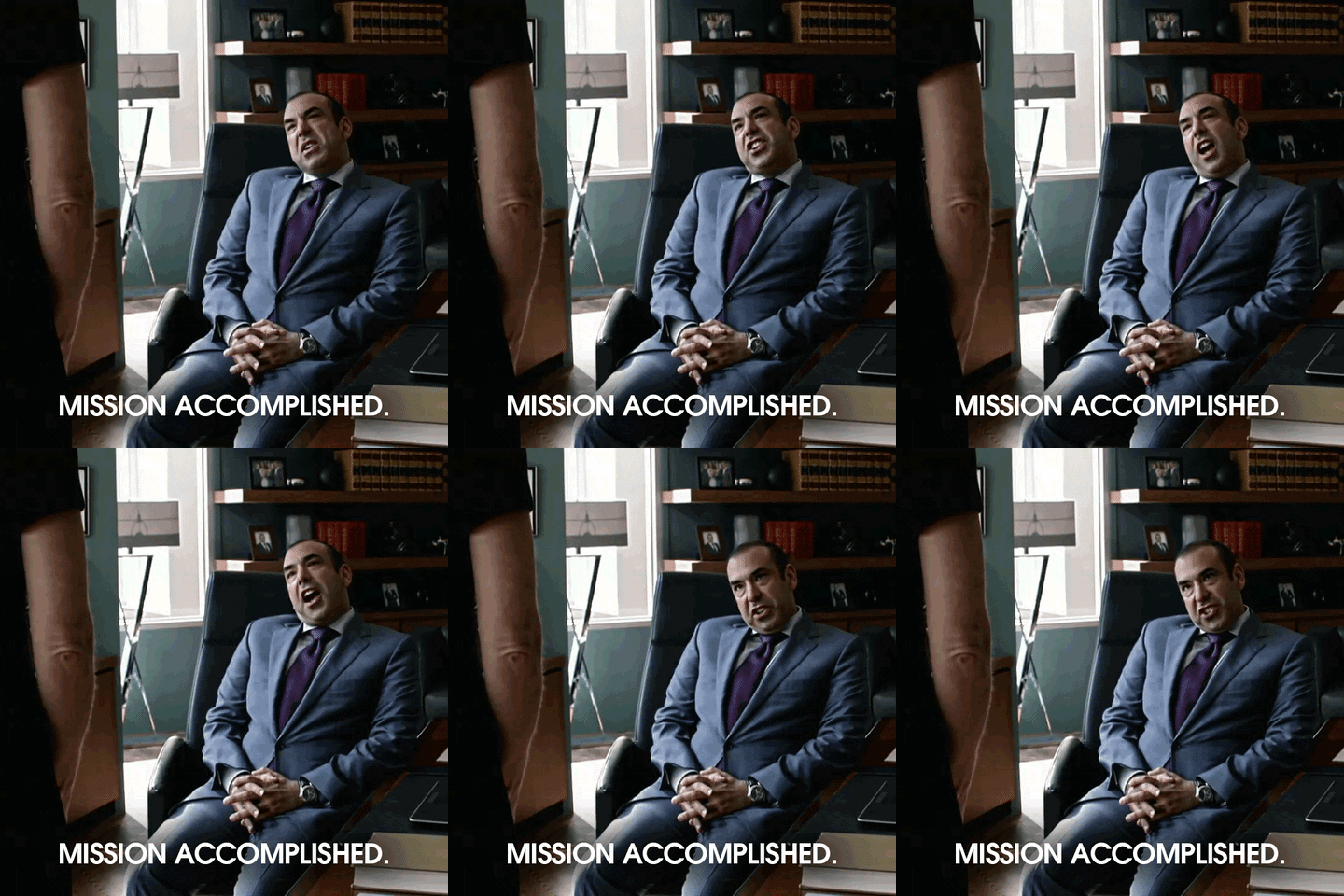
    "Mission accomplished" gif from the television show Suits

    Step 4: Start a Blog

    Content. Content. Content.

    Position your law firm as a thought leader in your areas of practice and write content that speaks directly to your potential clients and, just as importantly, to Google. Creating more content for your site that’s relevant to what your potential clients are searching for directly translates into where you rank for relevant search results. There are other factors that affect your rankings, but content is among the most important.

    Let’s say a potential client, we’ll call him Gary, was in a wreck last week. The driver who hit him was uninsured. Gary is at a loss about what legal action he should take and doesn’t know if he even has a case. To answer his questions, he turns to Google and asks for some advice. If you’re a personal injury attorney, you could craft a blog that explains Gary’s rights and a step-by-step guide to finding the help he needs to file a lawsuit to cover the damages. So when Gary searches for clarification, your blog could be the first one to pop up, which prompts him to click onto your website and potentially become a paying customer.

    Consider the types of cases that generate the most revenue for your firm, research how consumers search for information about those practice areas, and craft your content strategy around the information you find!

    "That's more like it" gif from the television show Suits

    Step 5: Hire a Marketing Firm

    As cliché as it may sound, you have better things to be working on than creating a marketing strategy, monitoring your social engagement, and writing blog posts in your spare time on the weekends. Save yourself some time and energy and talk to one of our strategists about building a bulletproof strategy on managing your online reputation and drawing up a game plan to solidify your online presence. With several teams dedicated to each aspect of digital marketing, Search Influence has all hands on deck to craft the perfect strategy to make your positive online reviews more visible and create relevant blog topics that will have potential clients knocking on your digital doorstep. Start a conversation with one of our experts today.

    Images

    Suits 1

    Suits 2

    Suits 3

    Suits 4